

You can change your password for security reasons at any time, or reset it if you’ve forgotten it. Keeping your password up to date helps protect your Debits account from unauthorized access.
Here’s how to change your password when you know your current one:
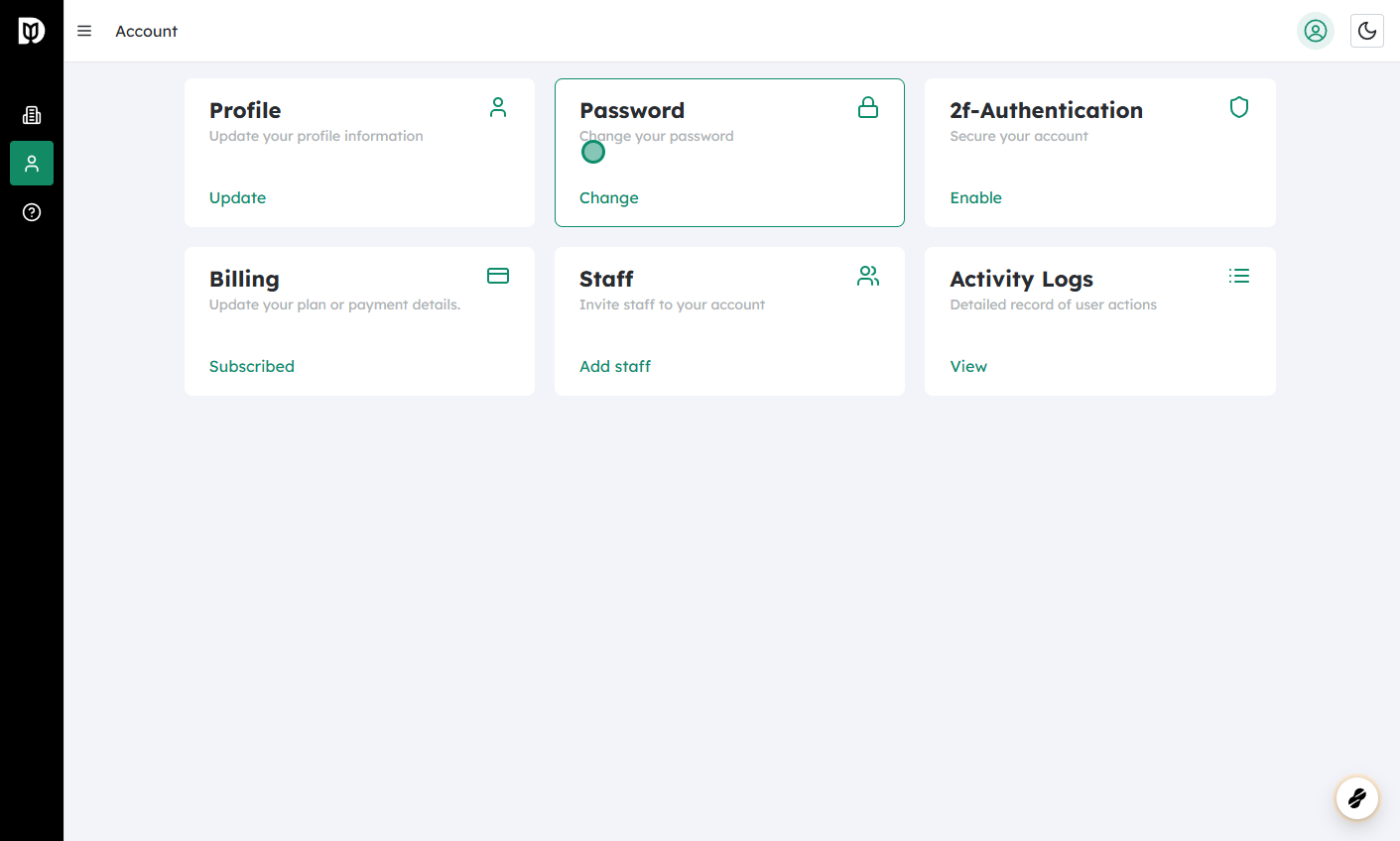
Log in to your Debits account and go to “Account” #
- Sign in using your current username/email and password.
- Once logged in, look for the Account, Profile, or Settings section—usually found in the top-right corner or in a side menu.
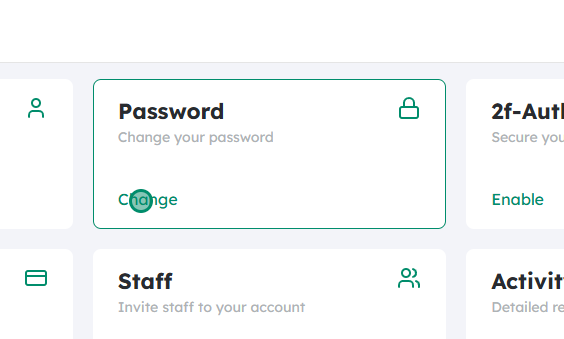
Click on “Change” to change your password #
- In the Account or Security settings, find the option labeled Change Password, Security, or similar.
- Click the Change button or link to open the password change form.
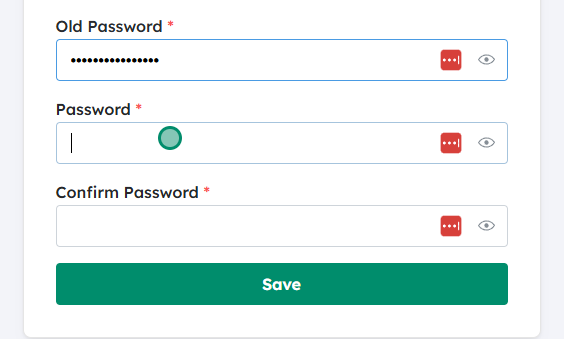
Enter your old password, then your new password twice #
- First, type your current (old) password. This confirms that it’s really you making the change.
- Next, type your new password in the “New password” field.
- Re-enter the same new password in the “Confirm new password” or “Re-type new password” field.
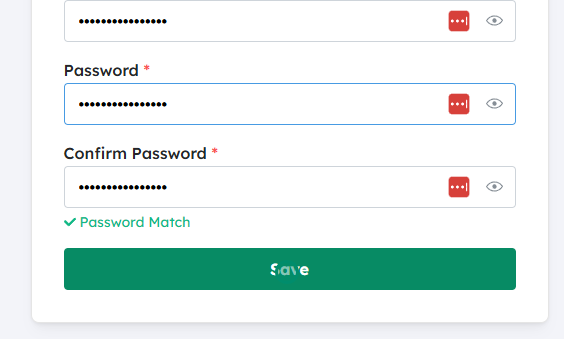
Make sure the new passwords match, then save #
- Double-check that both new password entries are identical—any small difference (extra space, capital letter, symbol) will cause an error.
- Once they match, click Save, Update, or Confirm.
- You may be logged out on other devices for security; log back in using your new password.
If you’ve forgotten your password #
If you cannot remember your current password, you won’t be able to follow the steps above. Instead:
- Go to the Debits login page.
- Click “Forgot Password?” or similar.
- Enter the email address or username associated with your account.
- Check your email (and spam/junk folder) for a password reset link.
- Click the link and follow the instructions to set a new password (you usually won’t need your old one here).
- Log in with your new password after it’s been reset.
Tips for a strong password #
- Use a mix of uppercase and lowercase letters, numbers, and special characters.
- Avoid using easily guessed information like your name, birthdate, or “123456”.
- Don’t reuse passwords from other sites—if one site is compromised, others could be at risk.
- Consider using a password manager to generate and store strong, unique passwords.
By regularly updating your password and using a strong, unique one, you greatly reduce the chances of someone gaining unauthorized access to your Debits account.


