

You can control exactly how far back Debits pulls in your transactions QuickBooks.
By default, Debits starts syncing from the connection date (or a recent default date, depending on your setup). If you need to bring in older transactions—for example, to clean up historical data or reconcile past periods—you can choose an earlier sync start date.
- For a one-time fee of $2 per additional month, you can move your sync start date further back in time.
- There’s no limit to the number of transactions we’ll sync from that date onward. Whether that’s a few dozen or tens of thousands, the price is based only on months, not volume.
- This is ideal for:
- Historical cleanups or catch-up bookkeeping
- Migrating from another system and wanting a full history in Debits
- Preparing for audits or reviews that span multiple prior periods
Once set, Debits will automatically sync all available transactions from the chosen start date up to today.
How to change the sync start date #
 #
#
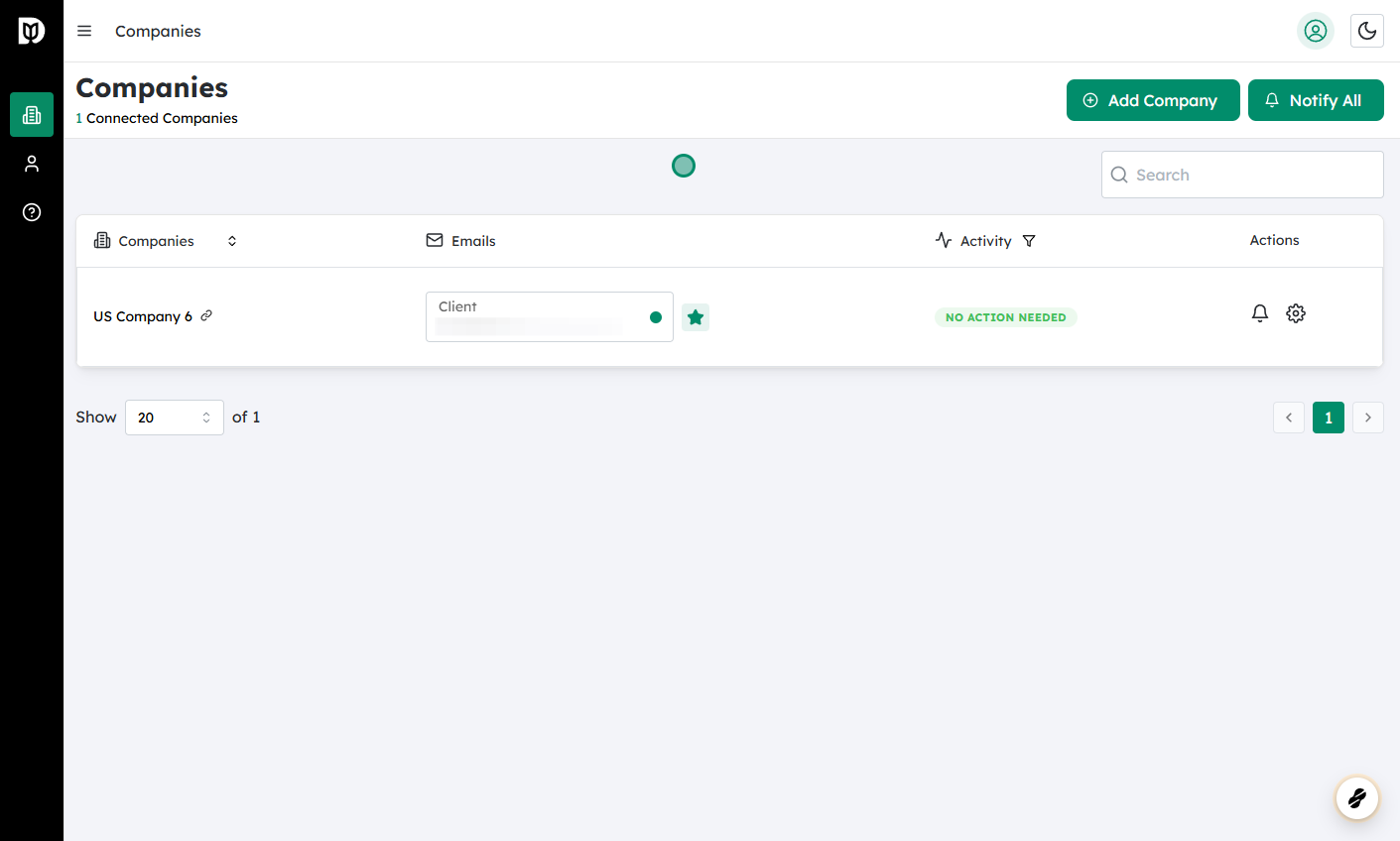
Log in to Debits and navigate to Companies #
- From the main menu, go to Companies to see your list of connected entities.
 #
#
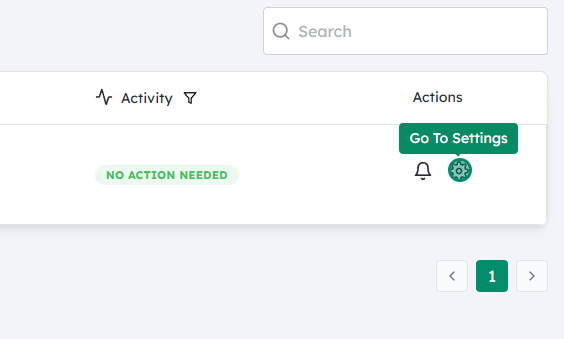
Open the settings for the relevant company #
- Find the company you want to update.
- Click on the Settings (gear) icon next to that company.
 #
#
Set your new sync start date #
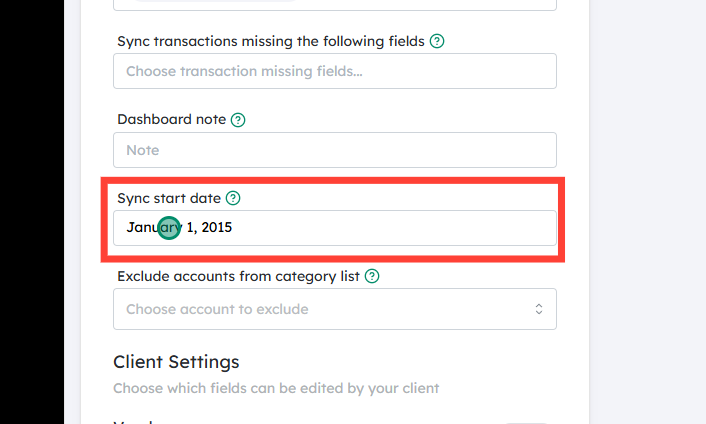
- In the company settings, locate the Sync start date field.
- Click on it to open the date picker.
- Choose the earliest date from which you want Debits to start syncing transactions.
- If you move this date further into the past, you may see a summary of any additional months and the corresponding one-time fee (at $2 per extra month).
- The app will, from this new date, sync all historical transactions up to the current date.
 #
#
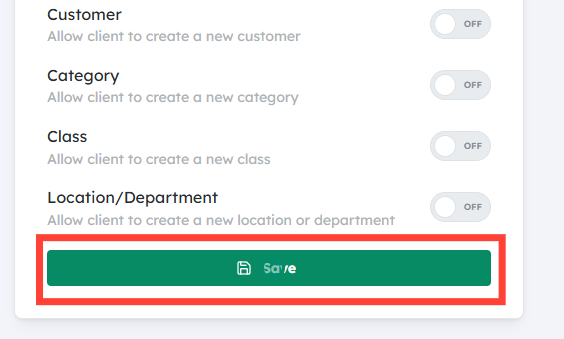
Click Save #
- Click Save to confirm your new sync start date and, if applicable, approve any one-time historical sync fee.
- Debits will then begin fetching all transactions from that date forward. Depending on how far back you go and how many transactions you have, the initial sync may take some time, but there is no transaction limit.


