

Follow these steps to invite a new staff member and control which client companies they can access.
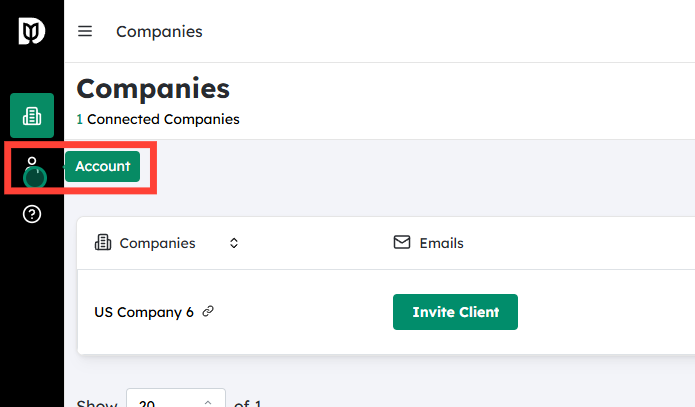
Go to the Staff section #
After logging in to your Debits.com account with your firm administrator credentials:
- Navigate to the main menu.
- Click on “Staff” to open your firm’s staff management area.
This page shows a list of all existing staff and their current access.
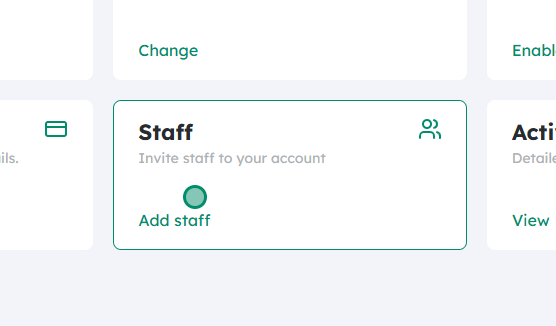
Click on “Add Staff” #
On the Staff page:
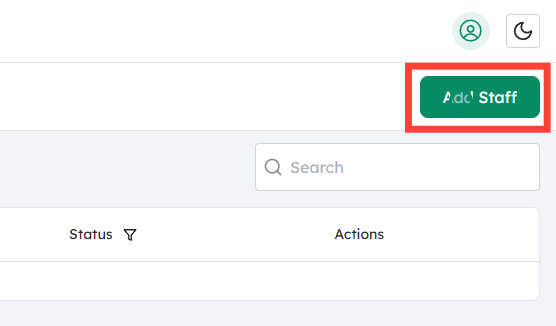
- Look for the “Add Staff” button (usually at the top right or top left of the list).
- Click “Add Staff” to start creating a new staff record and sending an invitation.
Enter the staff member’s email address #
In the Add Staff dialog or form:
- Type the work email address of the staff member you want to invite.
- Double‑check the spelling; the invitation link will be sent to this email.
- Ensure it’s an email address they can access directly.
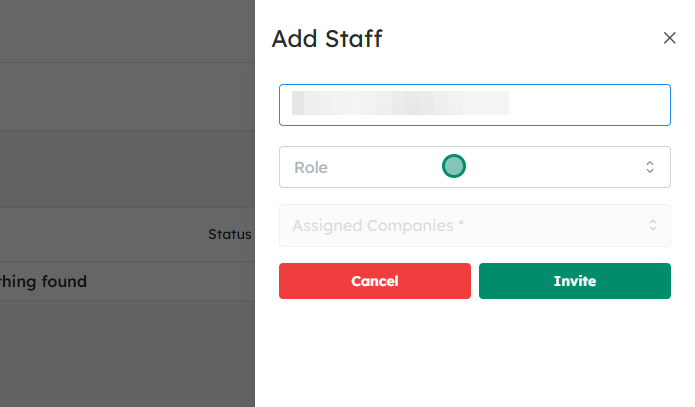
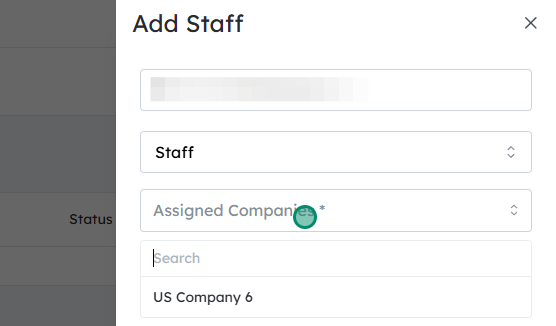
Select the companies for this staff member #
Next, choose which client entities this staff member should be able to see in Debits.com:
- You’ll see a list of companies/clients associated with your firm.
- Tick or select the companies you want the staff member to have access to.
- Only the selected companies will appear in their Debits.com account once they accept the invitation.
- Review this list carefully to ensure you are giving the correct level of access.
(If your account includes role or permission options, select the appropriate role at this stage, following your firm’s internal access policies.)
Click “Invite” #
Once the email and company access selections are correct:
- Click the “Invite” button to send an invitation email to the staff member.
- Debits.com will send them an email with a link to create or log into their Debits.com account and accept the invitation.
- Until they accept, they may appear in your Staff list as “Pending” or similar.
After the staff member accepts the invitation, they will be able to log in and access only the companies you selected. You can return to the Staff section at any time to update company access or remove staff if needed.


