

If you need to ask your accountant a question or share details about a specific transaction, you can do it directly from within Debits.com. Follow these steps:

Go to Company Transactions #
- Log in to your Debits.com account.
- From the main menu, navigate to Company Transactions.
- You’ll see a list of all transactions for your company.
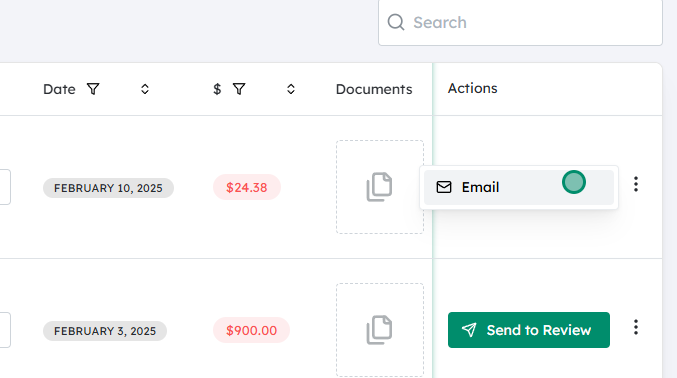
Select the transaction you want to discuss #
- Find the transaction you have a question about or want to highlight.
- Check that it’s the correct item by reviewing the date, amount, and description.
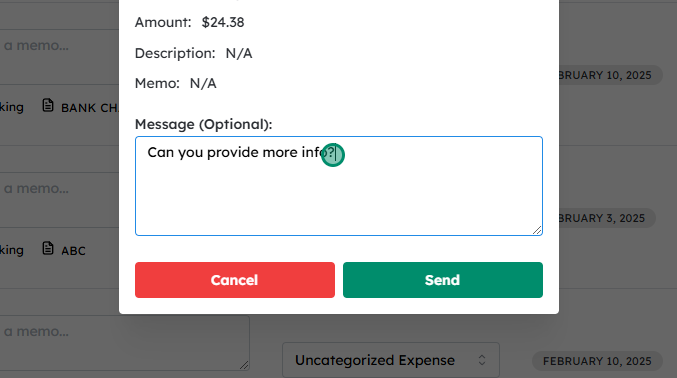
Click on “Email” for that transaction #
- On the same row as the transaction, click the Email button/icon.
- This will open an email or message window linked to that specific transaction, so your accountant can see exactly what you’re referring to.
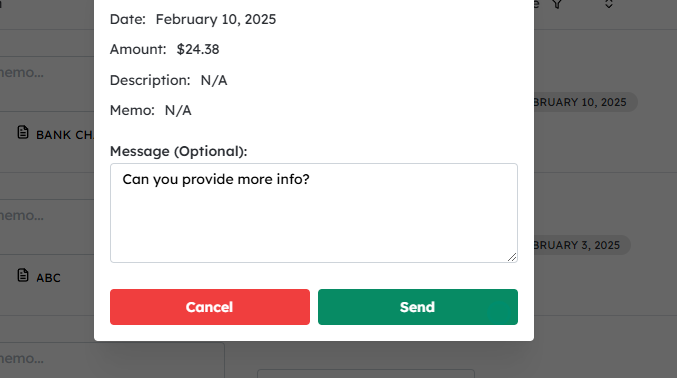
Type your message #
- In the message field, enter the details you want to share with your accountant.
- You can:
- Ask a question about how to categorize the transaction
- Clarify what the expense was for
- Provide any missing information (e.g., client name, project, notes)
- Keep your message clear and include any context that might help your accountant.
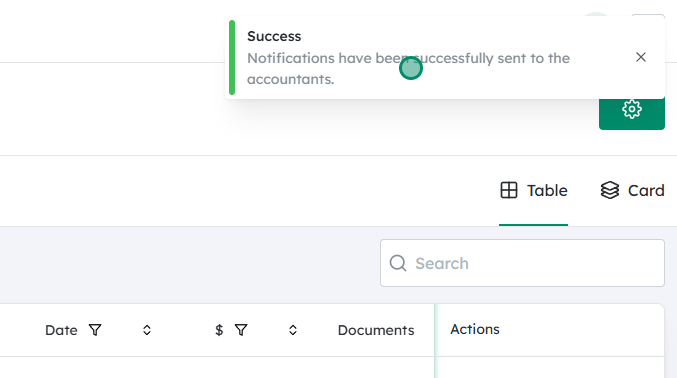
Click on “Send” #
- Once you’re happy with the message, click Send.
- Your accountant will receive an email that includes your message and a reference to the specific transaction.
Your message will be emailed to your accountant. #
- This process ensures your accountant has both your note and the exact transaction details in one place, reducing back-and-forth emails and improving accuracy.


