

Open the Vendor Details Modal #
Before filing 1099s, it’s important to review and verify each vendor’s tax information. The Vendor Details modal lets you view and edit all the information needed for accurate 1099 filing.
Step 1: Navigate to the 1099s Tab #
Go to Transactions and click the 1099s tab.
Step 2: Click the View Button #
Find the vendor you want to review and click the eye icon in the Actions column.

Understanding the Modal Tabs #
The Vendor Details modal has four tabs, each showing different information:
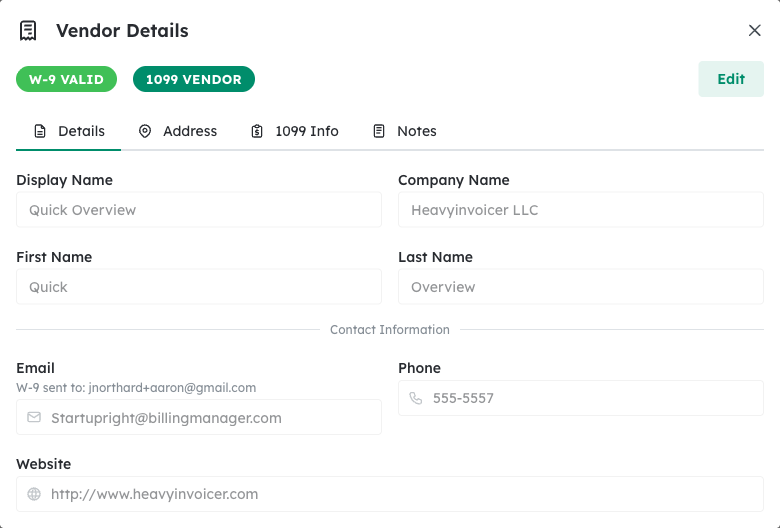
Details Tab #
Shows the vendor’s basic contact information including name, email, and phone number.
Address Tab #
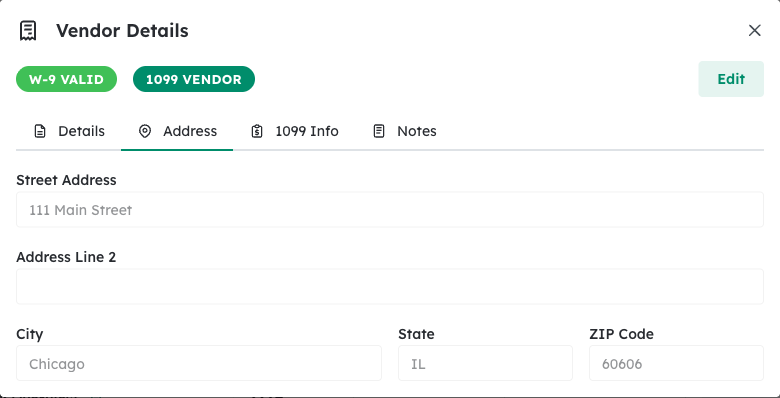
Displays the vendor’s mailing address. This is where the physical 1099 form will be sent if mailing copies.
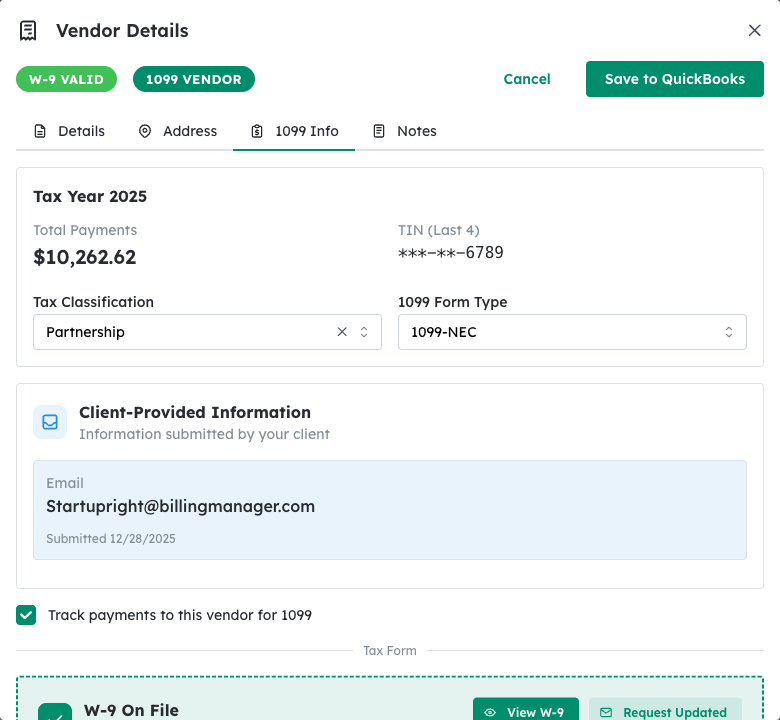
1099 Info Tab #
Contains all tax-related information needed for 1099 filing:
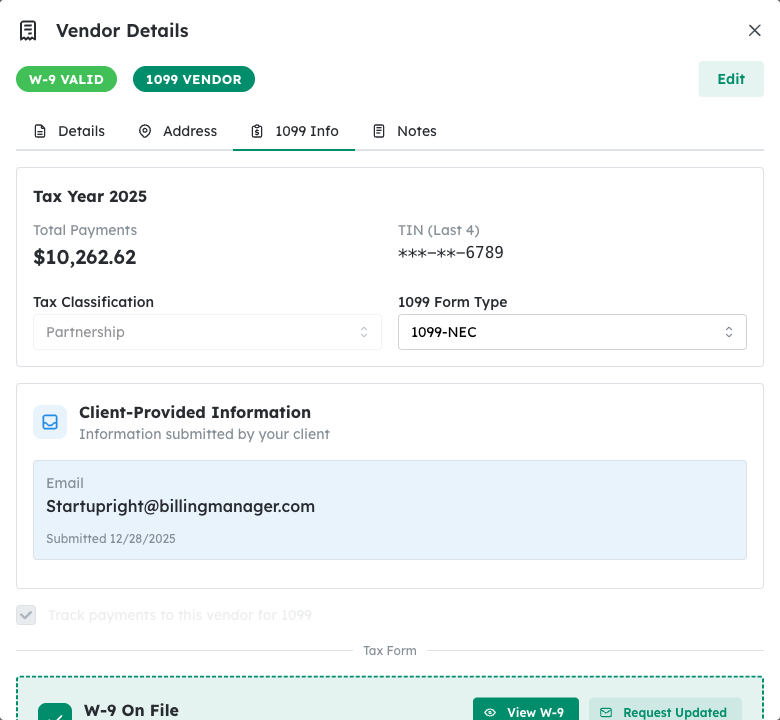
- Total Payments – Sum of all payments to this vendor for the tax year
- Excluded Amount – Any payments excluded from 1099 reporting (e.g., reimbursements)
- Tax Classification – Business type (Individual, LLC, Corporation, etc.)
- TIN Type – SSN or EIN
- TIN – Tax Identification Number (masked for security)
- 1099 Form Type – The form to file (1099-NEC, 1099-MISC, etc.)
Notes Tab #
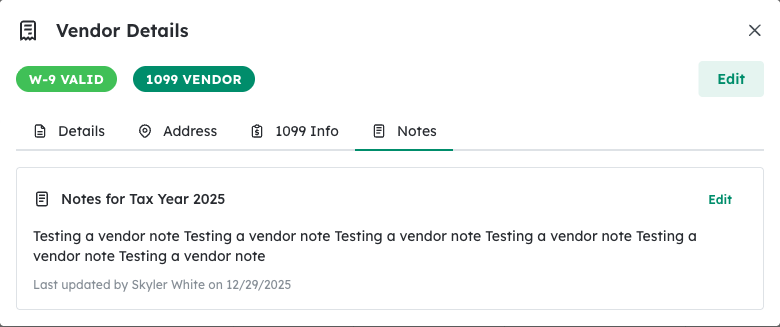
Internal notes about the vendor for your team’s reference.
Edit Vendor Information #
Step 1: Click Edit #
On the 1099 Info tab, click the Edit button to enter edit mode.
Step 2: Update Tax Classification #
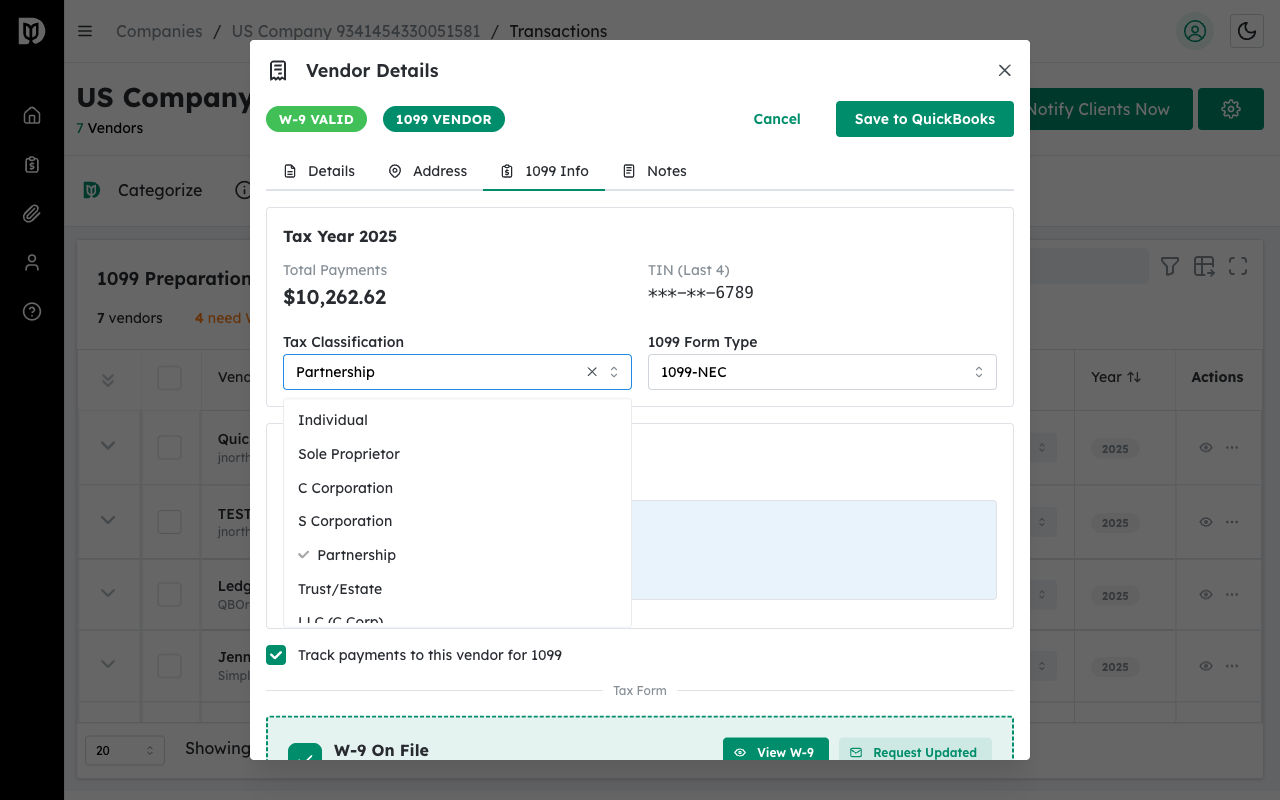
Click the Tax Classification dropdown to change the vendor’s business type. Common options include:
- Individual/Sole Proprietor
- Single Member LLC
- Partnership
- C Corporation
- S Corporation
Step 3: Select 1099 Form Type #
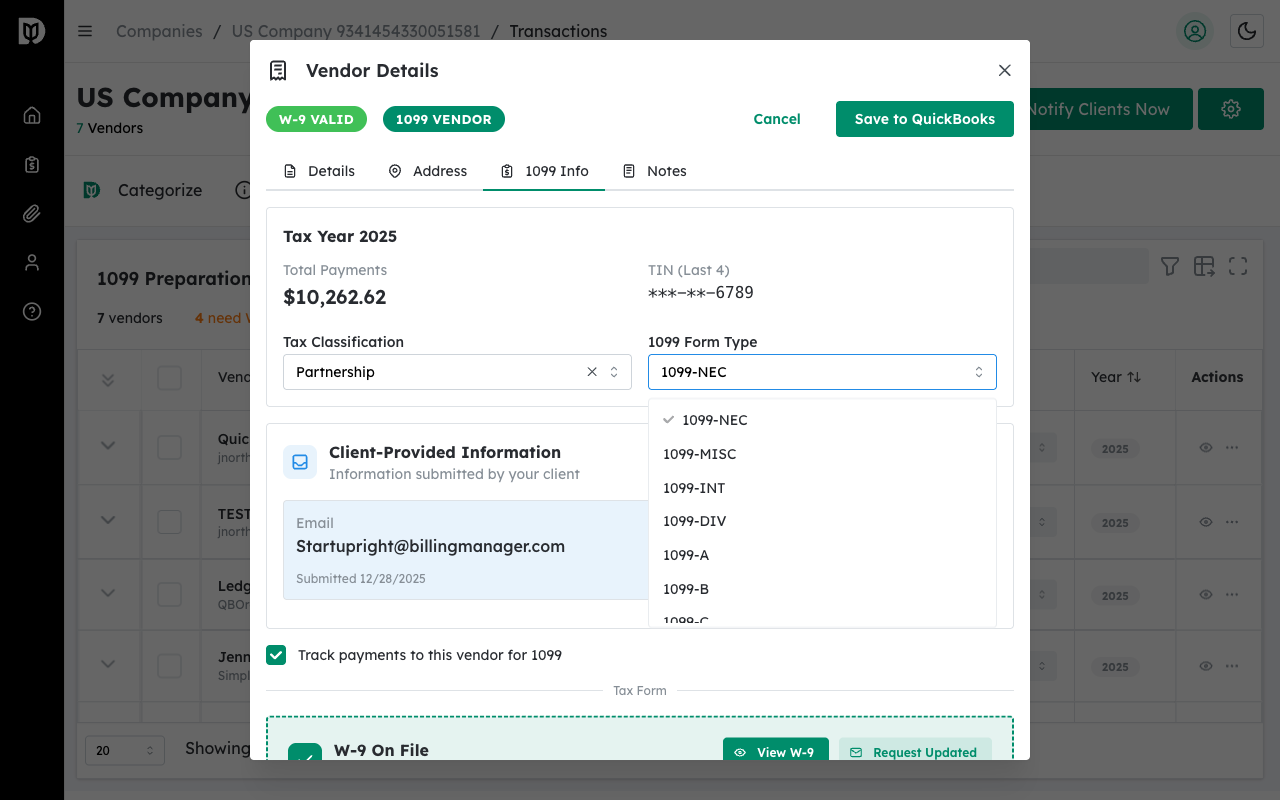
Choose the appropriate 1099 form type based on the type of payments:
- 1099-NEC – Non-employee compensation (most common for contractors)
- 1099-MISC – Miscellaneous income (rent, prizes, etc.)
Step 4: Save Changes #
Click Save to QuickBooks to save your changes. The information syncs back to your QuickBooks account.
Tip: Corporations (C-Corp and S-Corp) are generally exempt from 1099 reporting for most payment types. Verify the tax classification to ensure compliance.


