

Who this is for: Clients and taxpayers who have received an email invitation to sign their tax return electronically.
What you’ll learn: How to verify your identity, answer security questions, and sign your tax return online.
Before you begin #
- You must have received an email from your accountant with a signing link.
- Have the following information ready: your Social Security Number (SSN), date of birth, and current home address.
Step-by-step instructions #
Step 1: Open the signing link #
Click the secure link in the email from your accountant. This opens the tax return signing page showing your name, the tax year, and the form type.
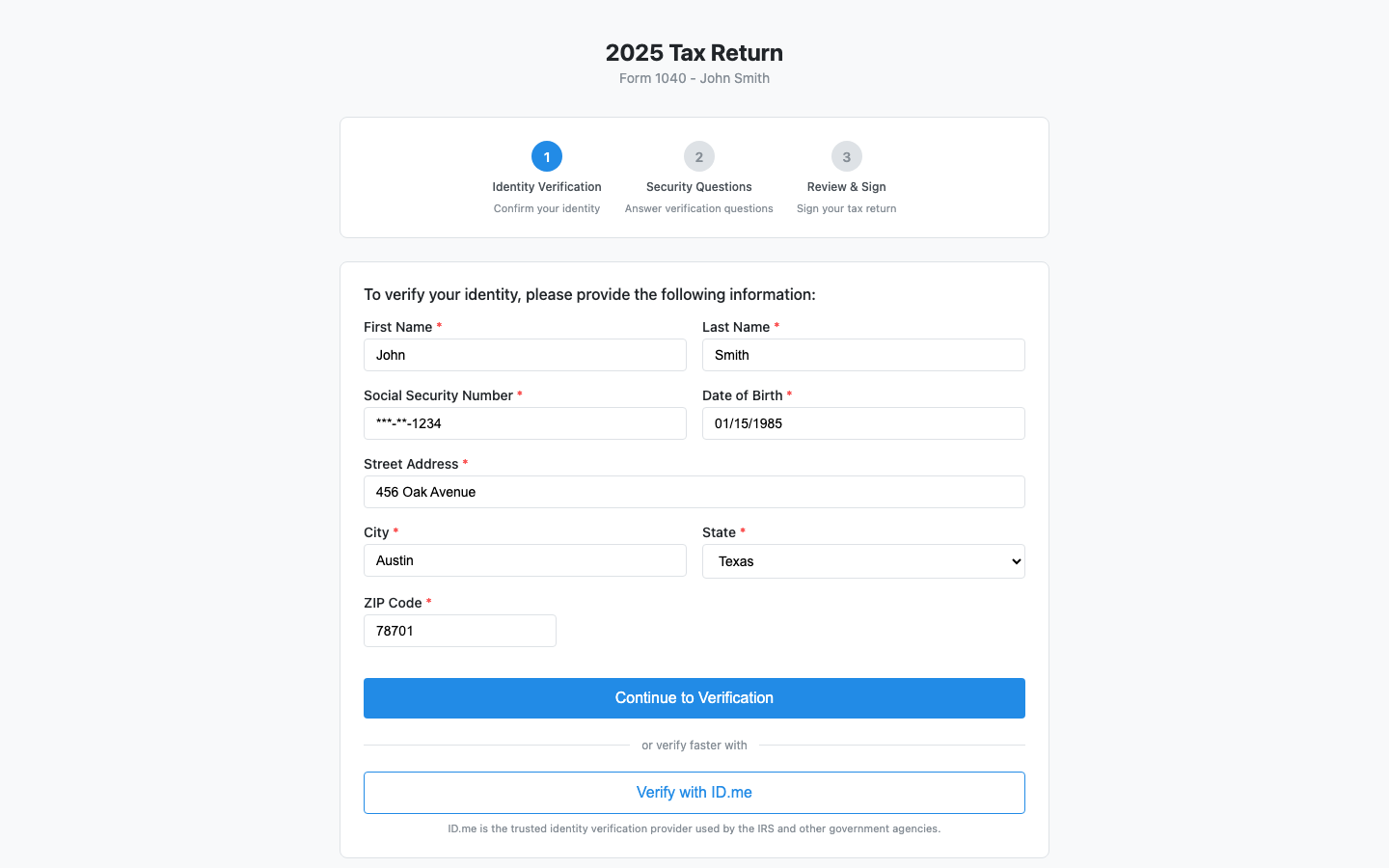
Step 2: Enter your identity information #
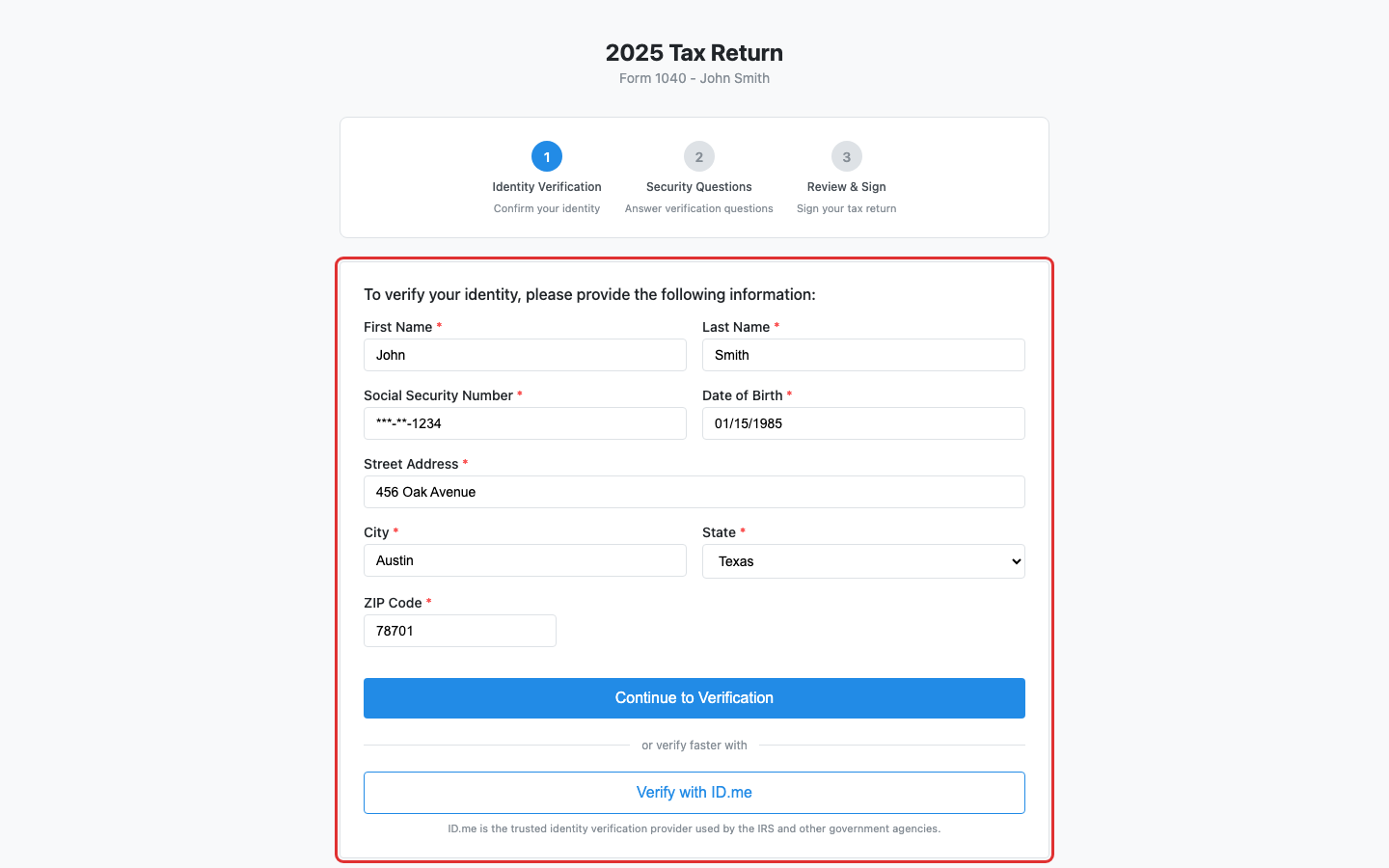
Fill out the identity verification form with your:
- First and last name
- Social Security Number (SSN)
- Date of birth (MM/DD/YYYY)
- Street address, city, state, and ZIP code
Step 3: Continue to verification #
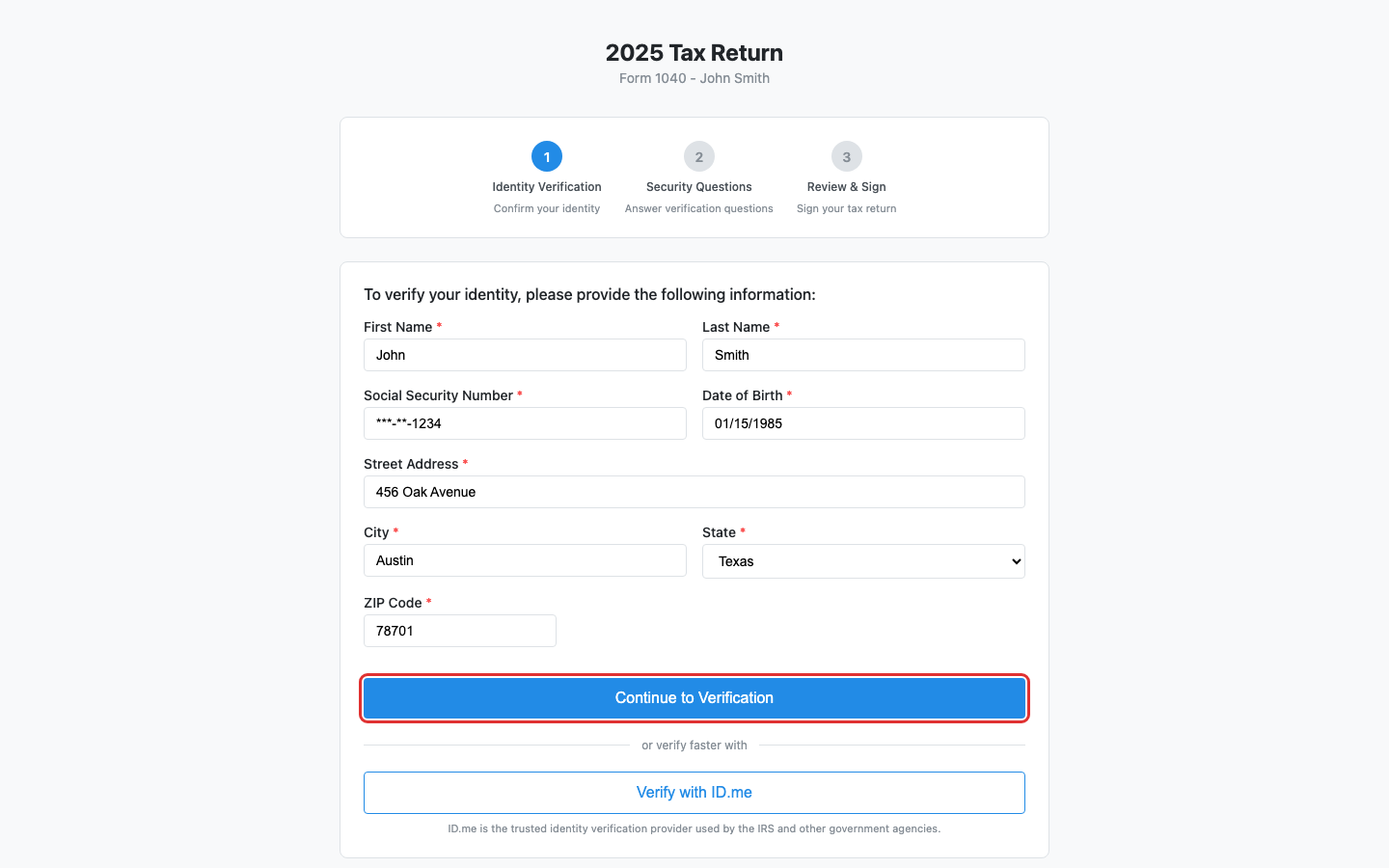
Click Continue to Verification to proceed to the security questions.
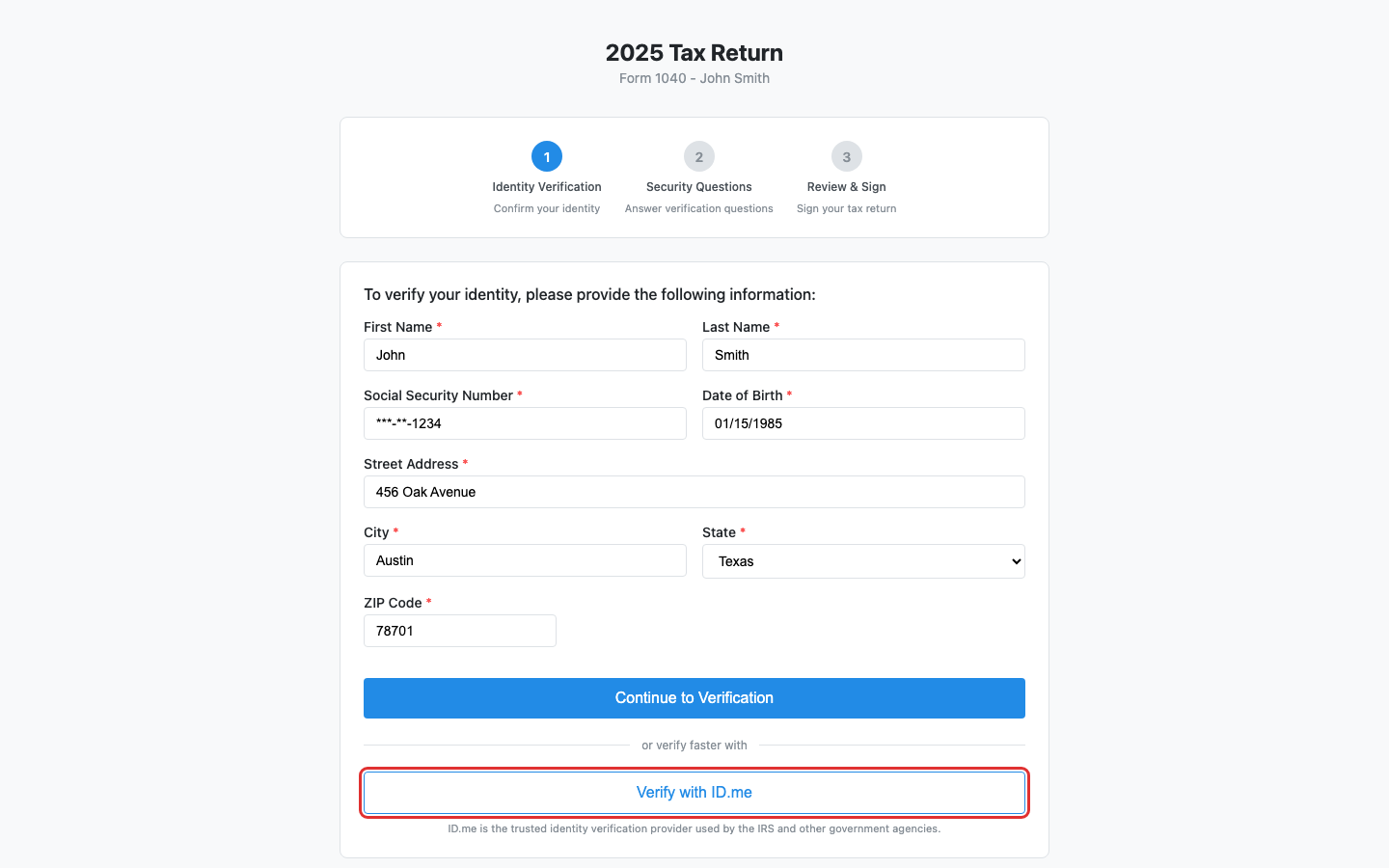
Alternatively, you can click Verify with ID.me for faster verification through the government-trusted ID.me service.
Step 4: Answer security questions #
If using KBA verification, you will be asked a series of multiple-choice security questions based on your public records. Select the correct answer for each question and click Submit Answers.
You have up to 3 attempts to pass verification.
Step 5: Review and sign #
After passing verification, you will see a confirmation that your identity has been verified. Click Sign Tax Return to authorize the electronic filing of your return.
By signing, you authorize your tax preparer to electronically file your tax return with the IRS. Your electronic signature is equivalent to signing IRS Form 8879.
Step 6: Download your signed copy #
After signing, you can download a copy of the signed document for your records. If other signers still need to complete their signatures, the download will be available once everyone has signed.
What happens next #
Your accountant is notified that you have signed. If there are additional signers (such as a spouse), the return will remain in a pending state until all signatures are collected. Once complete, you will receive a confirmation.
Troubleshooting #
- “This link is invalid or has expired”: Contact your accountant to request a new signing link.
- Verification failed: Double-check your SSN, date of birth, and address. You have limited attempts before the account is locked.
- Identity verification locked: If you have exceeded the maximum number of attempts, you will be given the option to complete a wet signature instead. See How to Complete a Wet Signature.
- Access expiring warning: Your signing link has a time limit. Complete the signing before it expires.


