Who this is for: Firm owners choosing or reviewing a tax tier.
What you’ll learn: What the three tax tiers cost, what counts as an active client, and how the yearly and monthly prices compare.
Before you begin
- The tax plan is what covers organizers, workpapers and binders, tax delivery and e-signatures, reasonable-compensation analysis, and the tax workflow board.
- Tiers are sized by active clients, not by staff. Seats are unlimited on all three tiers.
- Bookkeeping is a separate purchase and is not affected by your tax tier.
Step-by-step instructions
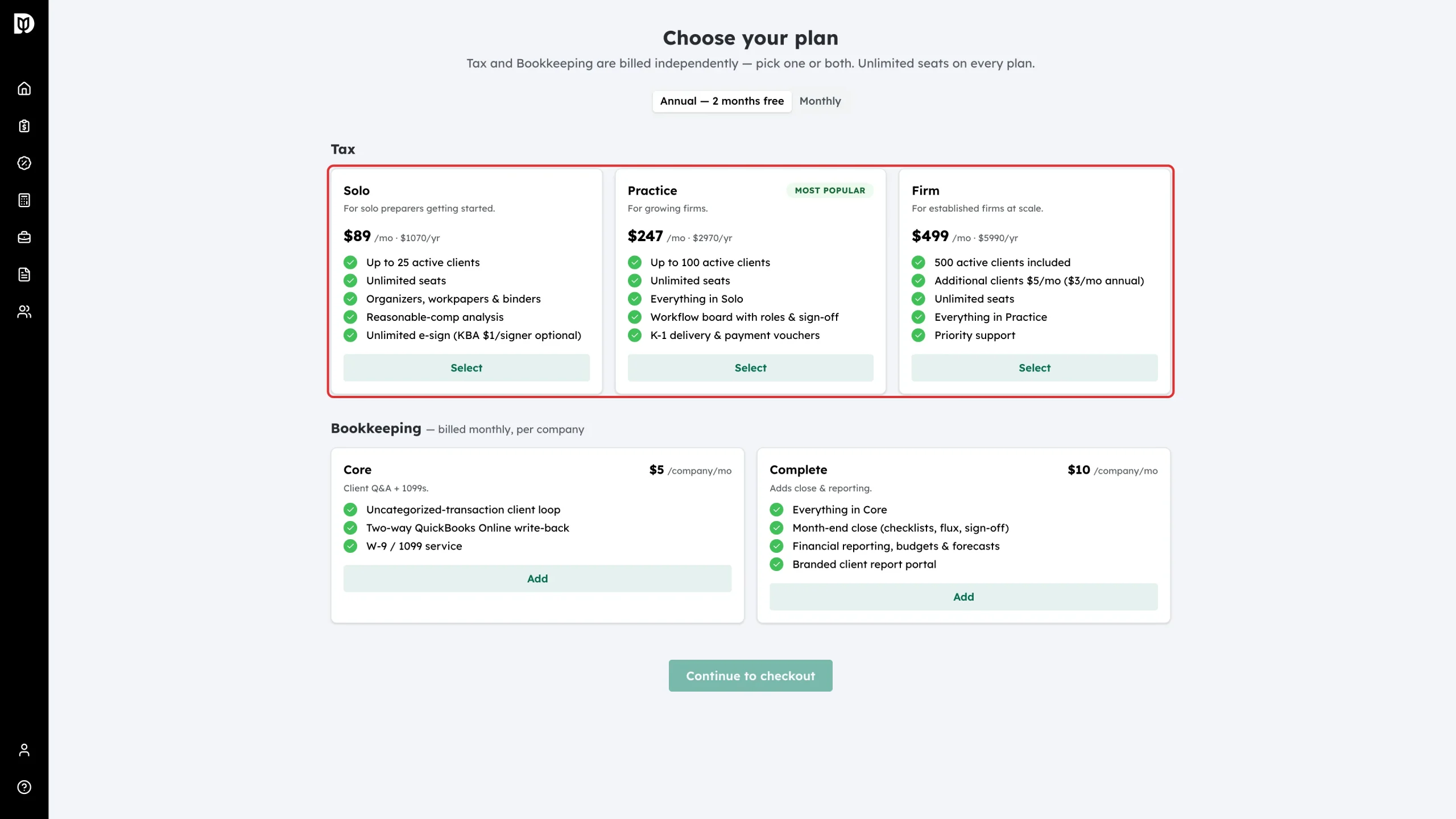
Step 1: Compare the three tiers
Open the Choose your plan page and read the Tax row. Solo covers up to 25 active clients, Practice covers up to 100, and Firm includes 500 and then charges for extra clients. Each tier includes everything in the tier below it.
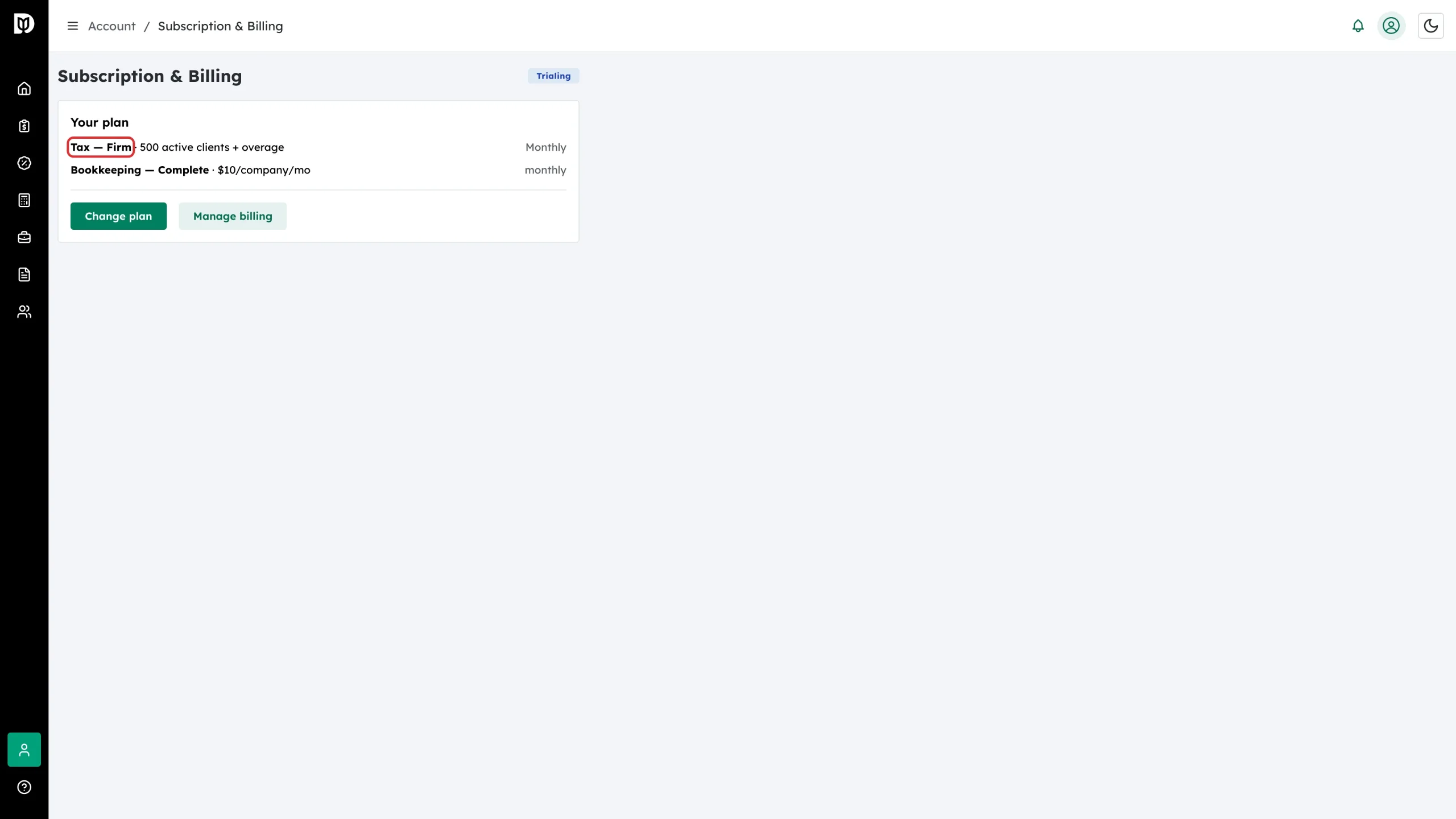
Step 2: Check the allowance on your own plan
Open Subscription & Billing. The tax line names your tier and the number of active clients it includes. On the Firm tier the line also says “+ overage”, because extra clients are billed rather than blocked.
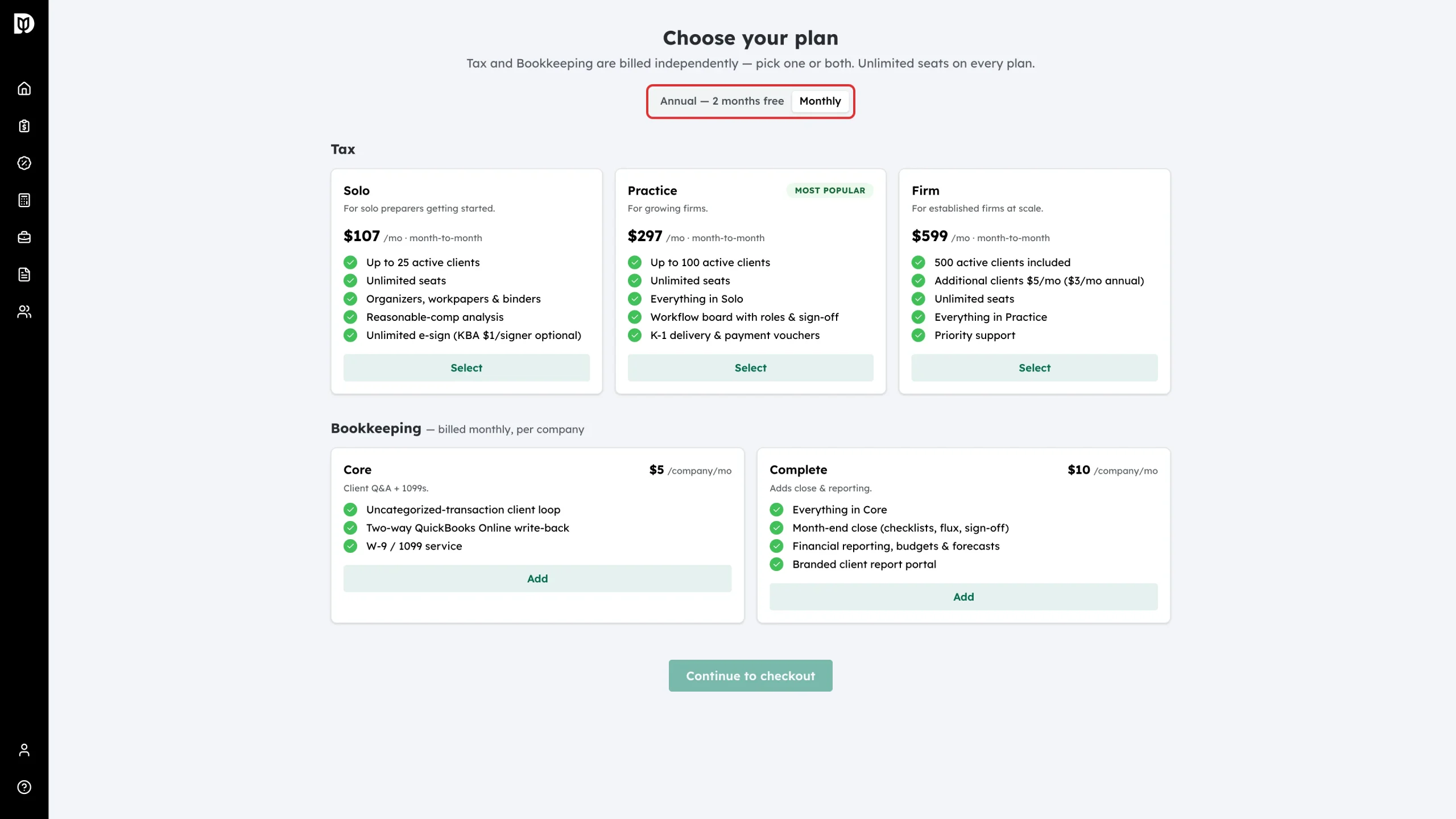
Step 3: Compare monthly and annual prices
Switch the billing period at the top of the Choose your plan page. Month to month, Solo is $107, Practice is $297 and Firm is $599. Paid yearly, they are $1,070, $2,970 and $5,990 — ten months’ worth for twelve months of service.
How Debits counts active clients
A client becomes active the first time you start work for them in Debits. Any one of these marks them active:
- Sending them a tax organizer.
- Sending a finalised workpaper binder to prep.
- Sending a tax return package to the client for signature.
- Creating a reasonable-compensation survey for them.
- Sending them an invoice. This applies to every invoice, including one for bookkeeping or advisory work only.
Two rules keep the count fair:
- One client is one client. It does not matter how many returns, entities or tax years you handle for them, or how many times you repeat the work. They count once.
- Quiet clients age out. If a client has none of the activity above for a full year, they stop counting towards your allowance. Removing a client from your firm frees their place immediately.
What happens next
Debits keeps the count for you. On Solo and Practice the allowance is a hard limit: once you reach it, the next new client is blocked until you upgrade. On Firm the allowance is a starting point: client 501 onwards is added to your bill automatically. See “What happens when you reach your active-client limit”.
Troubleshooting
- You cannot choose a smaller tier: Debits blocks a move to a tier that allows fewer active clients than you already have, and tells you the number it counted.
- You are not sure which tier fits: count the clients you expect to do tax work for in the next twelve months, not the names in your contact list. A contact you never send an organizer, a return or an invoice to never counts.