Who this is for: The firm owner.
What you’ll learn: How to change your plan, add or replace your card, update your billing details, and find your invoices.
Before you begin
- Only the firm owner can manage the subscription.
- Plan changes happen inside Debits, on the Choose your plan page. Your existing subscription is updated in place, so you are never signed up twice.
- Cards, billing details and invoices are handled in the Stripe billing portal. Debits opens it for you; you do not need a separate password.
Step-by-step instructions
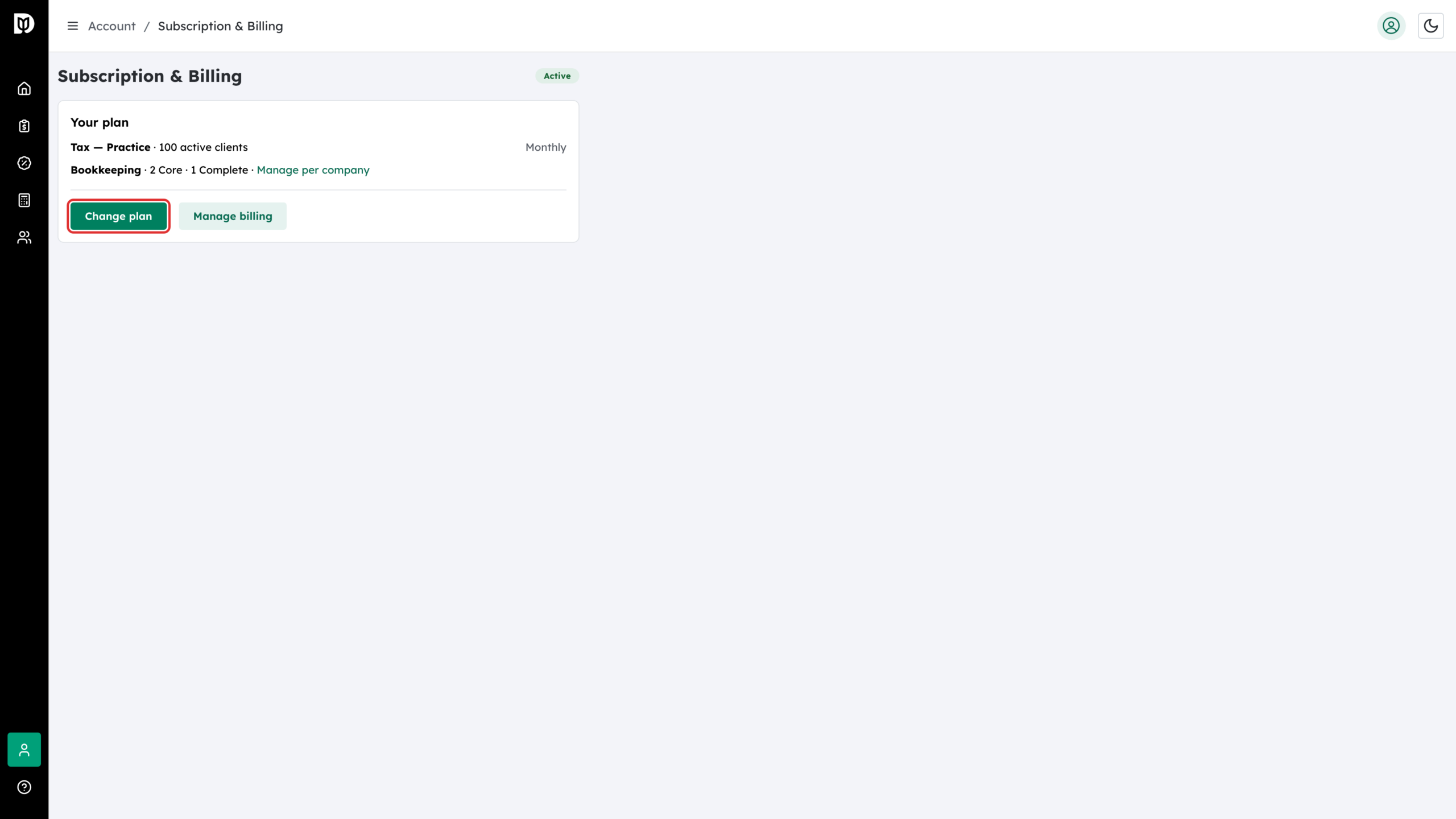
Step 1: Open Subscription & Billing
Go to the Subscription & Billing page and select Change plan. The Choose your plan page opens with your current plan already selected. Pick a different tax tier or billing period, or select Add on the Bookkeeping card to start bookkeeping, then select Update plan. Any difference in price is prorated onto your next invoice.
Step 2: Open the billing portal
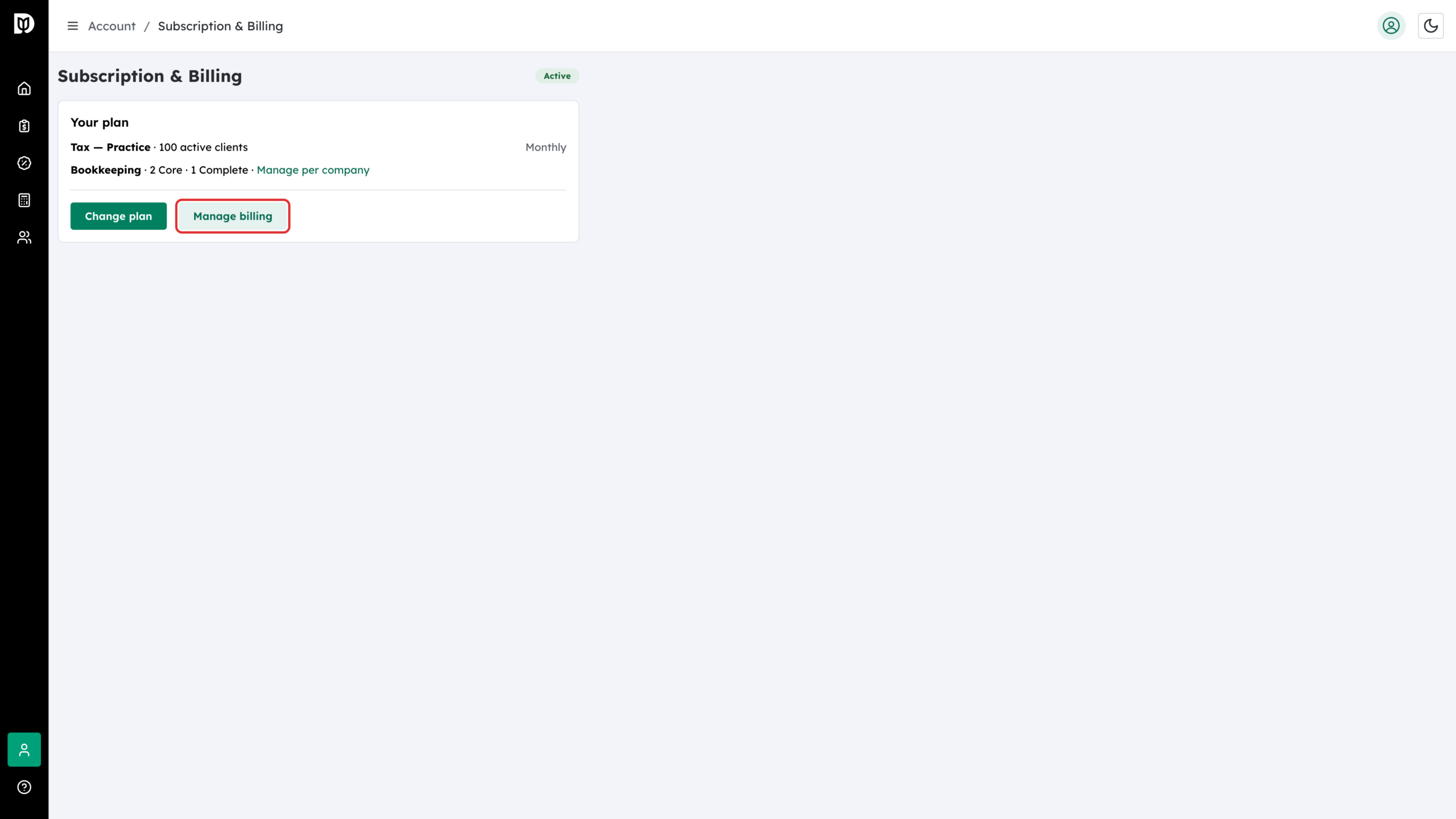
For your card, billing details and invoices, go back to Subscription & Billing and select Manage billing. The portal opens in a new tab, already signed in to your firm’s billing account.
Step 3: Add or replace your payment method
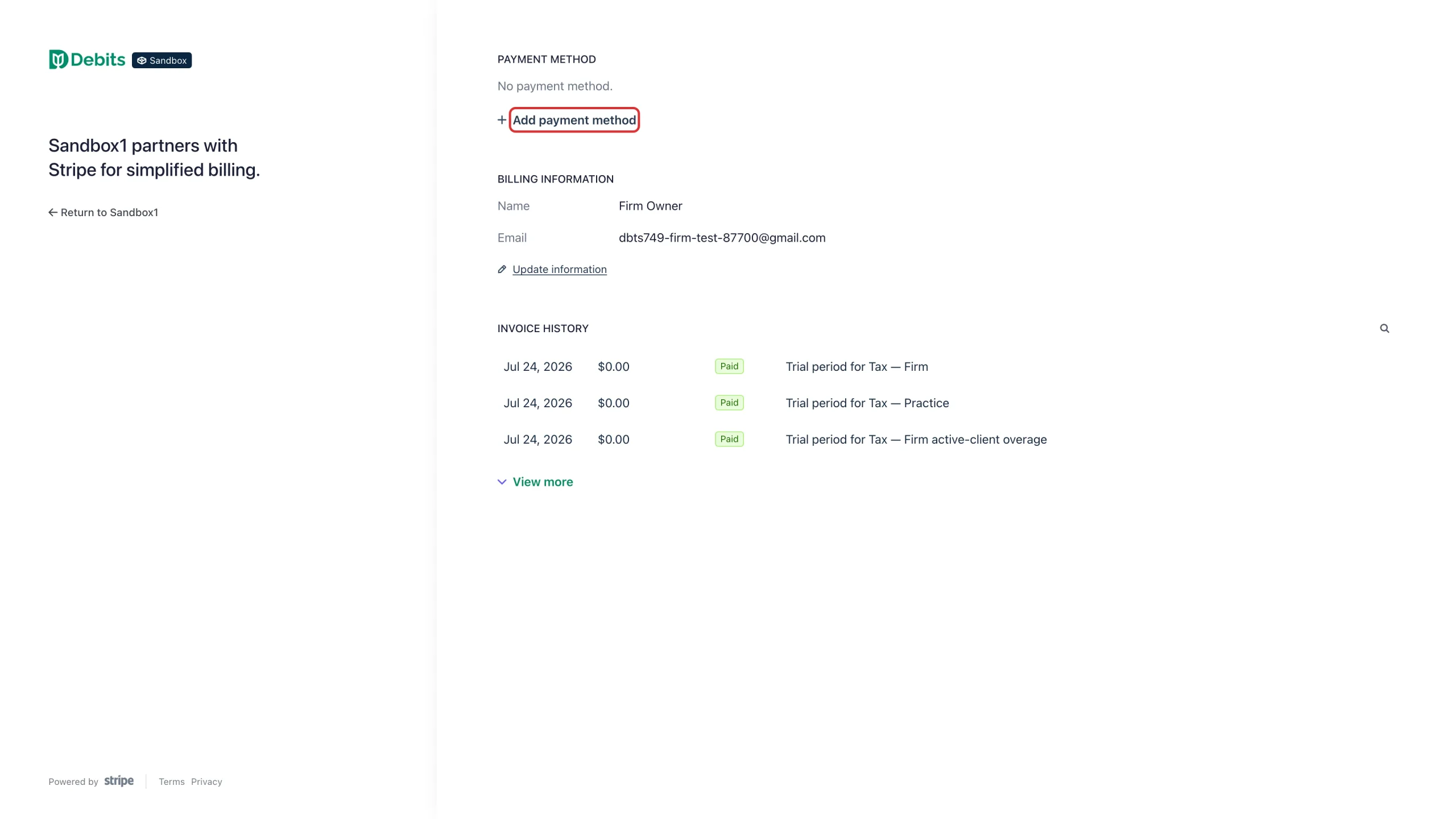
Under Payment method, select Add payment method. If a card is already on file you can replace or remove it here.
Step 4: Enter the card and save it
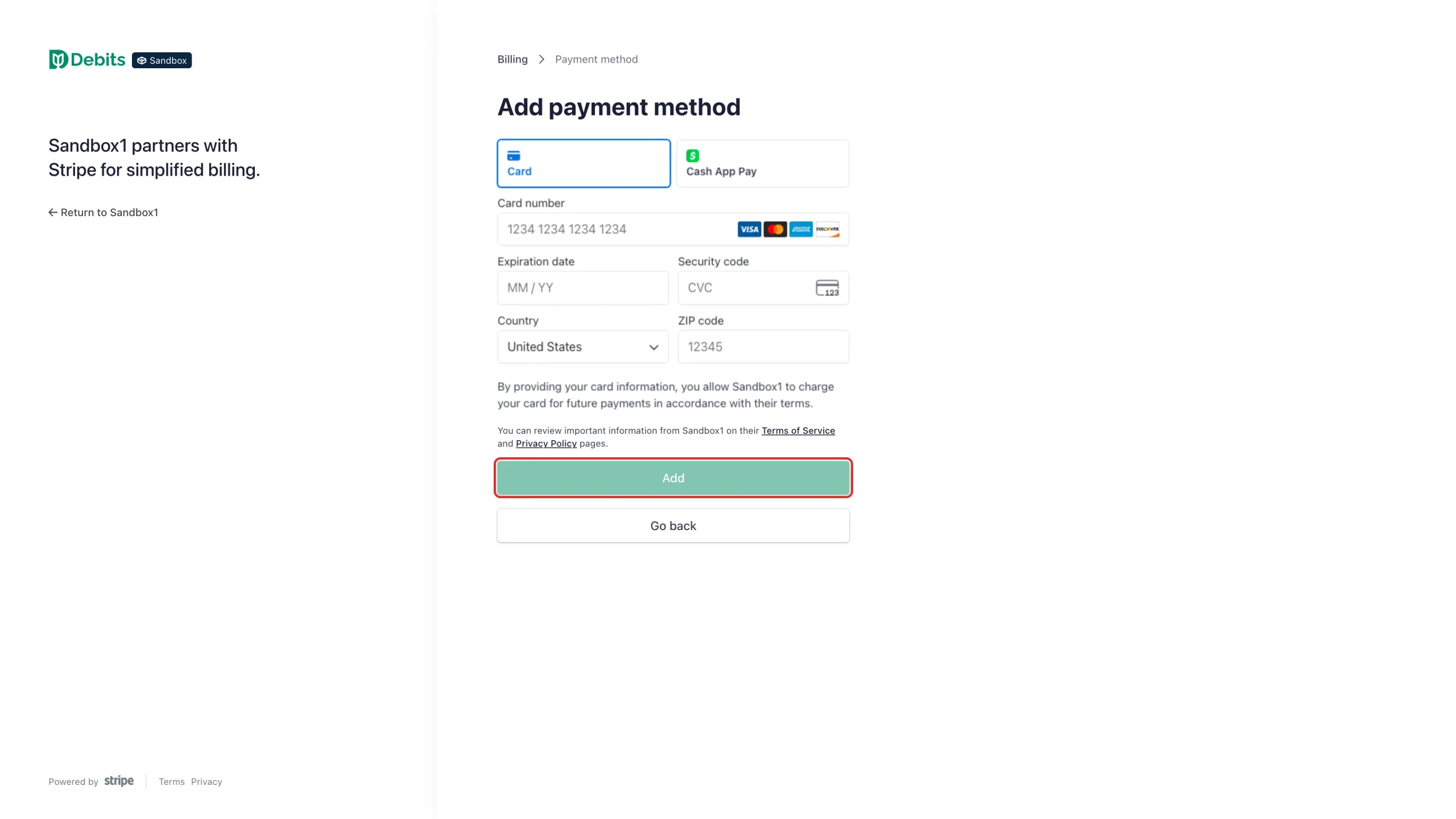
Fill in the card number, expiry, security code and postal code, then select Add. The card is stored by Stripe, not by Debits.
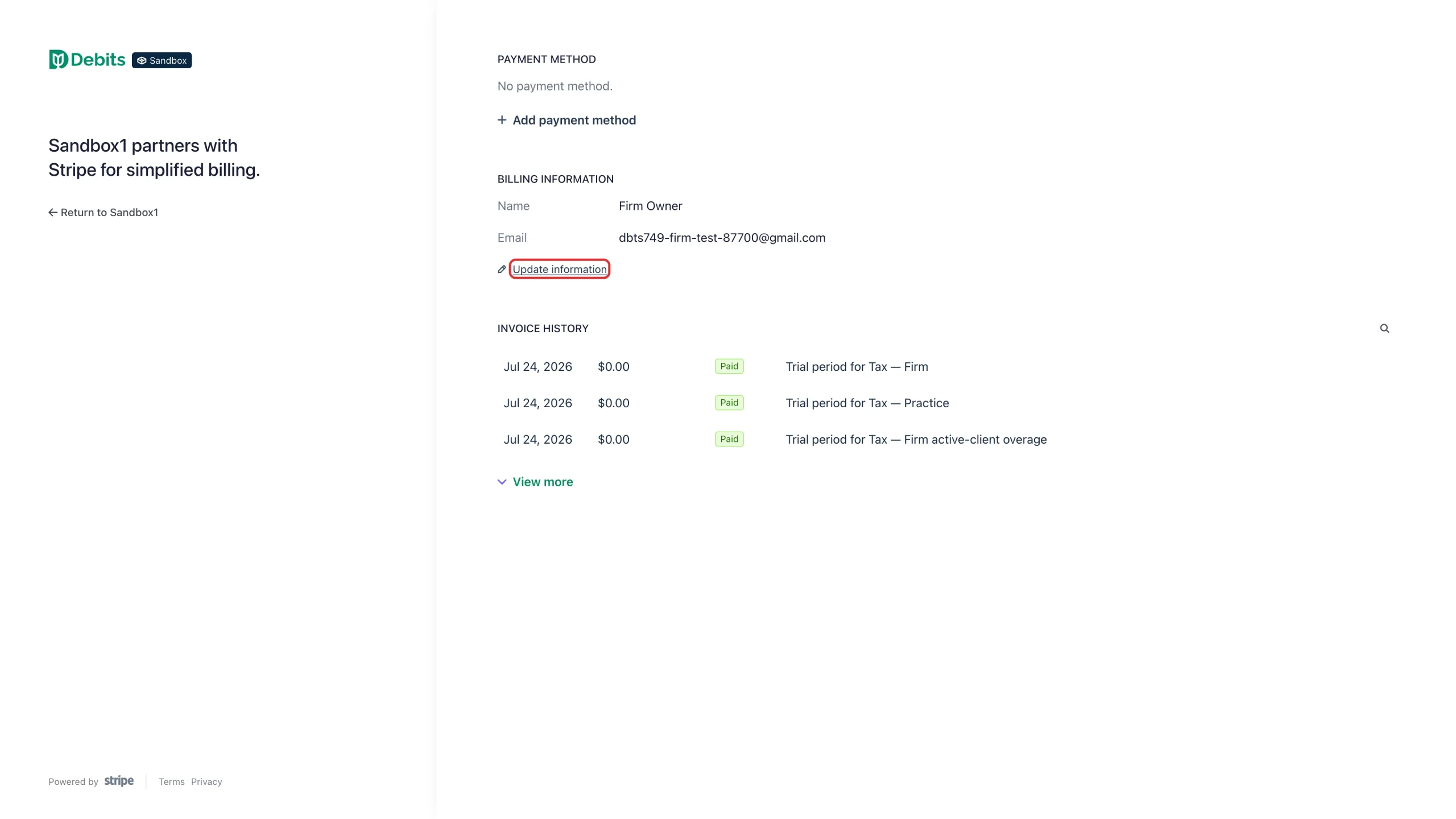
Step 5: Update your billing details
Select Update information to change the name and email address that appear on your invoices and receipts. This does not change who can sign in to Debits.
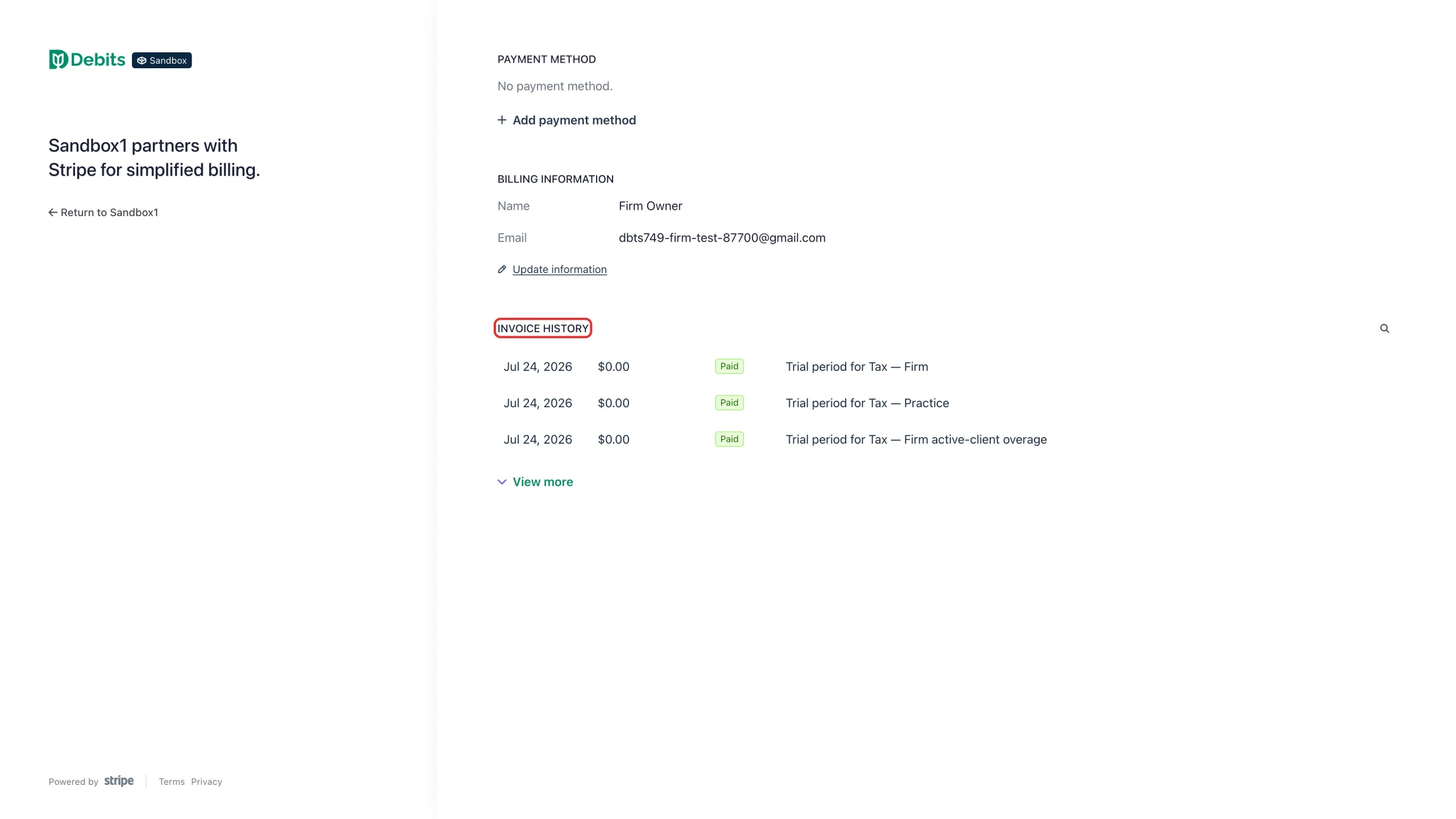
Step 6: Find your invoices
Invoice history lists every charge with its date, amount and status. Select an invoice to view or download it. Use View more to go further back.
What happens next
After Update plan, Debits shows Plan updated and takes you back to Subscription & Billing. A new tier unlocks or locks features automatically; you do not have to sign out and back in. Your Subscription & Billing page always shows what Debits currently bills you for.
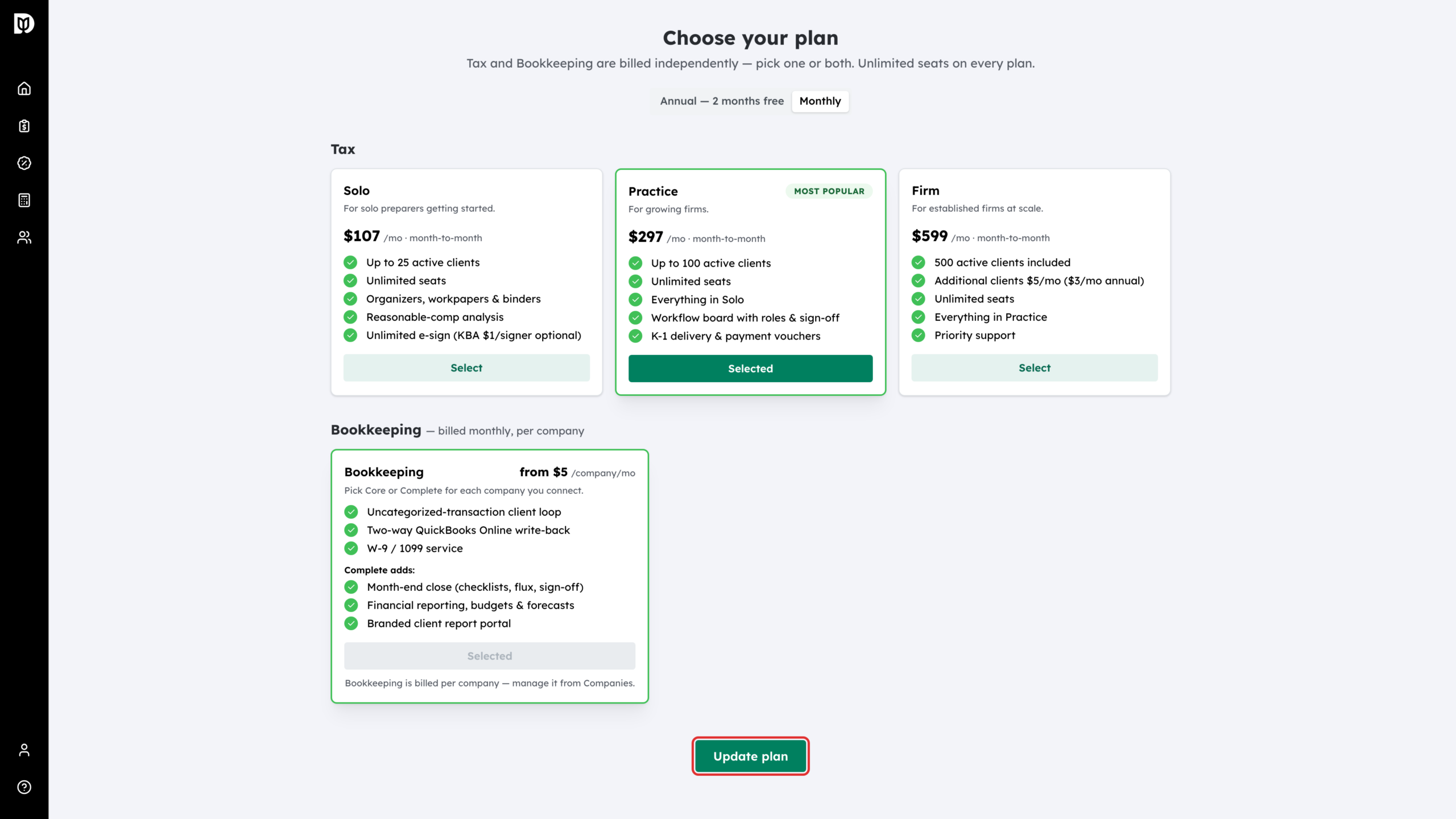
Core or Complete is chosen for each company, not here. Change a company’s package from the Companies page — see “How to choose a bookkeeping package”.
Troubleshooting
- The portal does not open: check that your browser is not blocking the new tab, then try Manage billing again.
- You want to stop using Debits: there is no separate cancel button. The firm owner can close the account from Firm settings, under Danger Zone, with Close account. This cancels the subscription and permanently deletes all firm data, so export what you need first — see “Close and Delete Your Debits Account”.
- “Your bookkeeping is billed on a separate subscription”: firms on annual tax have bookkeeping on its own monthly subscription, which Update plan cannot change. Contact Debits support and we will make the change for you.
- You are moving to a smaller tax tier: the move is refused while you have more active clients than the smaller tier allows. See “What happens when you reach your active-client limit”.
- You want to turn bookkeeping off: you can add bookkeeping from the plan page, but not remove it there. Contact Debits support to remove it.