Deleting a tax organizer permanently removes it, including the client’s answers. If you only want it out of the way, use Archive instead — archived organizers can be restored from the View archived panel.
Before you begin
- Deletion cannot be undone. Download a PDF copy first if you need a record.
- Deleting the organizer does not delete the client’s contact record.
Step-by-step instructions
Step 1: Open the row’s actions menu
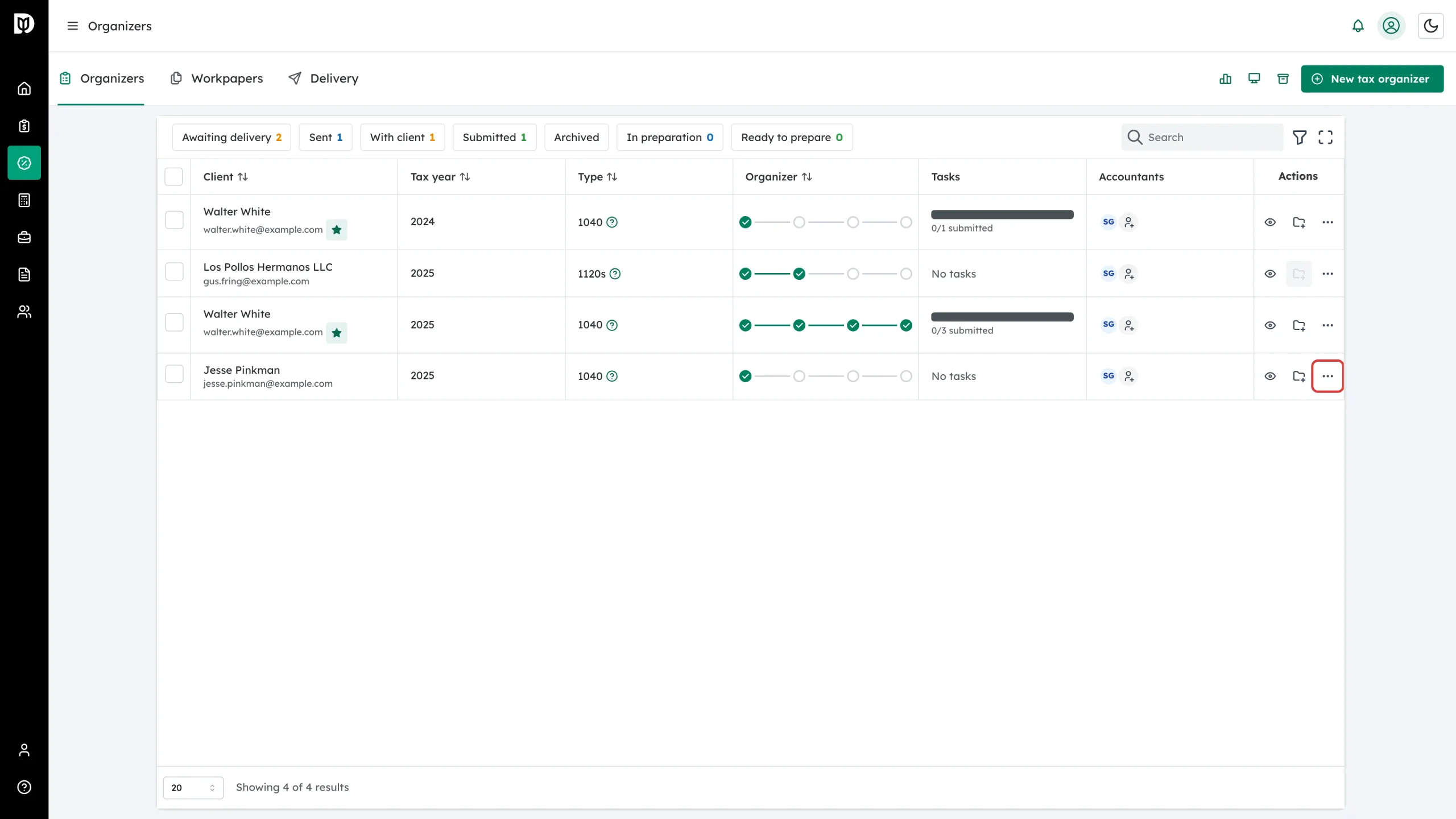
In the left sidebar, click Tax to open the Organizers tab. Find the organizer you want to remove (use the search box or the status chips to narrow the list), then click the three-dot More actions icon at the end of its row.
Step 2: Click Delete Organizer
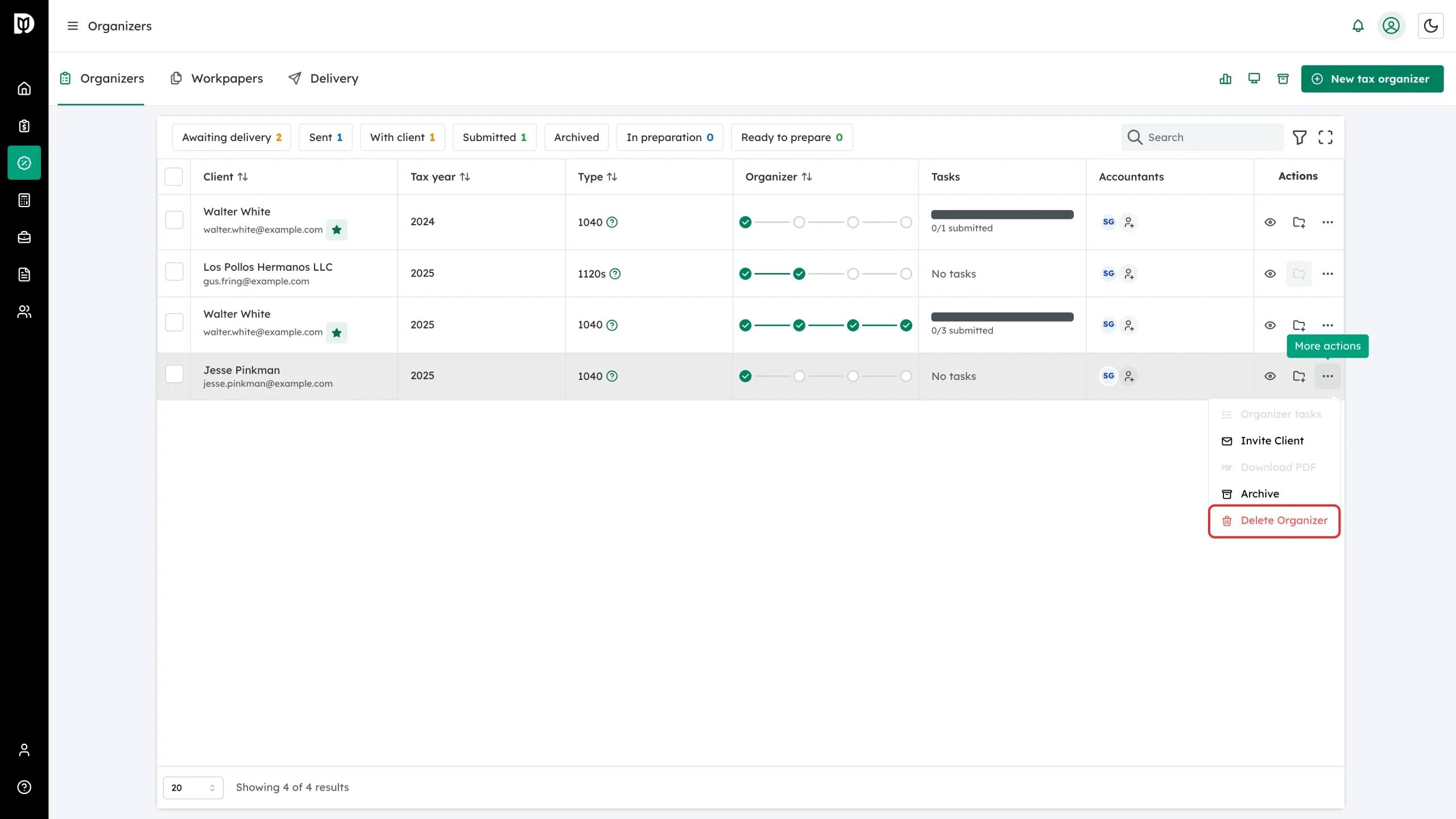
In the menu, click the red Delete Organizer item at the bottom. If you might need the organizer again, choose Archive instead.
Step 3: Confirm the deletion
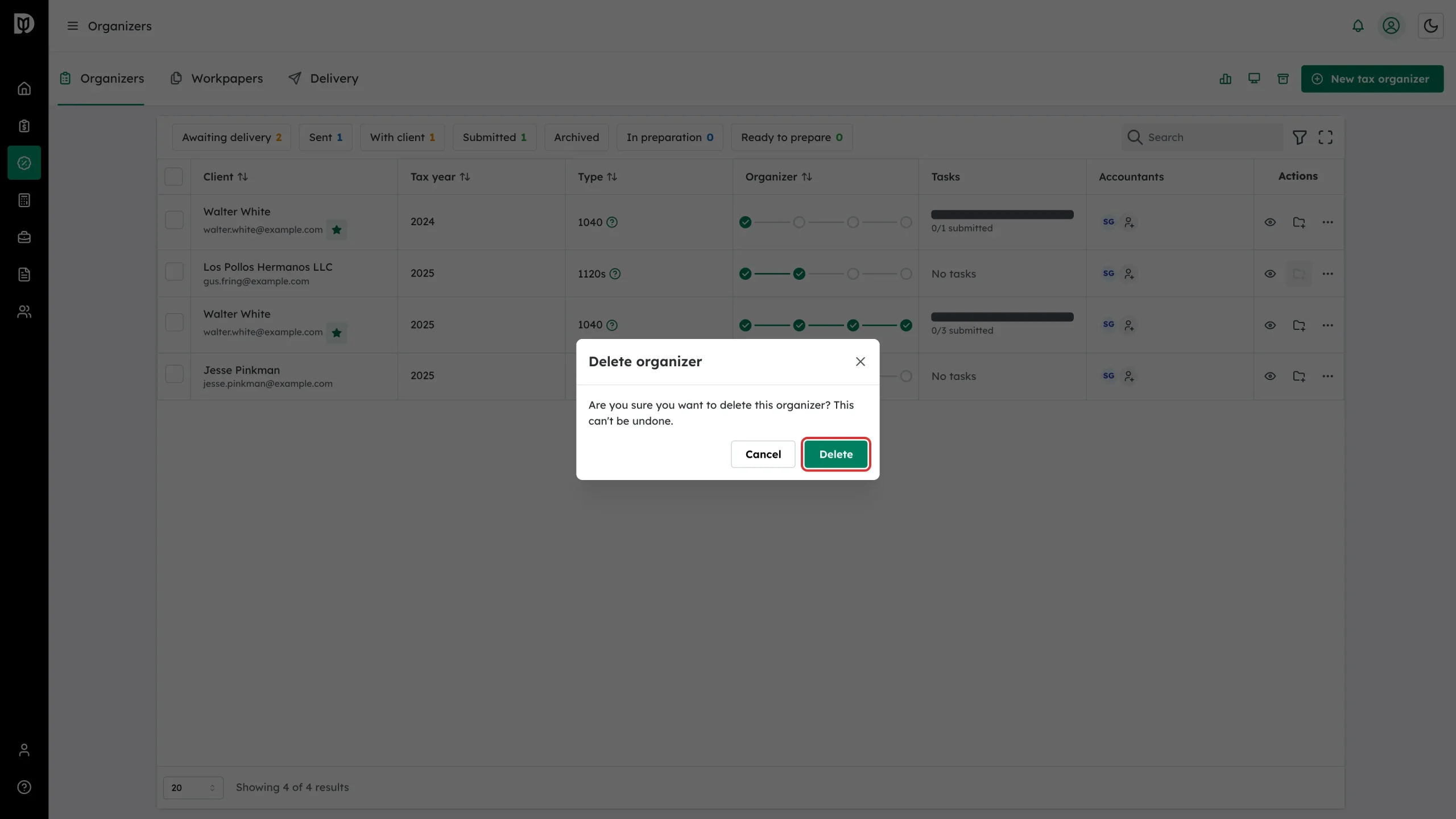
A confirmation modal titled Delete organizer asks: “Are you sure you want to delete this organizer? This can’t be undone.” Click Delete to confirm, or Cancel to keep it.
Step 4: Check the list
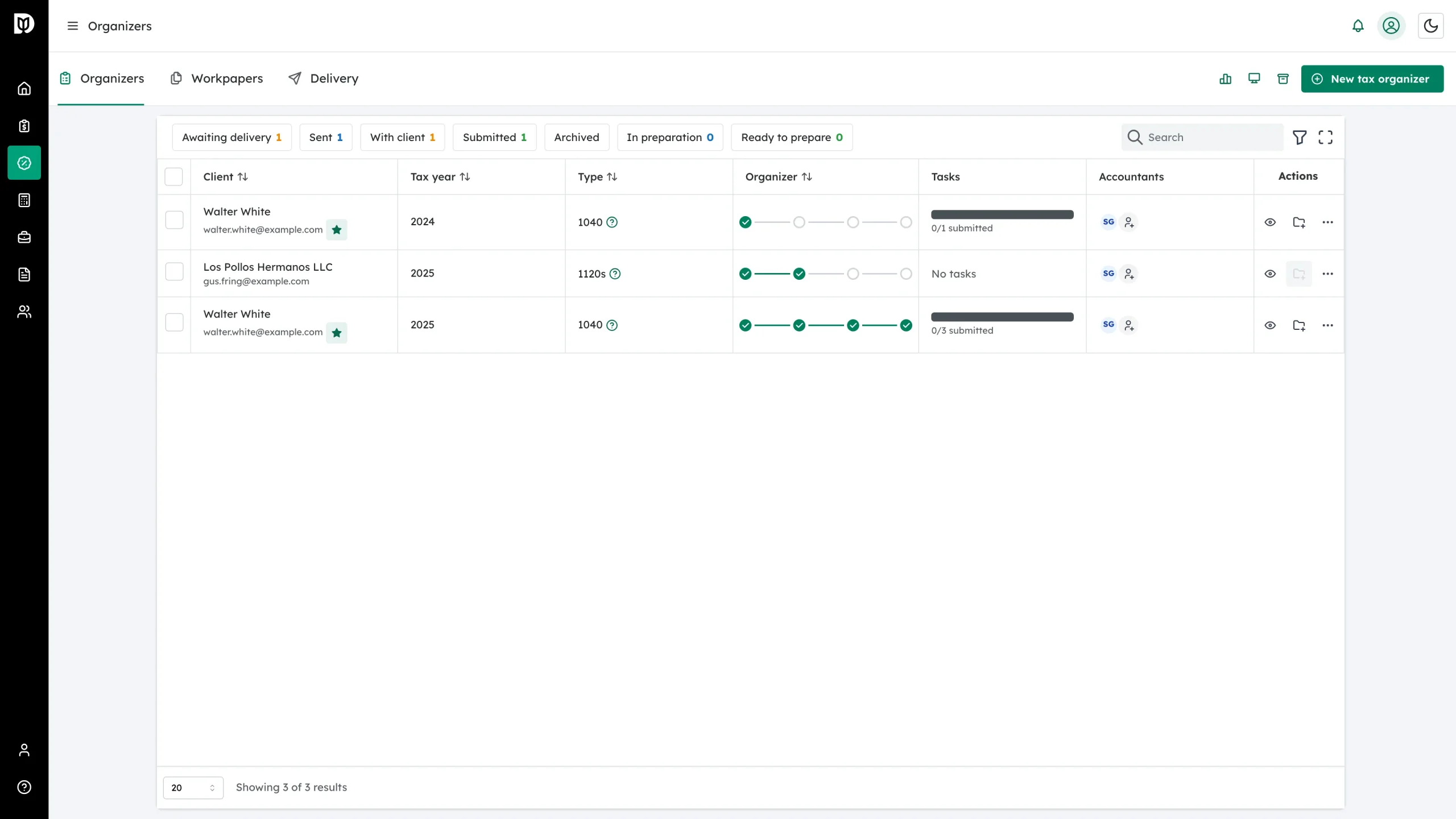
The organizer disappears from the list and the status chips update.
What happens next
The organizer and its answers are gone for good. The client’s contact record and any other organizers for that client are not affected.
Troubleshooting
- You deleted the wrong organizer: there is no undo. Create a new organizer for the same client and year — if the client has an eligible prior-year organizer, stable answers will carry forward automatically.
- You only wanted to tidy the list: restore isn’t possible after delete, but archived organizers can be restored any time from View archived in the tab bar.