Schedule your 15-minute demo now

    We’ll tailor your demo to your immediate needs and answer all your questions. Get ready to see how it works!

    View Categories

    How to Download a Financial Report as PDF

    Who this is for: Accountants and clients who need to save a financial report as a PDF file.

    What you’ll learn: All the ways to download a financial report PDF in Debits, including from the report detail page, the Reports tab, the My Reports page, and the public access link.

    Before you begin #

    • For accountants: You need access to the report detail page or the Reports tab for a company.
    • For clients: You need a delivered report available on your My Reports page or a valid access link.

    Step-by-step instructions #

    Method 1: Download from the report detail page (Accountant) #

    Open a report from the Reports tab by clicking its title. On the report detail page, click the Preview PDF button in the header toolbar. For draft reports, the PDF is generated on the fly from live QuickBooks data. For finalized reports, the stored PDF is downloaded directly.

    Preview PDF button on the report detail page header

    Method 2: Download from the Reports tab table (Accountant) #

    In the Reports tab, click the three-dot menu on any finalized or delivered report row and select Download PDF. The PDF file downloads immediately.

    Download PDF option in the three-dot menu of the Reports tab table

    Method 3: Download from the My Reports page (Client) #

    On the My Reports page or the client Financial Reports tab, click the three-dot menu next to a report and select Download PDF. Alternatively, open the report and click the Download PDF button on the report view page.

    Download PDF option in the client My Reports table actions menu

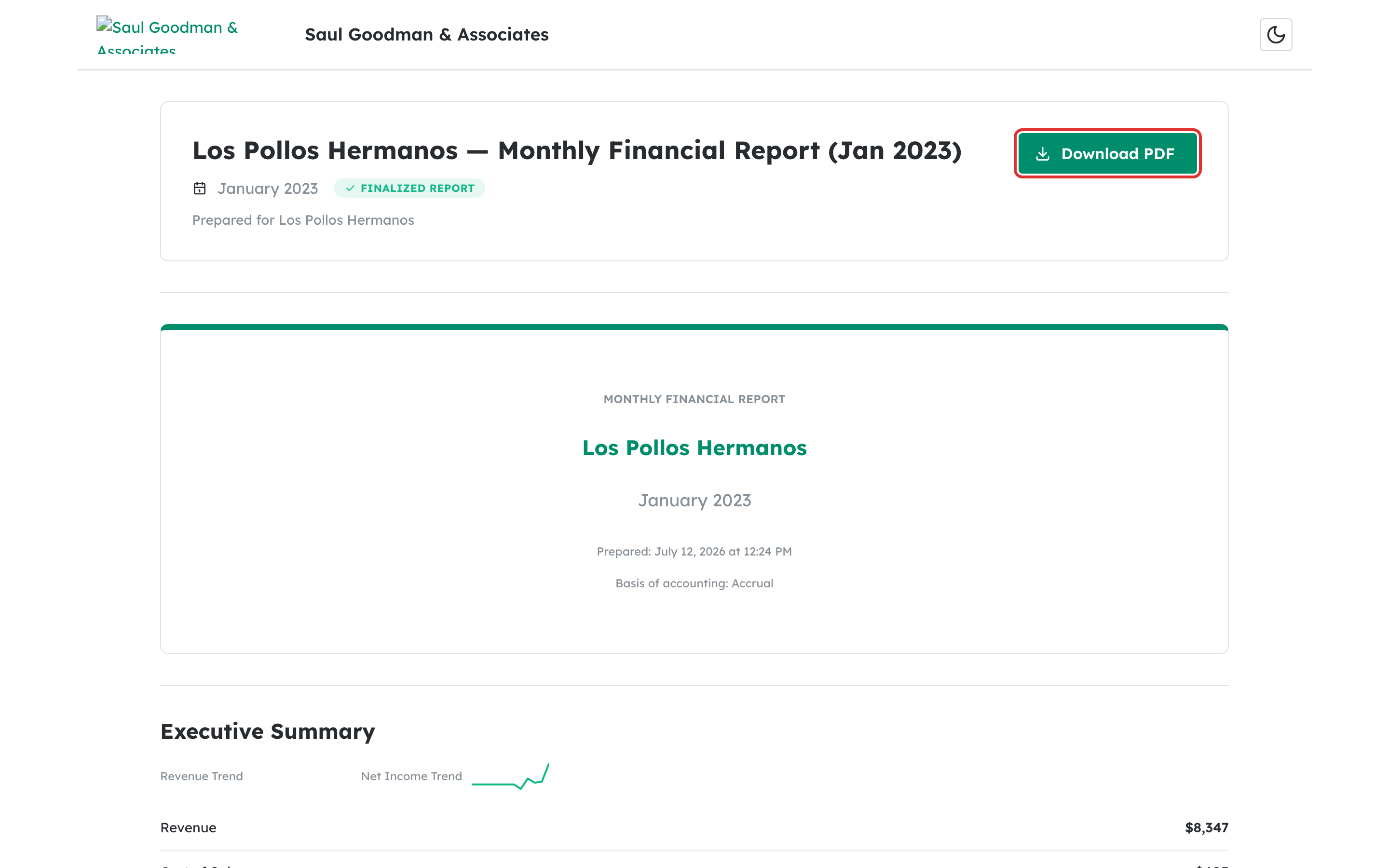
    Method 4: Download from a shared access link (Anyone) #

    If you received a report via email, click the link to open the report page. Click the Download PDF button at the top or bottom of the page to save the file.

    Download PDF button on the public report access page

    What happens next #

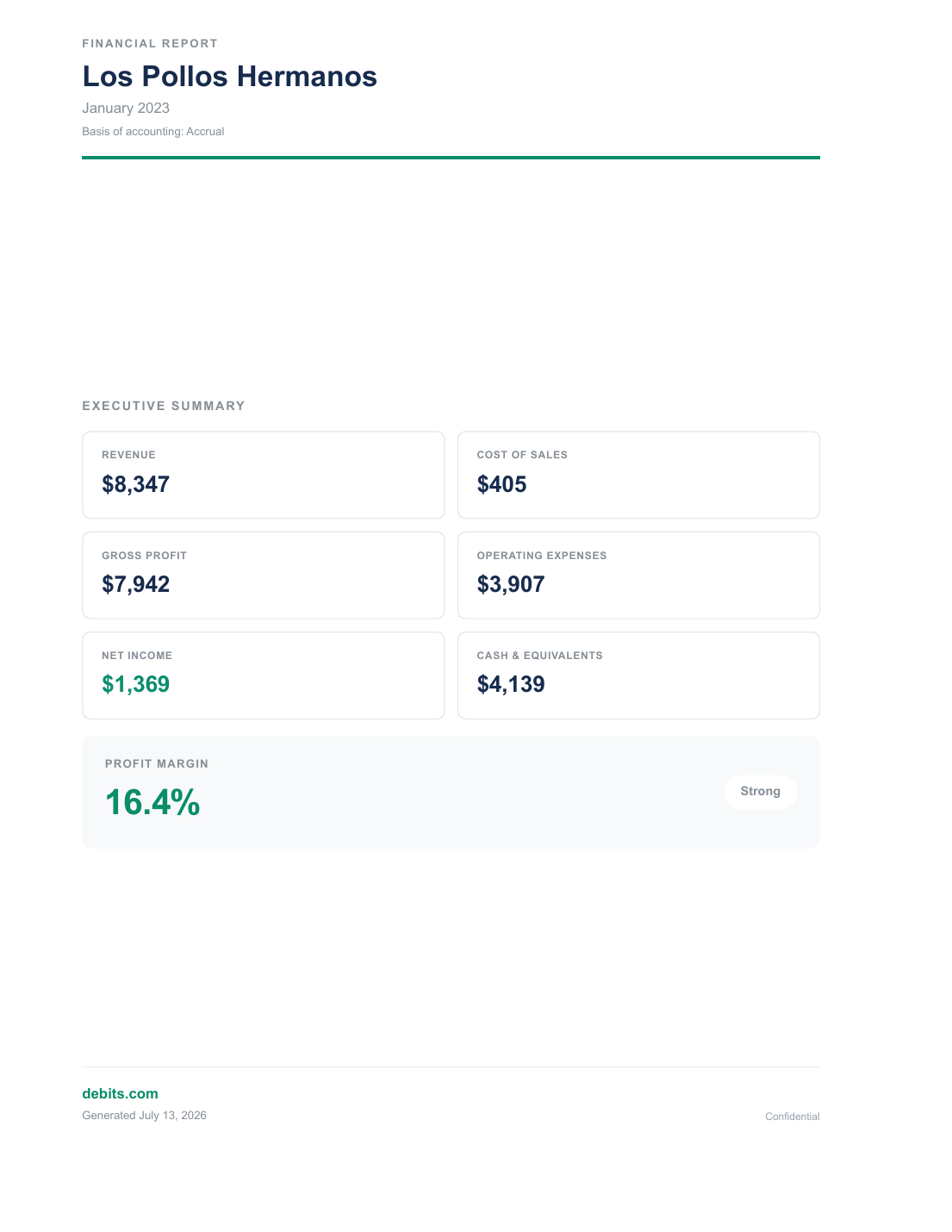
    The PDF file is saved to your default downloads folder. The file name matches the report title (for example, “Acme Corp Report – January 2026.pdf”). You can share, print, or archive the file as needed.

    Troubleshooting #

    • Preview PDF button is disabled on the detail page: For draft reports, live data must be fully loaded before a PDF can be generated. Wait a moment for the data to load.
    • Download PDF option is missing from the table menu: The option only appears for reports that have a generated PDF. Draft reports that have never been previewed may not have a PDF yet — open the detail page and click Preview PDF first.
    • “Failed to generate PDF” error: Check your internet connection and try again. If you are downloading a draft PDF, the QuickBooks connection may have been interrupted.

    Related articles #

    Updated on April 7, 2026

    Debits © 2026, All rights reserved.