Who this is for: The firm owner, or whoever looks after your firm’s Debits subscription.
What you’ll learn: How Debits charges your firm, where to see the plan you are on, and where to manage payment details and invoices.
Before you begin
- Sign in as the firm owner. Only the owner sees the Billing card on the Account page.
- Debits sells two products and you buy them separately: a Tax plan (Solo, Practice or Firm) and a Bookkeeping package (Core or Complete). You can take one or both.
- Your plan summary lives on the Subscription & Billing page. Open it from Account, or add
/account/subscriptionto your Debits web address.
Step-by-step instructions
Step 1: Open your plan summary
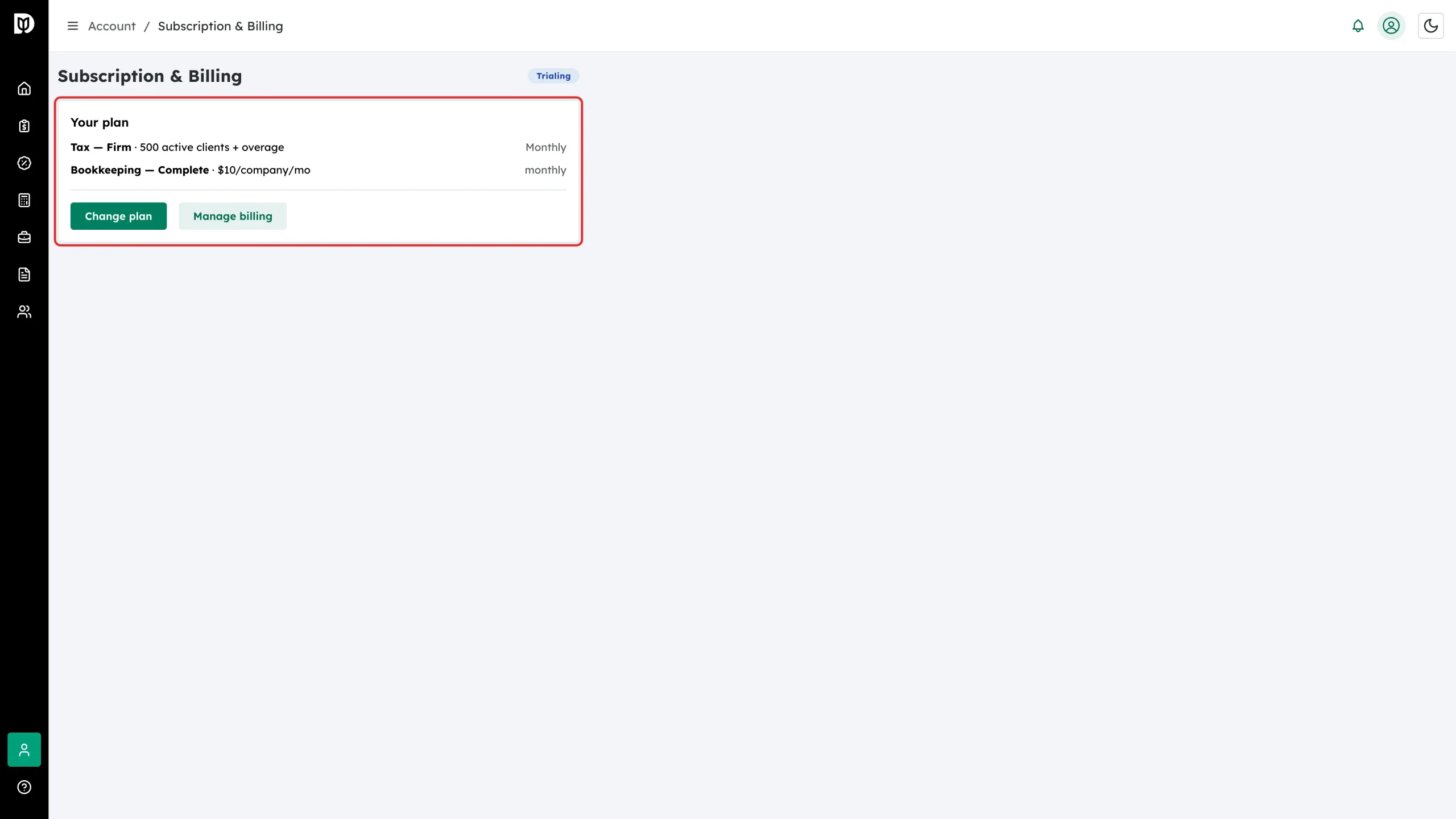
Go to Subscription & Billing. The Your plan card shows one line for each product you pay for: your tax tier with its active-client allowance, and your bookkeeping package with its price per company.
Step 2: Check your subscription status
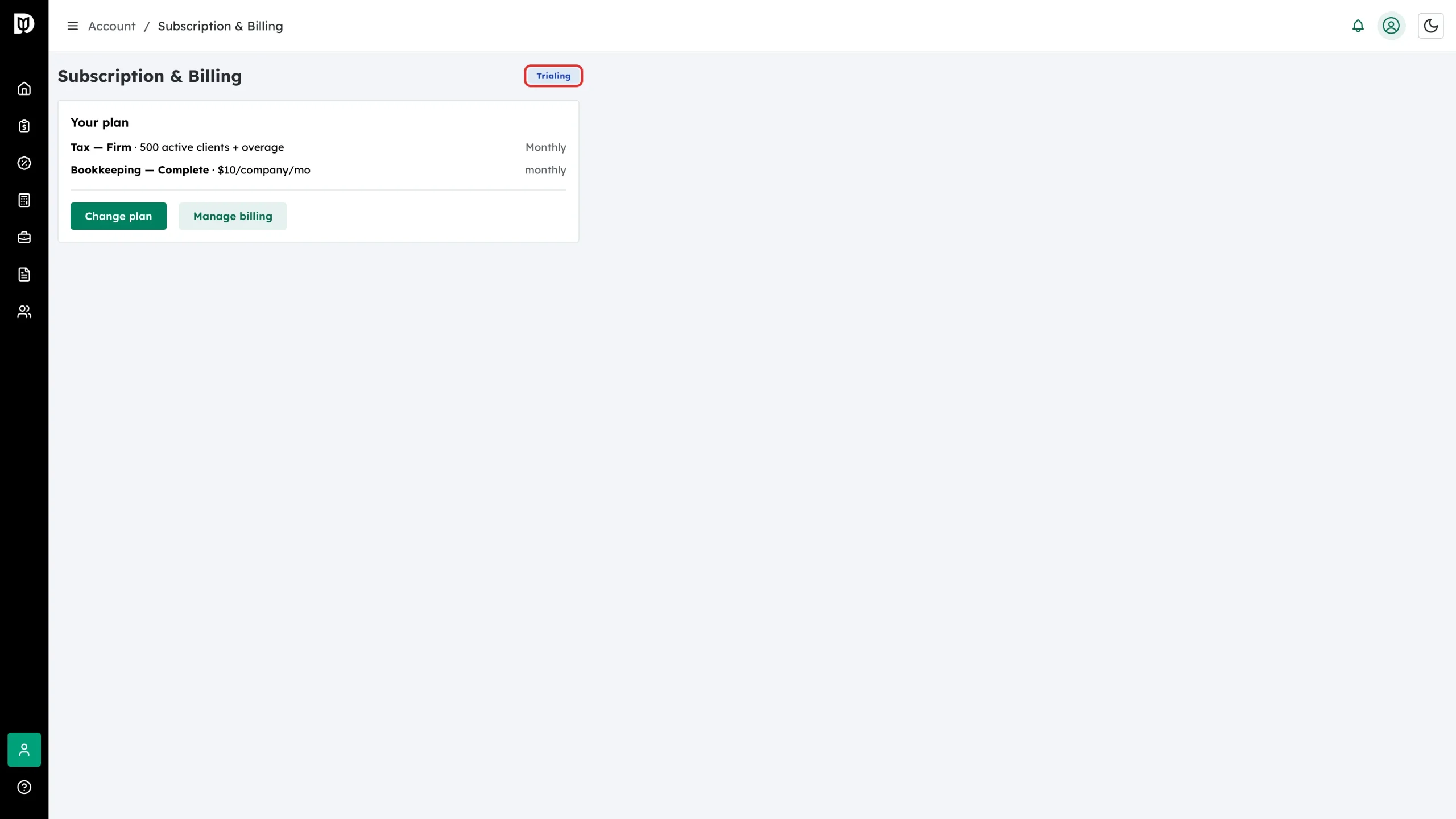
The badge beside the page title shows the state of your subscription, such as Trialing, Active or Past Due. A past-due subscription blocks feature access until you fix the payment method.
Step 3: See what the tax plans include
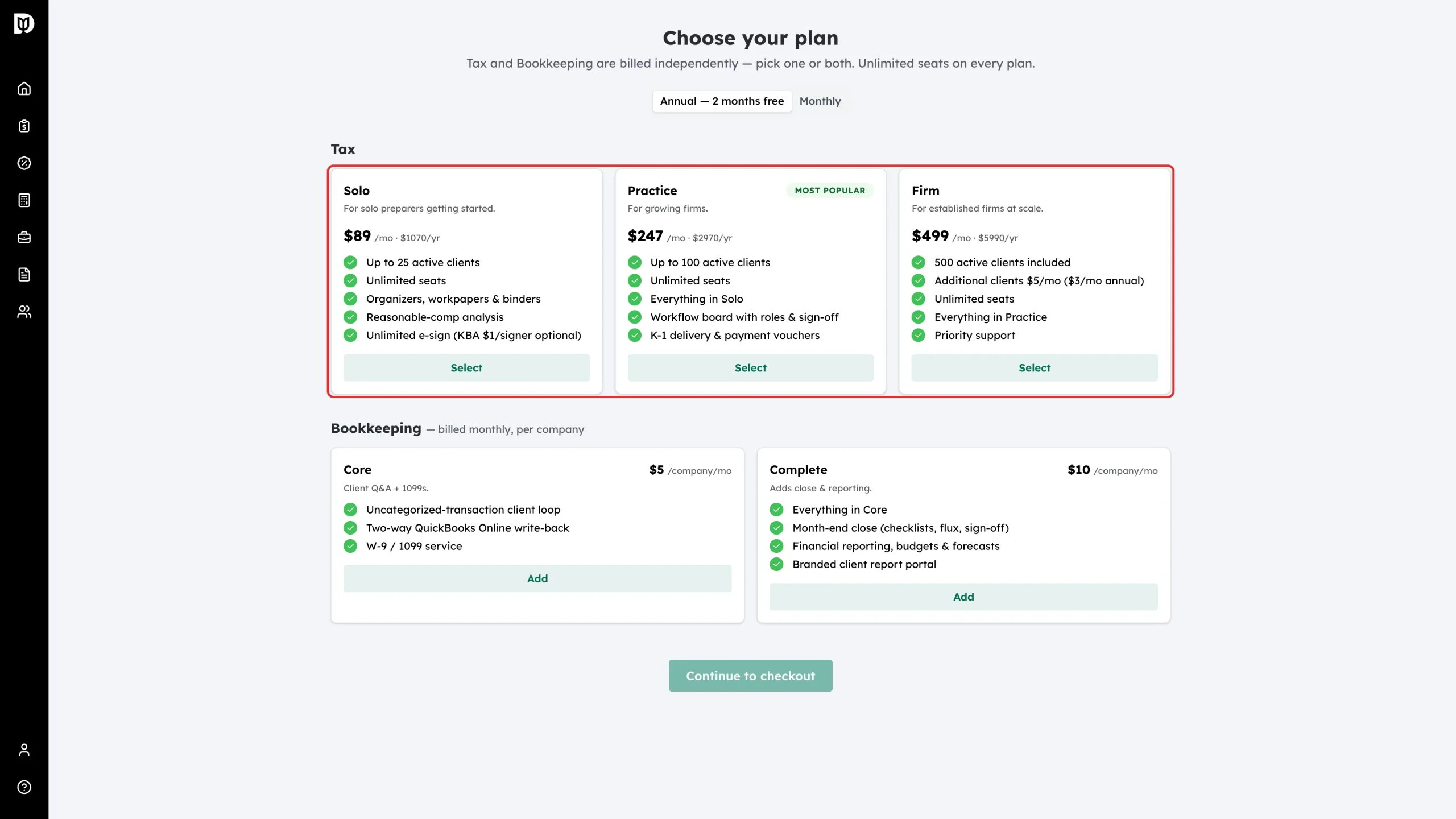
Open the Choose your plan page. Tax has three tiers. Solo is $107 a month or $1,070 a year, Practice is $297 a month or $2,970 a year, and Firm is $599 a month or $5,990 a year. Paying yearly costs ten months instead of twelve, which is why the page calls it “2 months free”. Every tier includes unlimited staff seats.
Step 4: See what bookkeeping costs
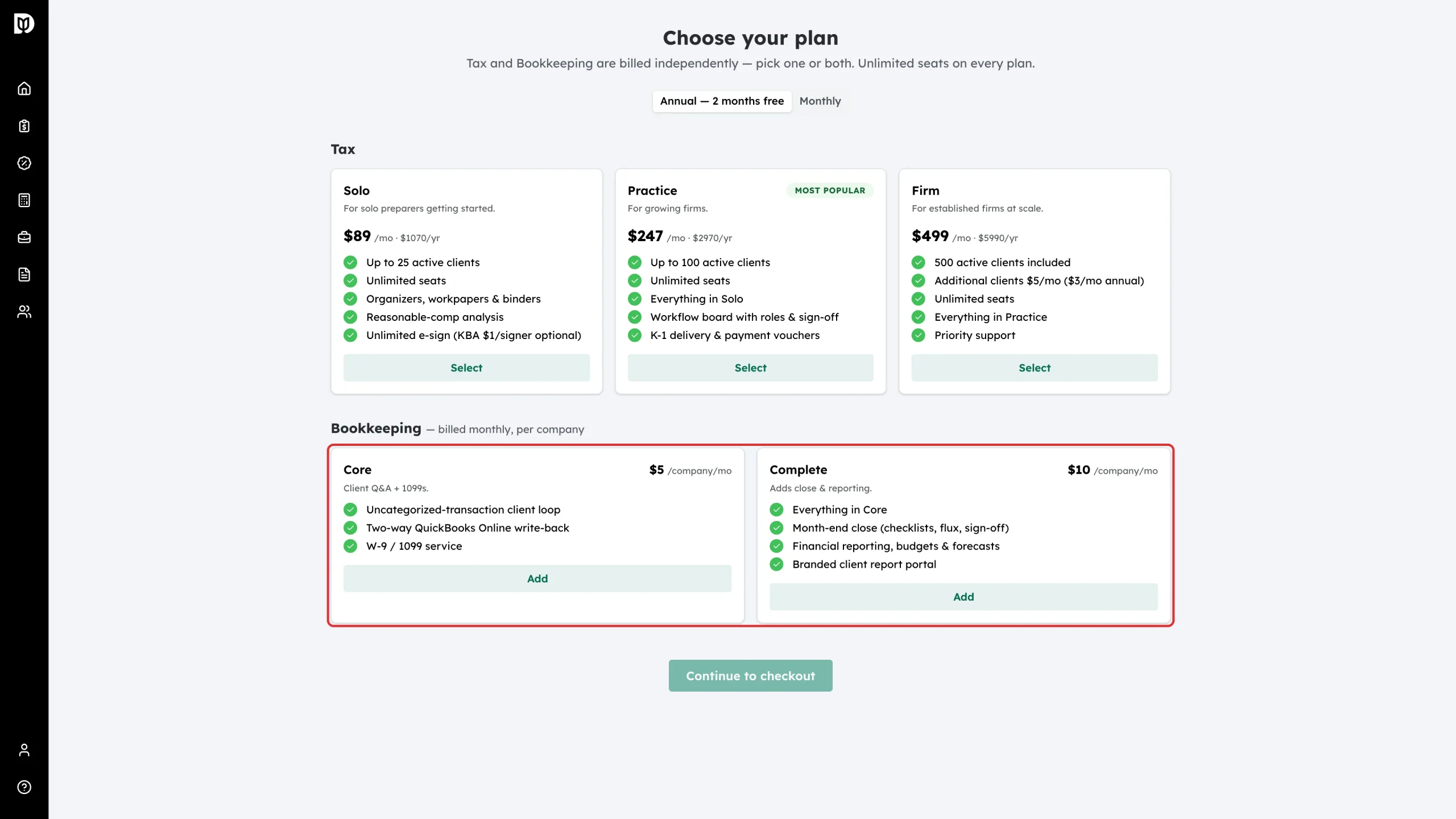
Bookkeeping is priced for each company you manage and is always billed monthly, even when your tax plan is annual. Core is $5 per company per month and Complete is $10 per company per month. You choose Core or Complete for each company on the Companies page, so different clients can be on different packages.
Step 5: Open your billing details
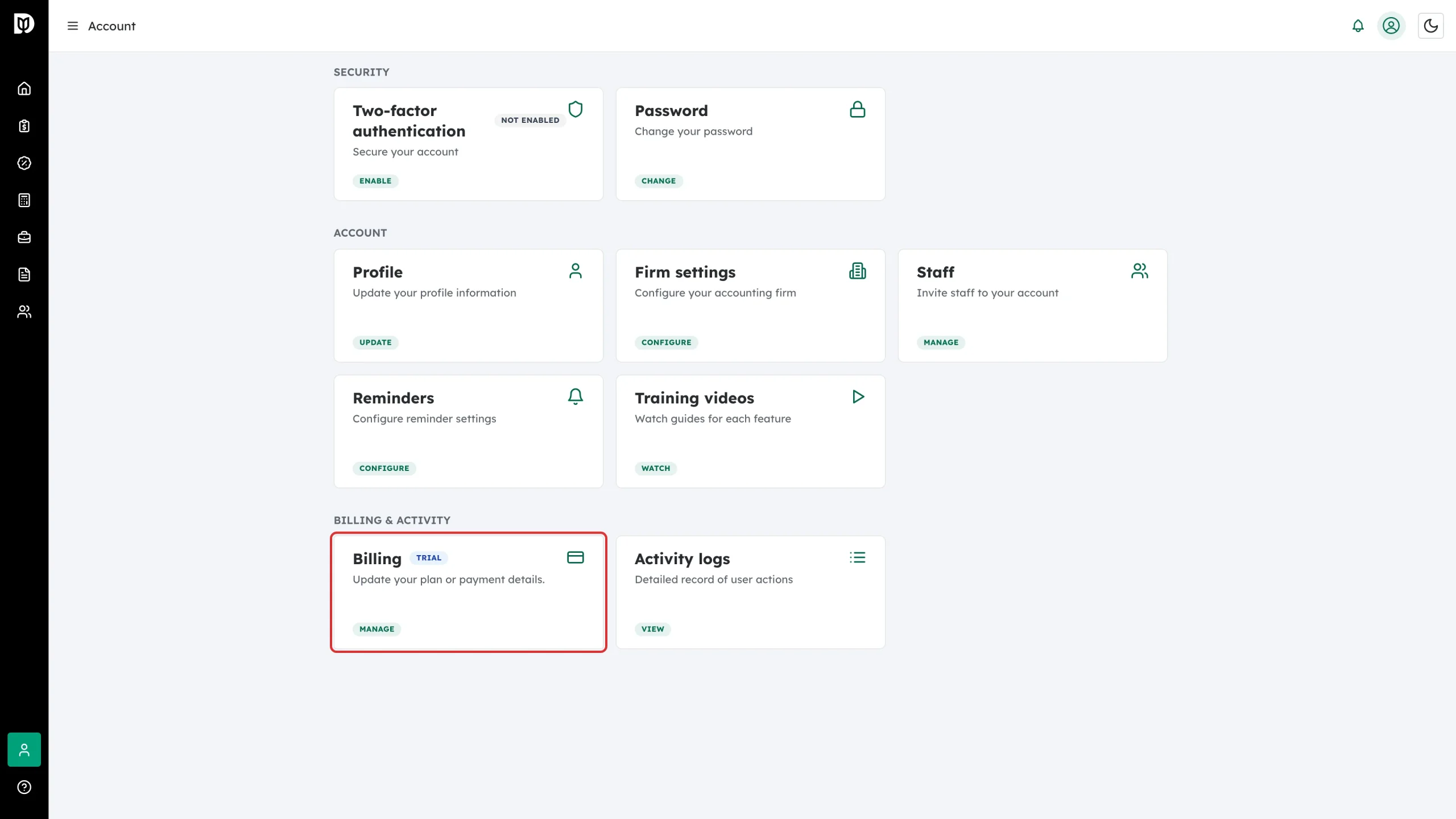
Go to Account. Under Billing & activity, the Billing card shows your subscription state. Select Manage to open your billing portal.
Step 6: Manage payments and invoices in the billing portal
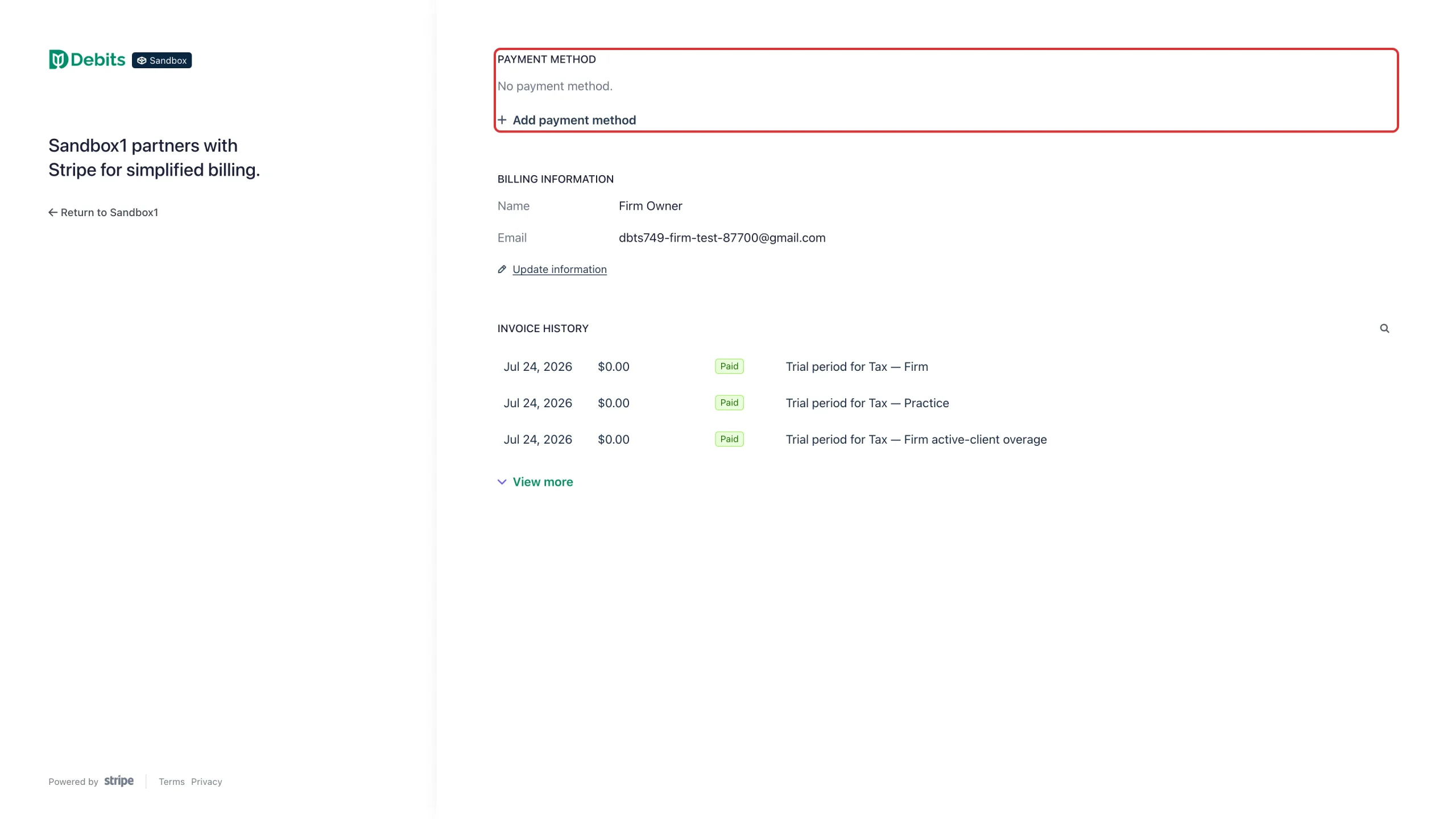
The portal opens in a new tab. Use it to add or replace your payment method, change the name and email that appear on your invoices, and open past invoices. To change your tier or add bookkeeping, use Change plan on the Subscription & Billing page instead — see “How to change your plan or payment details”.
What happens next
Your tax plan and your bookkeeping package are billed independently, so each one appears as its own line on your plan summary and its own charge on your invoices. A few things never change your bill:
- Seats are unlimited on every plan. Adding staff costs nothing.
- E-signatures are unlimited and free. KBA identity verification is optional at $1 per signer, and is added to your next invoice.
- There are no per-return, per-report and no per-organizer fees, and there is no bundle discount for taking both products.
One other charge can appear: if you move a company’s QuickBooks sync start date earlier to pull in older transactions, each extra month is a one-time charge at that company’s package rate ($5 on Core, $10 on Complete). Debits shows the amount and asks you to accept it first.
Troubleshooting
- You cannot see the Billing card: it is shown to the firm owner only. Ask your firm owner to make the change.
- Your plan card says you have no active plan: your firm has not subscribed yet. Select Choose a plan and follow “How to choose a plan and start your free trial”.
- You see a “Billing issue” warning: a payment has failed. See “How to fix a failed payment”.