Who this is for: A firm signing up for Debits for the first time.
What you’ll learn: How to create your firm account, use the 7-day free trial, and pick a tax tier and bookkeeping before the trial ends.
Before you begin
- You do not need a credit card to sign up. Your 7-day free trial starts the moment you create your account.
- Decide roughly how many active clients you expect to work with in a year. That is what the tax tiers are sized by: Solo covers 25, Practice covers 100 and Firm covers 500 plus overage.
- Bookkeeping is optional and is priced per company, so you can add it later.
Step-by-step instructions
Step 1: Enter your firm details
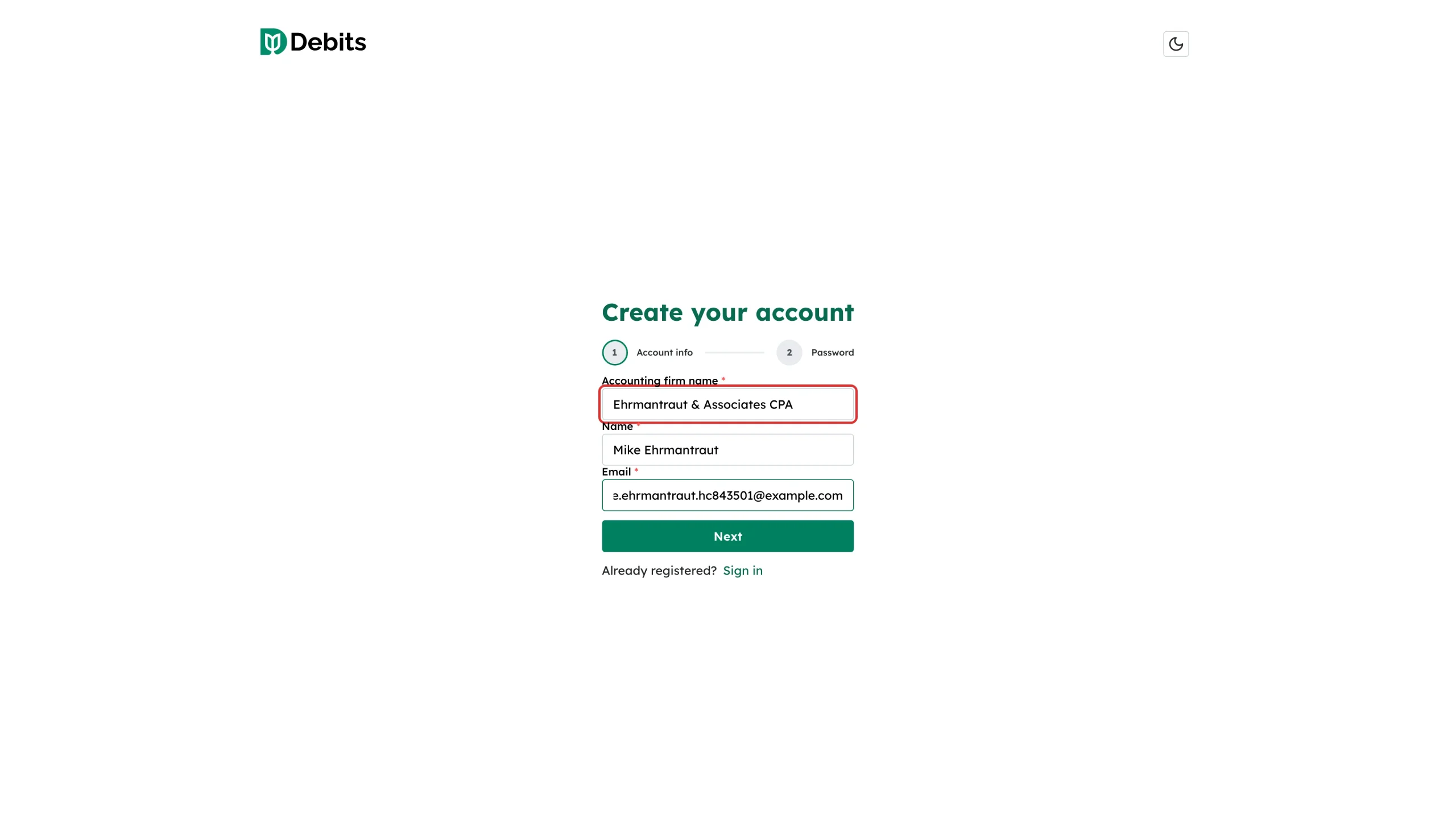
Go to the sign-up page and fill in Accounting firm name, your Name and your Email, then select Next.
Step 2: Set a password and accept the terms
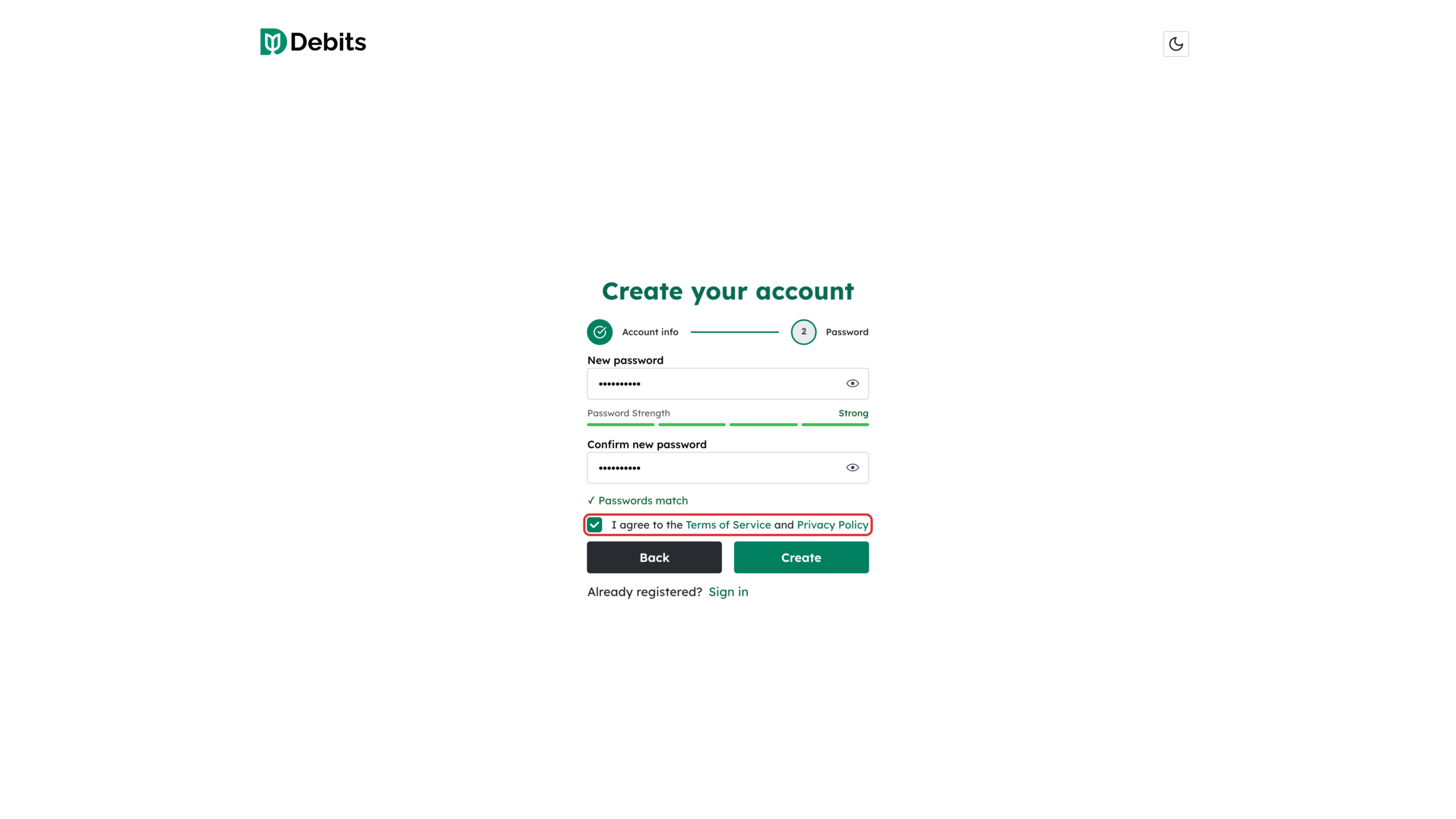
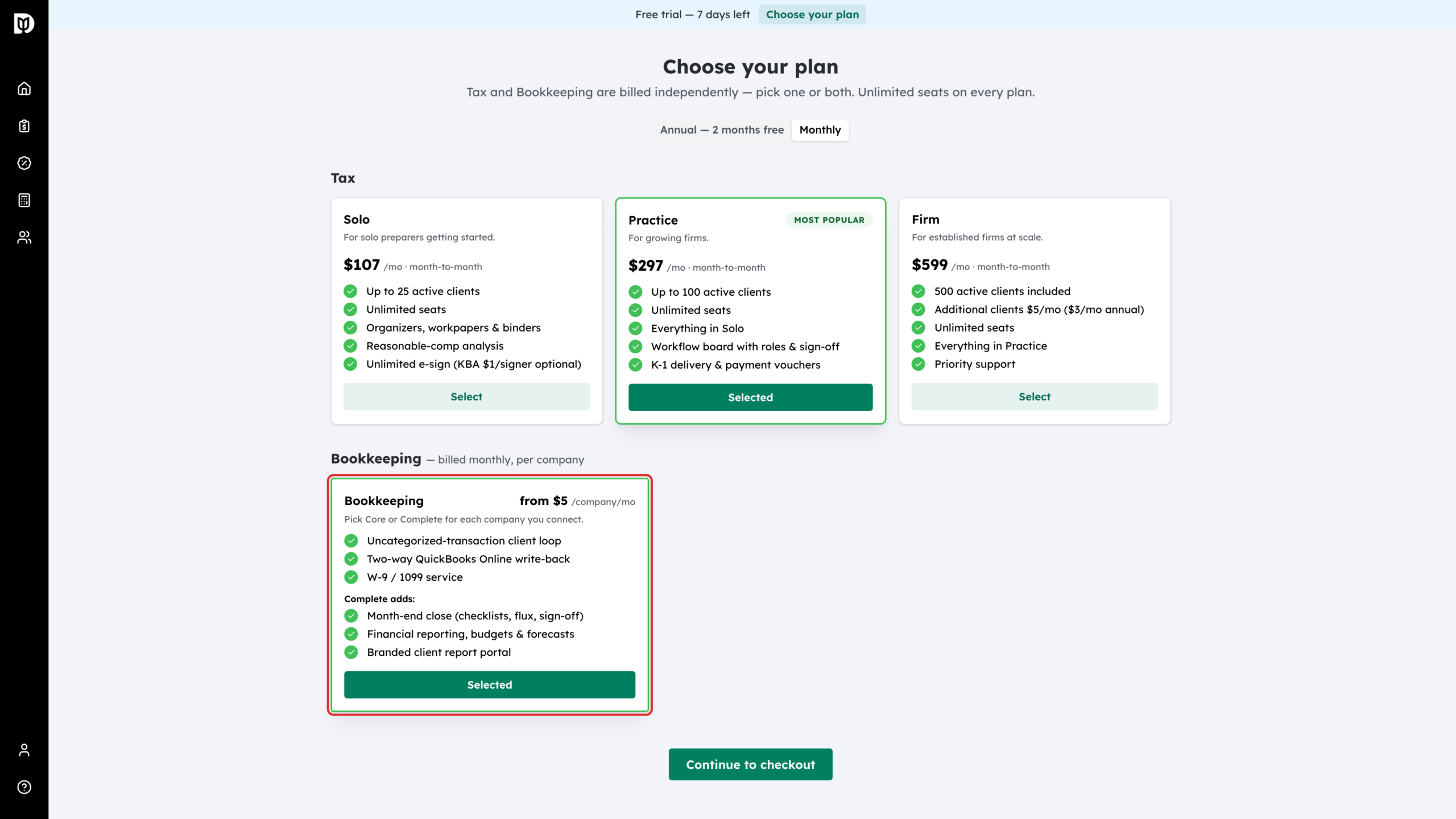
Enter and confirm a password, tick I agree to the Terms of Service and Privacy Policy, then select Create. Debits signs you in and starts your 7-day free trial. A short setup follows, where you can note whether you want Tax, Bookkeeping or both, or choose I’ll decide later. Nothing is billed at this point. When you are ready, open the Choose your plan page from Choose your plan on the trial banner at the top of the screen.
Step 3: Choose monthly or annual billing
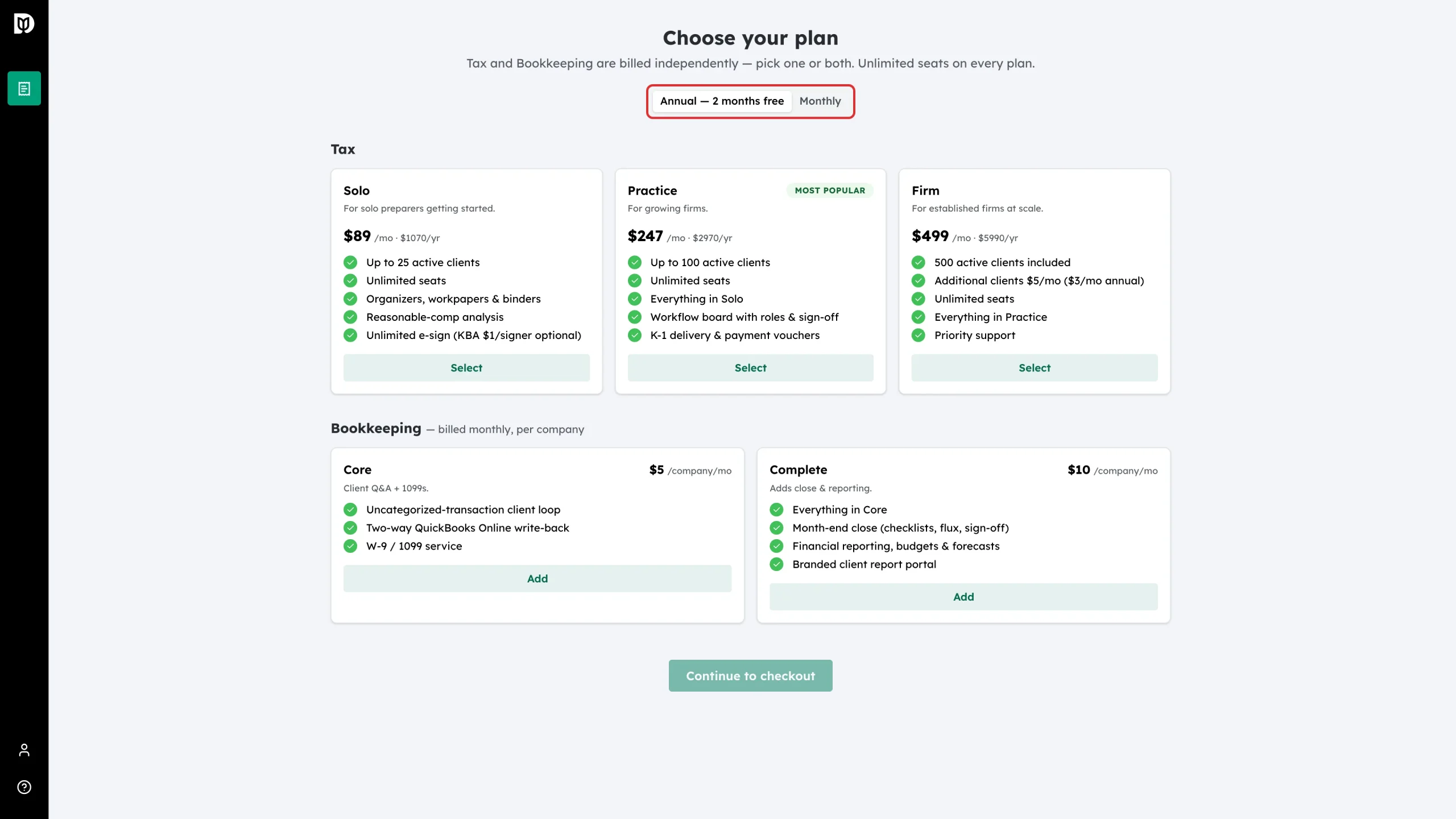
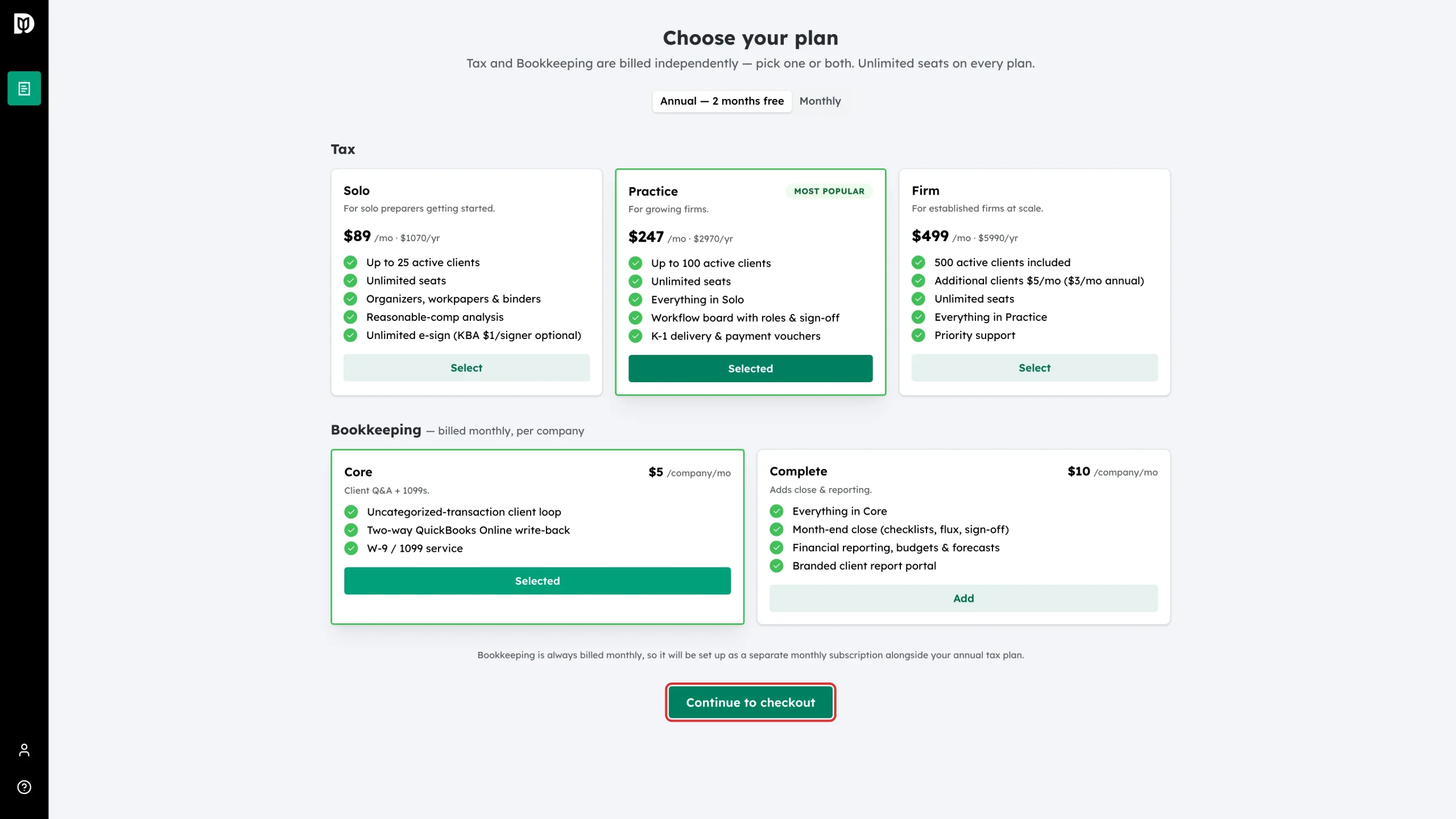
Use the switch at the top of the page. Annual — 2 months free charges ten months up front for a year of tax. Monthly is month to month. The tax prices on the cards change to match.
Step 4: Select a tax tier
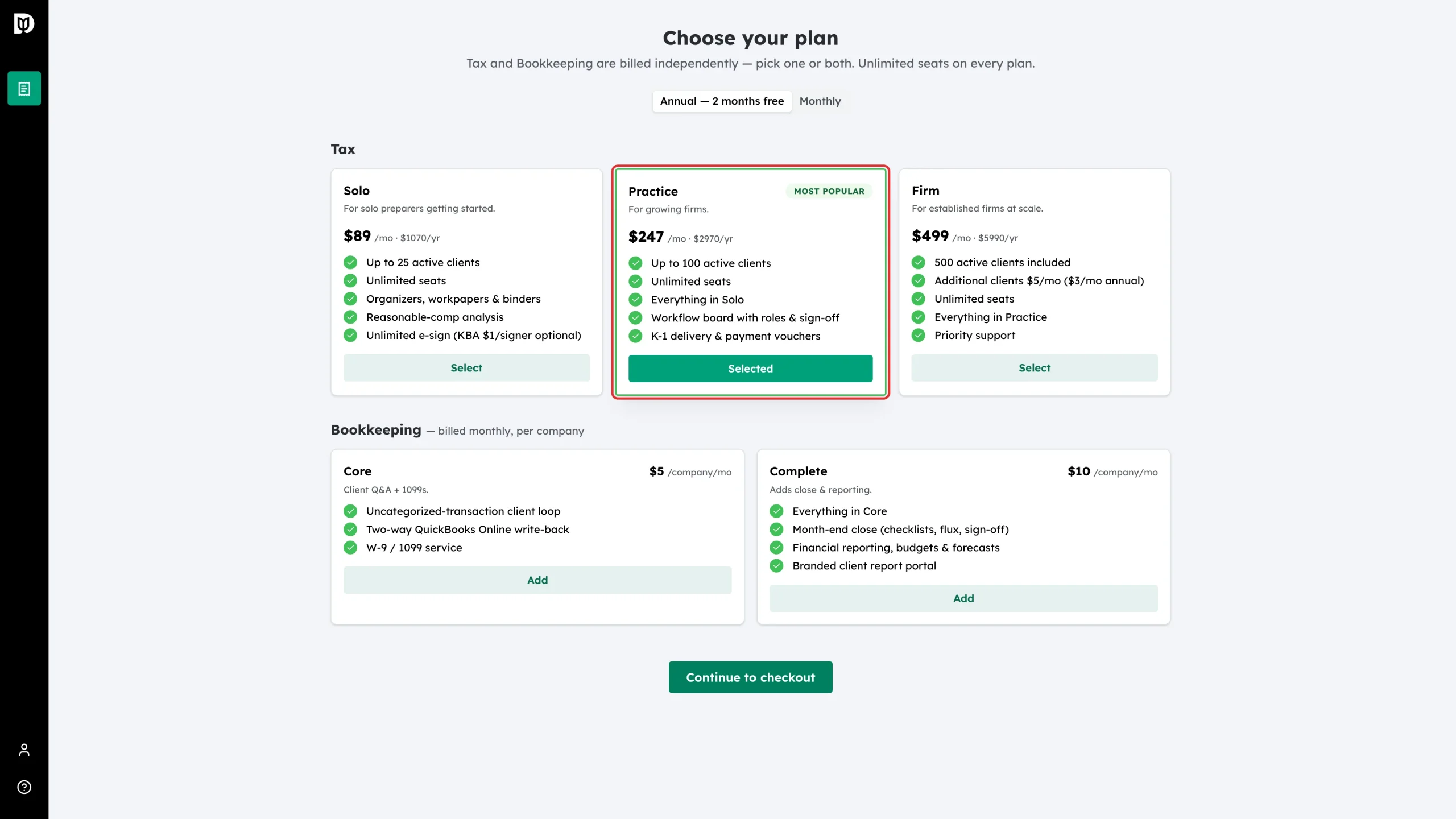
Select Select on the tier you want. The button changes to Selected. Solo is $107 a month or $1,070 a year, Practice is $297 a month or $2,970 a year, and Firm is $599 a month or $5,990 a year.
Step 5: Add a bookkeeping package (optional)
If you also do bookkeeping, select Add on the Bookkeeping card. Bookkeeping is billed per company, every month: Core is $5 and Complete is $10 per company per month. You choose Core or Complete for each company later, from the Companies page.
Step 6: Continue to checkout
Select Continue to checkout. If you picked annual tax and a bookkeeping package, a note above the button explains that bookkeeping is set up as a separate monthly subscription, because bookkeeping is never billed yearly.
Step 7: Check the trial summary
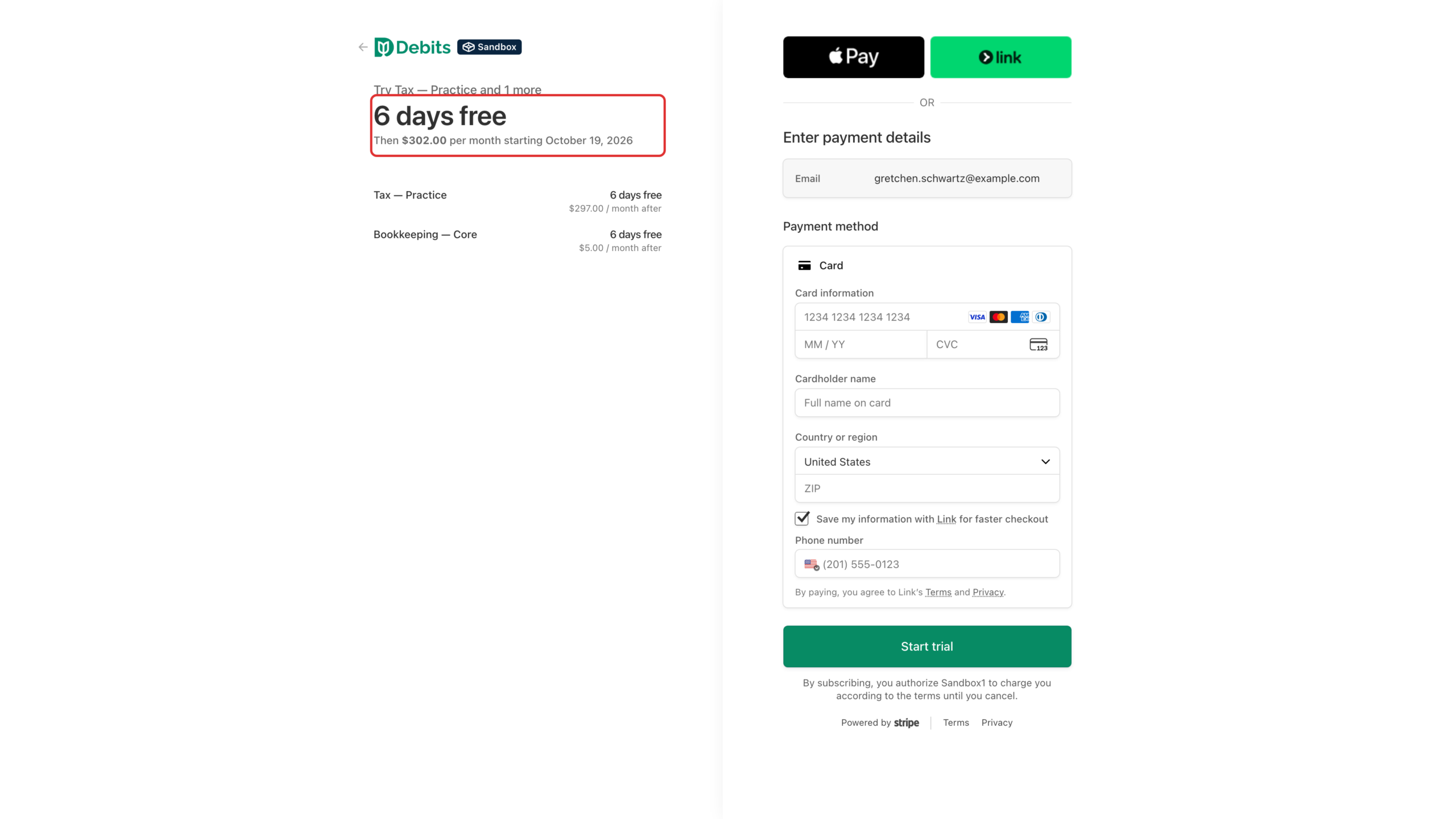
Debits hands you to Stripe, our payment provider. The summary shows the price and the date of the first charge. Your trial is not restarted: the first charge falls on day 7 of the trial you started when you signed up. If less than two days of your trial are left, you are charged at checkout instead.
Step 8: Start the trial
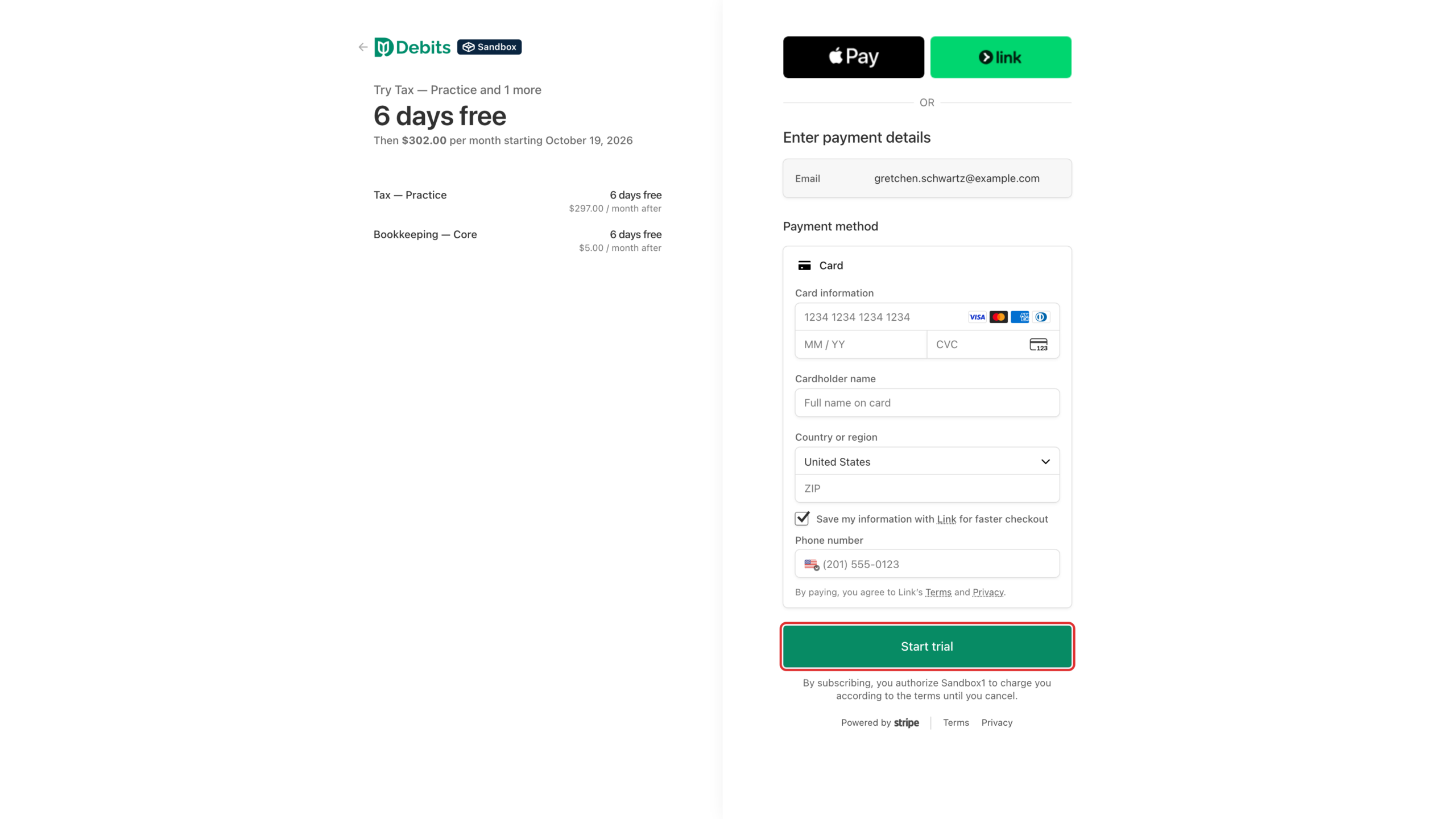
Enter your card details and confirm. Stripe keeps the card on file for the first charge, so your plan carries on without interruption when the trial ends.
What happens next
Stripe returns you to Debits. Your tier and bookkeeping then appear on the Subscription & Billing page, and every feature in your plan stays unlocked.
Choose your plan before day 7. While the trial runs, the firm owner sees a Free trial — N days left banner with a Choose your plan button. If the trial ends before you choose, Debits opens the plan page with the message Your free trial has ended. Everything you set up is saved and comes back as soon as you choose a plan.
Troubleshooting
- Continue to checkout is greyed out: nothing is selected yet. Choose a tax tier, a bookkeeping package, or both.
- Your firm already subscribes: the button reads Update plan instead of Continue to checkout, and it changes your existing subscription — see “How to change your plan or payment details”.
- “Active-client limit reached”: the tier you picked allows fewer active clients than your firm already has. Pick a higher tier — see “What happens when you reach your active-client limit”.