

You can configure Debits to proactively sync any transactions that are missing key details—such as Class, Department, Customer, or Vendor—even if those transactions have already been categorized in your accounting system. This is particularly useful if your organization requires these fields for reporting, approvals, or compliance (for example, ensuring every expense is tied to a department or project).
By enabling this option, Debits will:
- Identify transactions that do not have one or more of the selected fields (Class, Department, Customer, Vendor).
- Pull those transactions into Debits even if, under normal settings, they would be skipped because they are already categorized in the accounting platform.
- Present them so you can complete the missing information, helping you maintain consistent, audit-ready records.
This helps you:
- Enforce internal policies (e.g., “All expenses must have a Department and Customer”).
- Avoid incomplete data that can break reports or cause reconciliations to fail.
- Catch and correct gaps that may have been created by user error or incomplete mappings in your accounting system.
To enable syncing of transactions with missing fields:
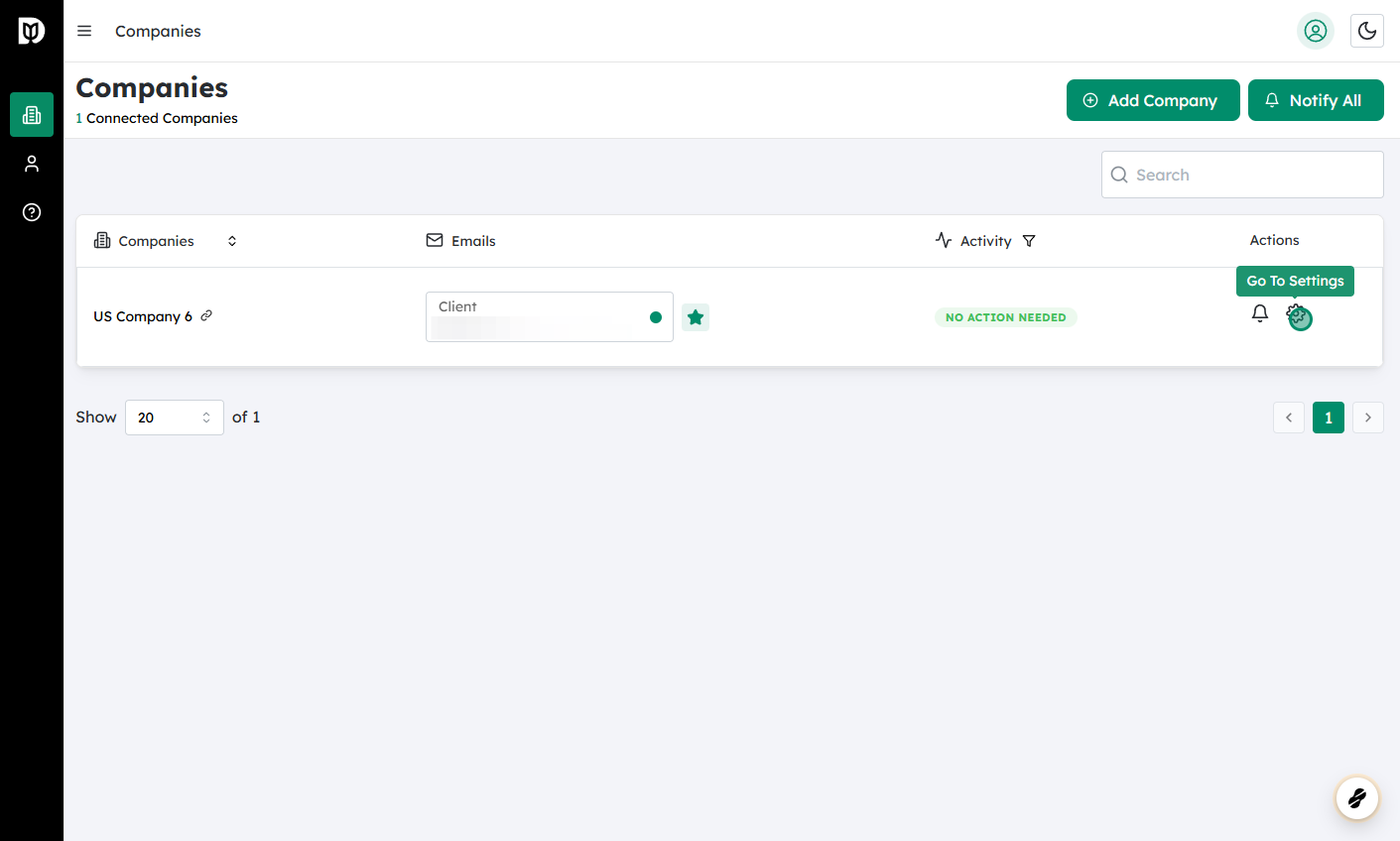
Log in to Debits and navigate to Companies #
- From the main dashboard, open the Companies section, where you see all connected entities.
 #
#
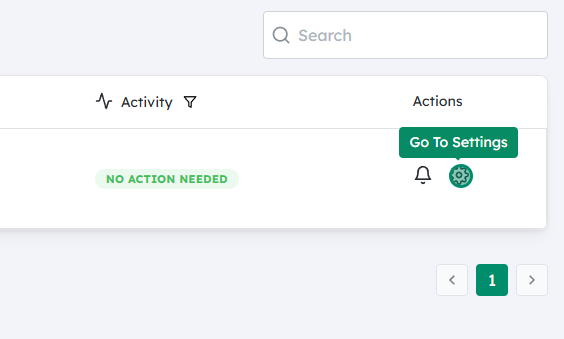
Click on the Settings icon for the company you want to update #
- Find the relevant company in the list.
- Click the gear/settings icon to open that company’s configuration options.
 #
#
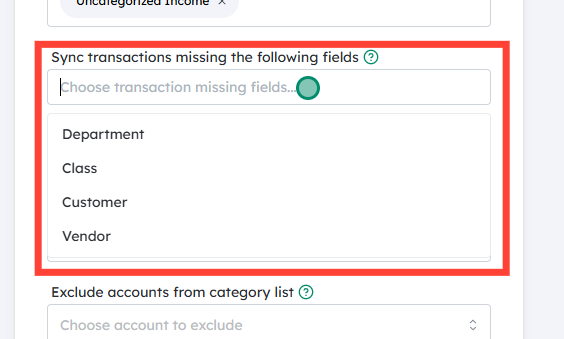
Locate and enable Sync transactions missing the following fields #
- In the settings panel, find the section labeled Sync transactions missing the following fields (or similar wording).
- Select which fields you want Debits to enforce (e.g., Class, Department, Customer, Vendor).
- Once selected, Debits will include any transactions that lack one or more of those fields in the sync.
 #
#
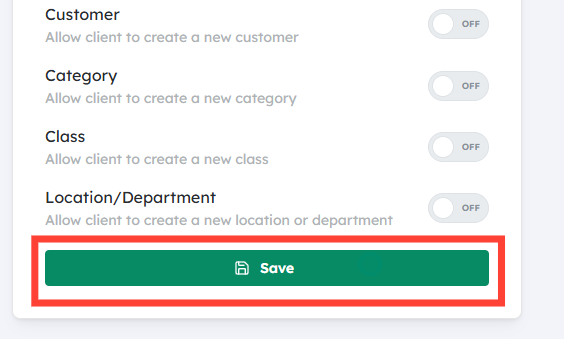
Click Save #
- Save your changes to apply the new rule.
- Going forward, Debits will begin syncing all transactions for that company that are missing any of the specified fields, allowing you to review and complete them.
After enabling this, monitor incoming transactions to ensure you’re populating the required fields consistently—this will improve the quality and reliability of your financial reporting over time.


