Debits does not file your 1099s. You export the data, file it with Track1099, Tax1099 or another service, and then come back and mark those vendors as filed so your list stays honest about what is done.
Before you start
- File the 1099 with your filing service first. Marking a vendor as filed in Debits sends nothing to the IRS.
- Marking as filed is a permission. Owners and admins always have it; for other staff it is off unless someone turns it on, and the menu items simply do not appear.
Mark one vendor
-
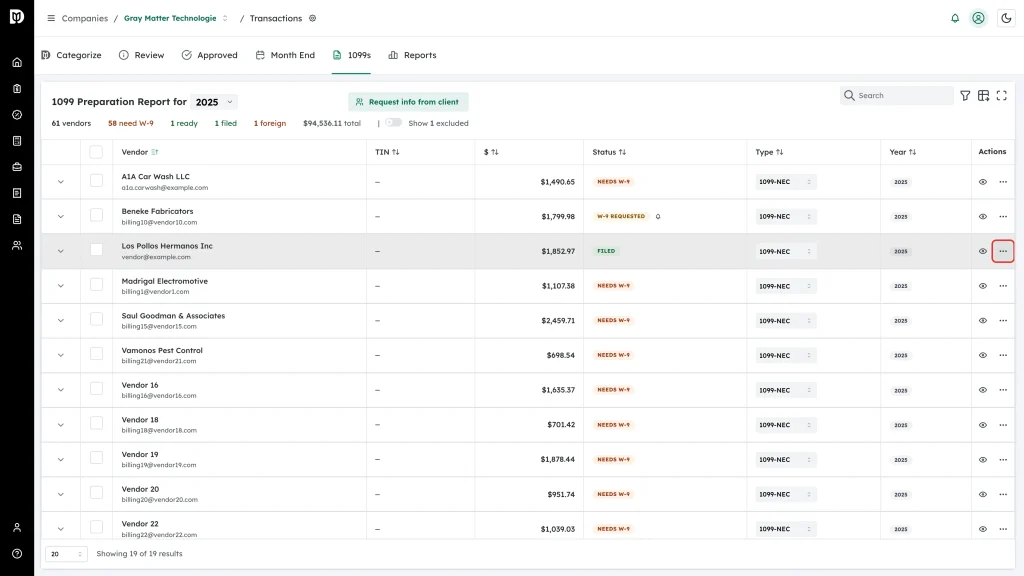
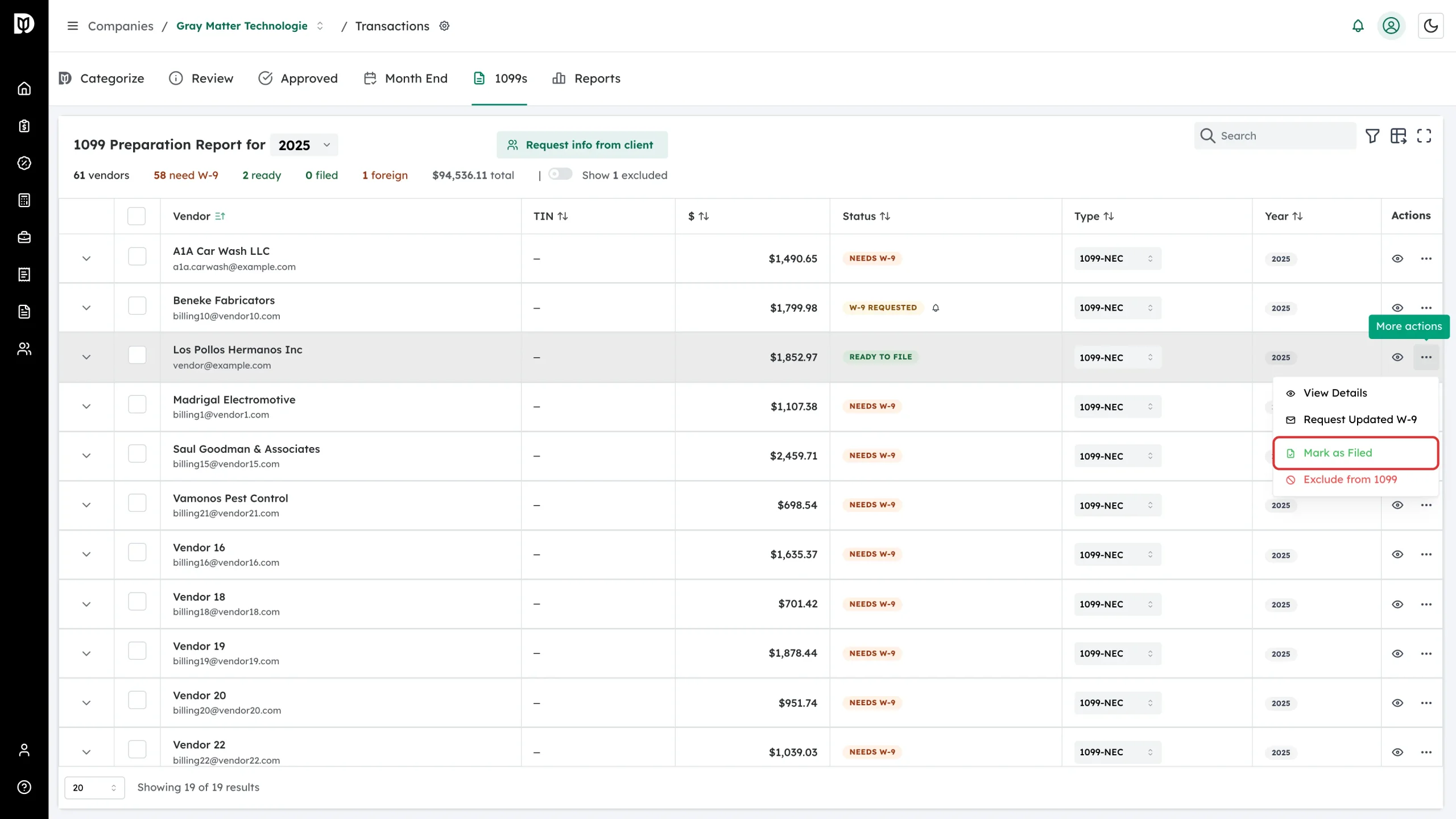
On the 1099s tab, open the More actions menu at the end of the vendor’s row.
-
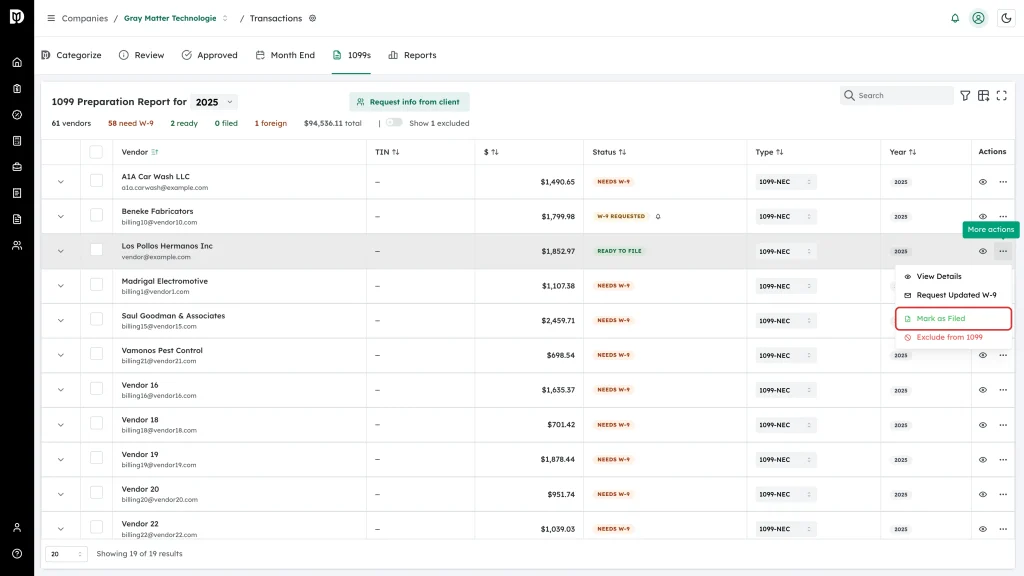
Choose Mark as Filed.
-
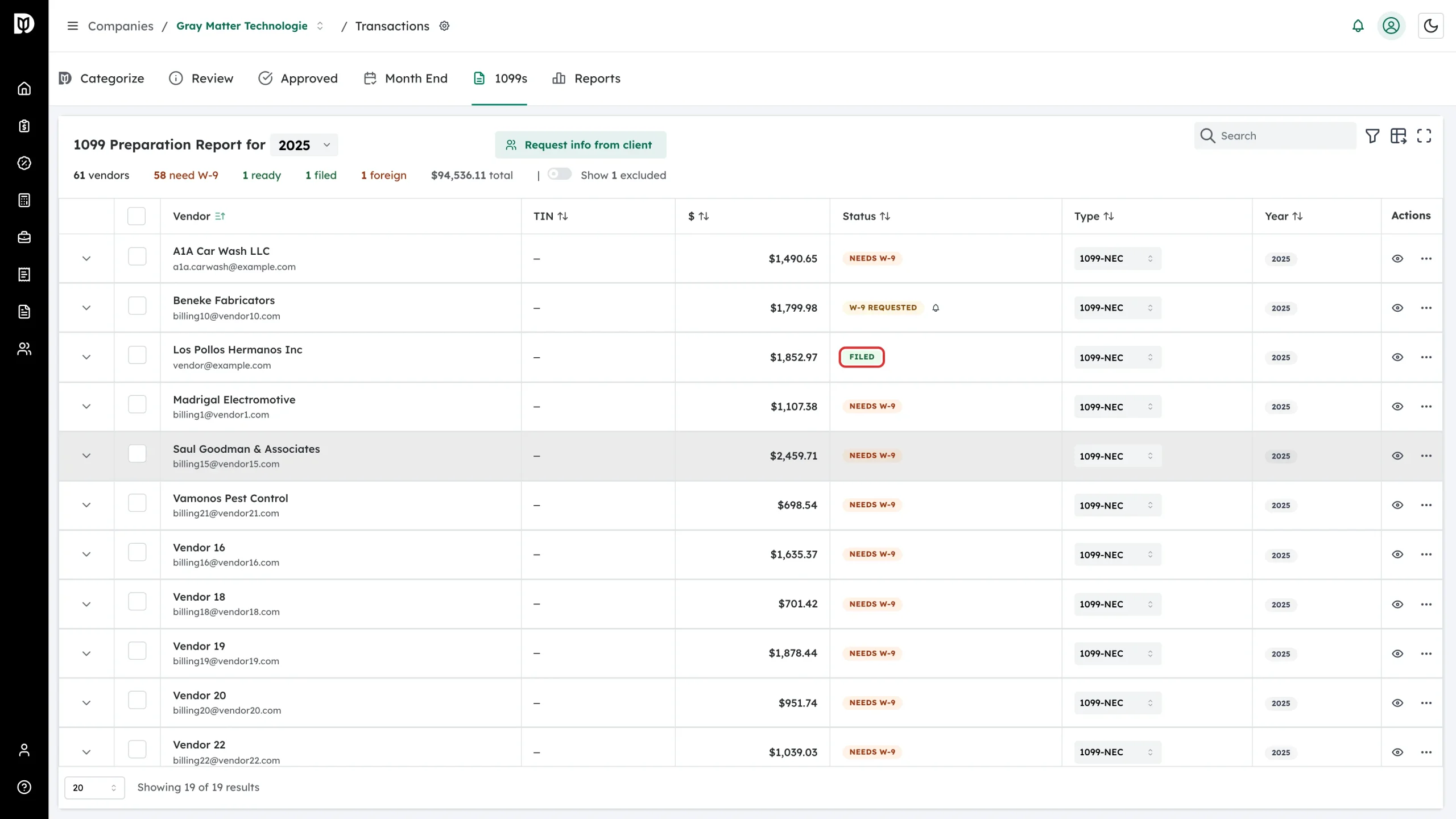
The badge turns to a green Filed.
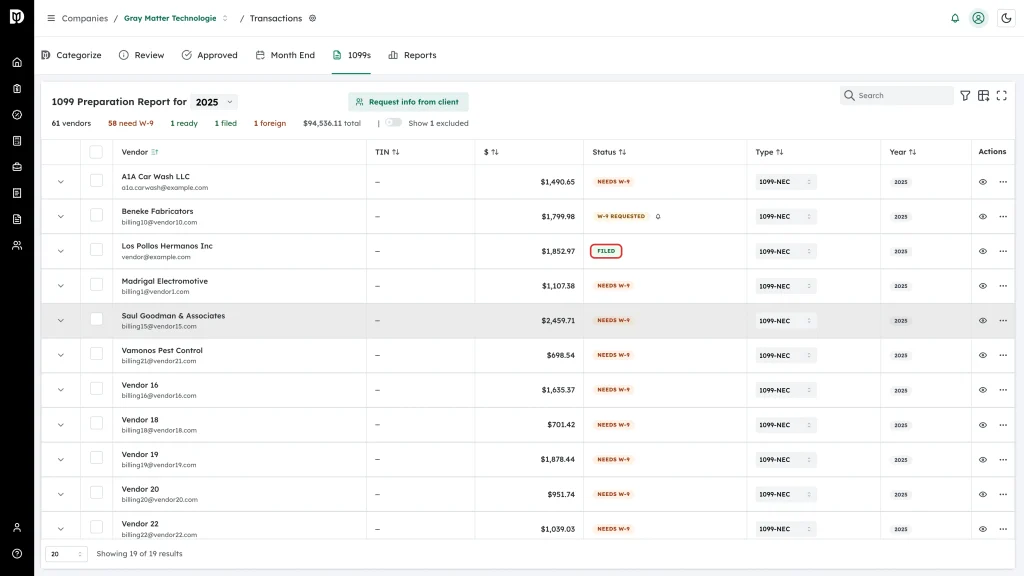
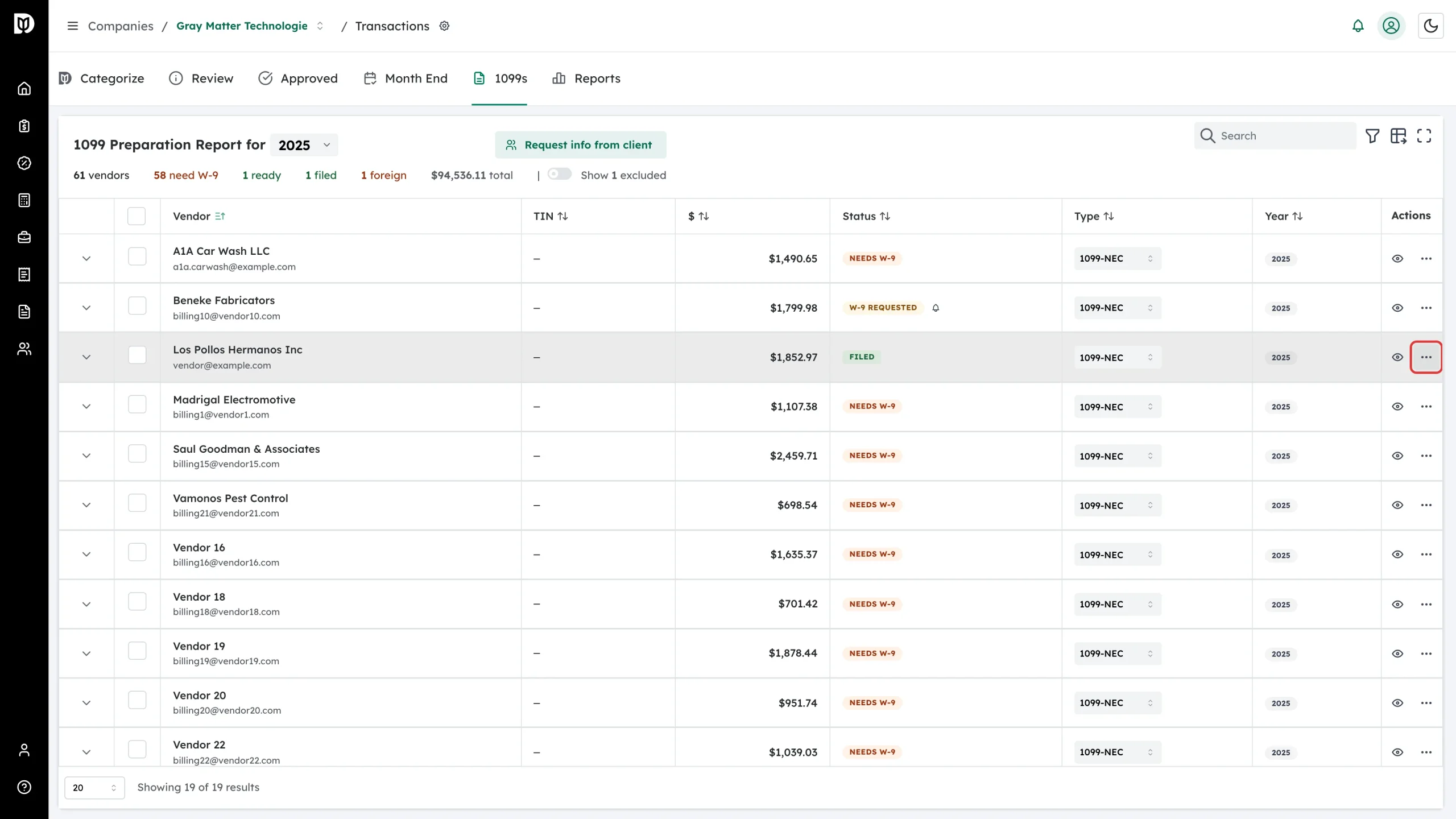
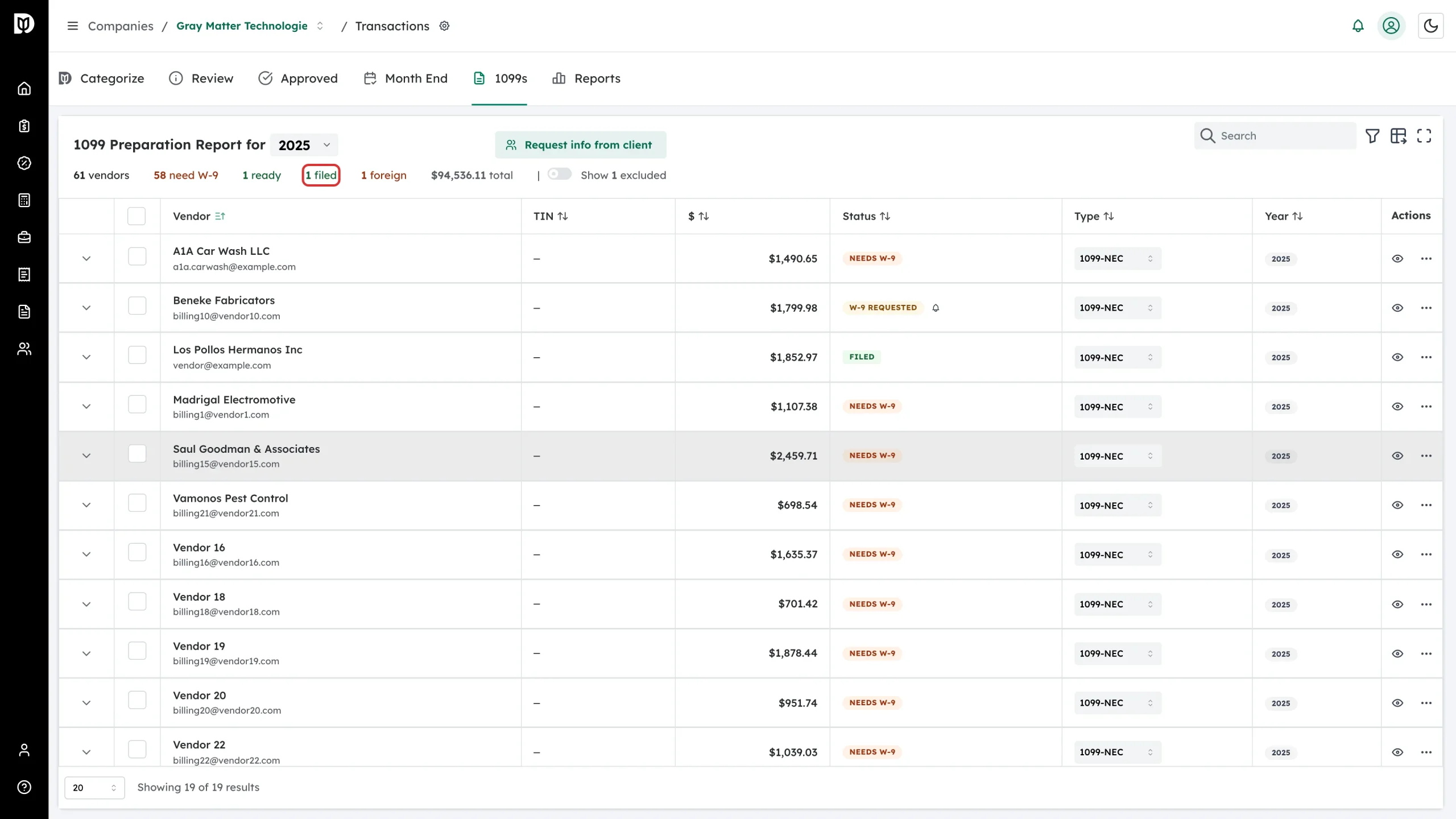
The filed counter in the summary row goes up at the same time, so you can see at a glance how much of the year is done.
Mark several at once
Tick the checkboxes on the rows you filed, choose Mark as Filed in the action list above the table, and click Apply to N vendors. Debits reports how many succeeded. Excluded vendors and vendors already filed are skipped.
Undo it
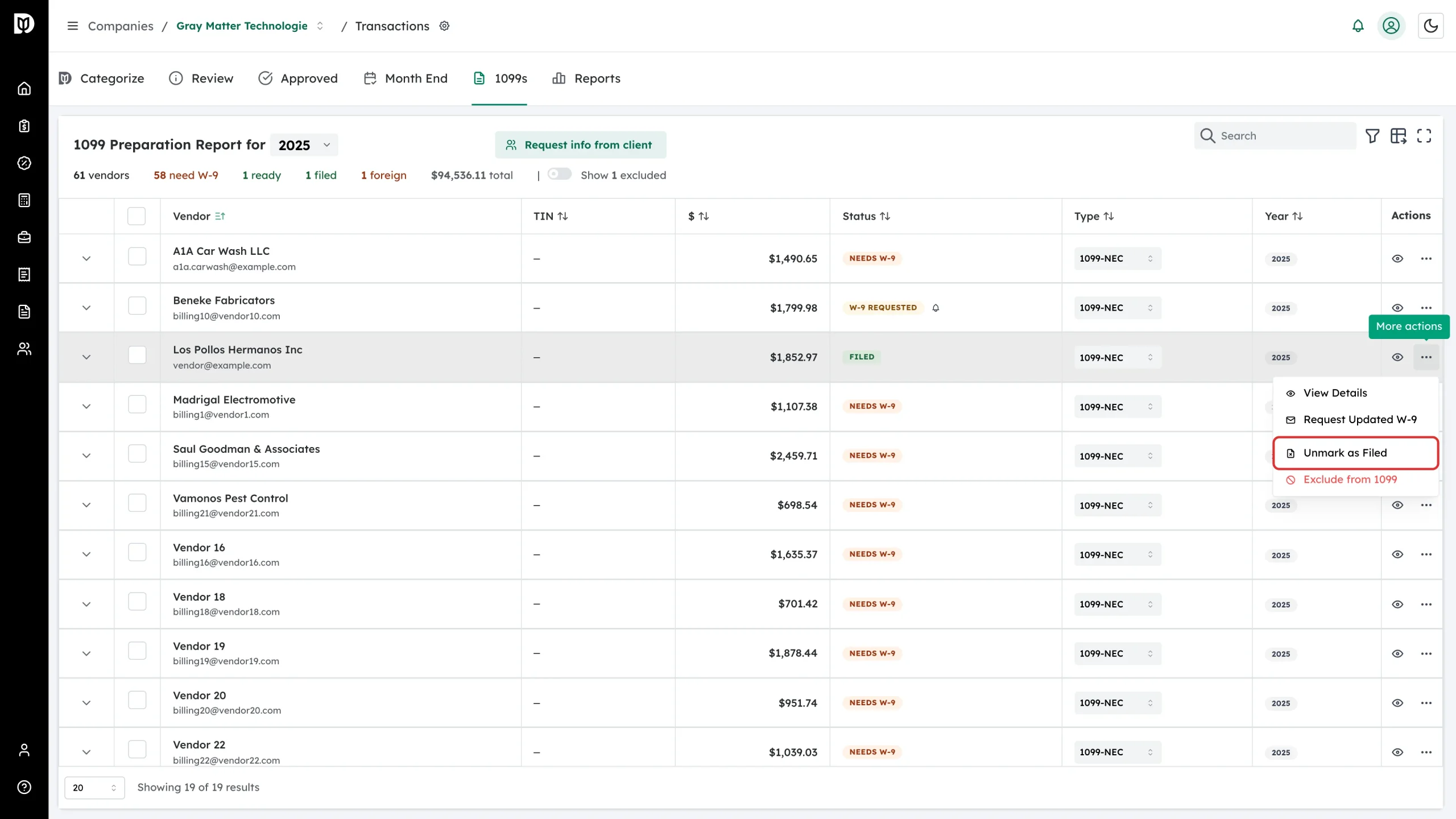
Open More actions on a filed vendor and choose Unmark as Filed. The vendor goes back to Ready to File.
You will need this if you have to export a vendor again: exports only take vendors that are Ready to File, so a vendor marked filed is left out.