A vendor who is not a US person does not get a 1099. They complete a W-8BEN (individuals) or W-8BEN-E (entities) instead. Marking a vendor as foreign in Debits takes them out of the filing and switches the form they are asked for.
Mark a vendor as foreign
-
On the 1099s tab, open the vendor with the eye icon, go to the 1099 tab, and scroll to Residency status. Turn on Foreign vendor.
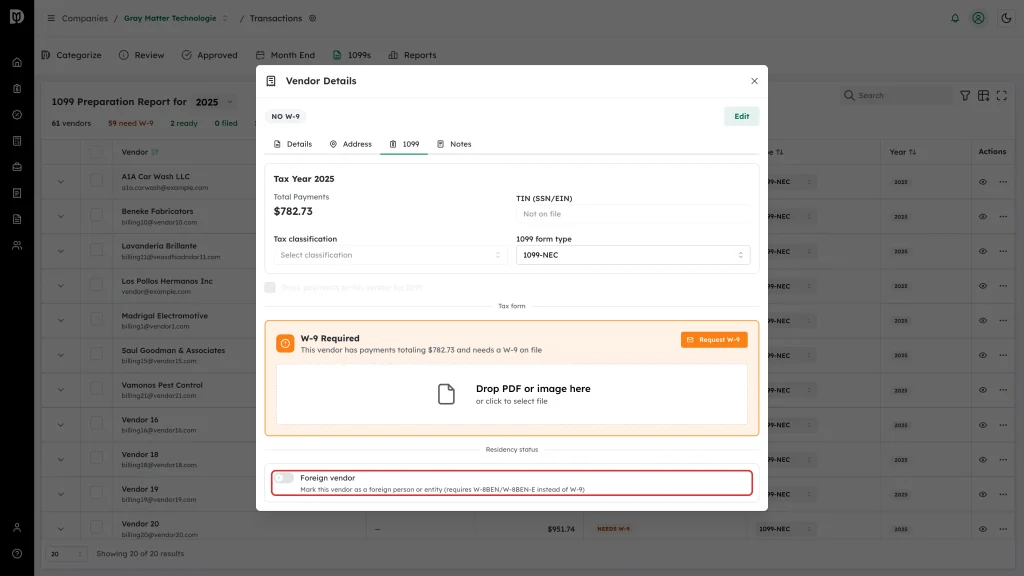
This switch saves as soon as you flip it. You do not need to click Edit or Save to QuickBooks.
-
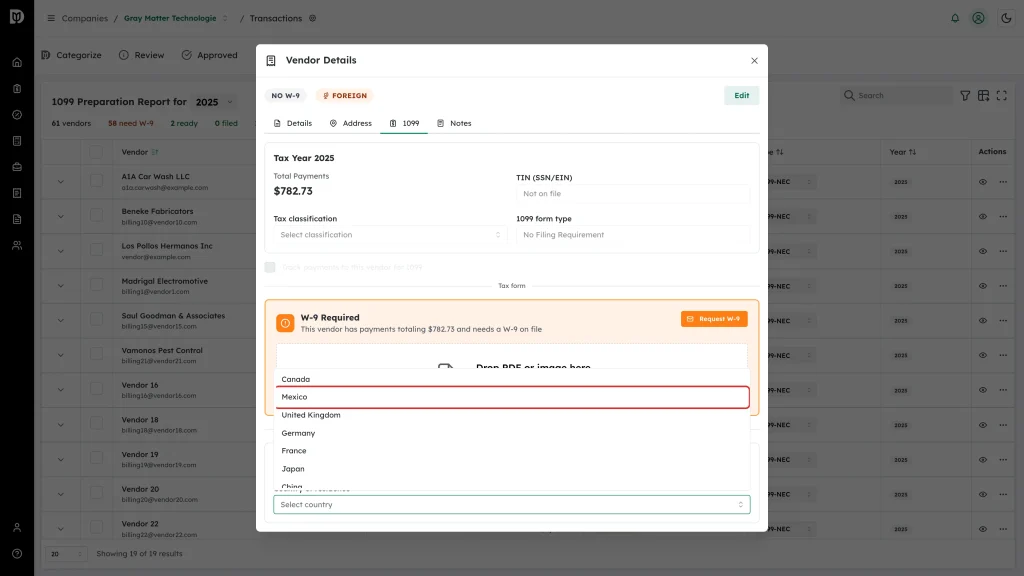
Choose the Country of residence. The list covers Canada, Mexico, the United Kingdom, Germany, France, Japan, China, India, Australia, Brazil and Other.
What changes
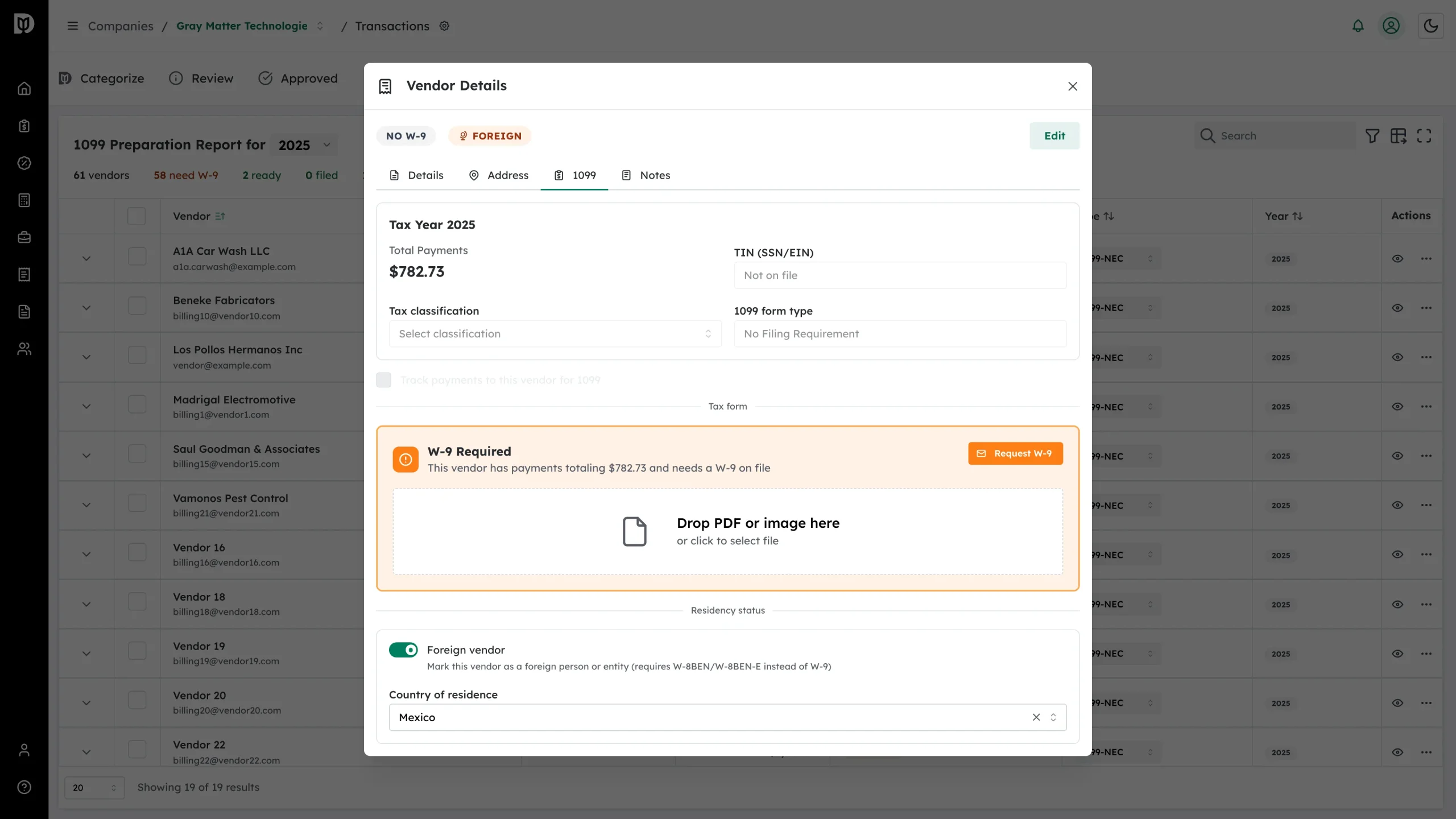
- An orange Foreign badge appears beside the vendor name, in the table and in the details header.
- The form type column reads No Filing Req. and can no longer be changed.
- The status becomes Excluded, so the vendor drops out of exports and out of the list. Turn on Show N excluded in the summary row to see it again.
- The summary row counts it under foreign.
Collect the W-8BEN
Send a W-9 request the same way you would for any vendor — More actions → Request W-9. The vendor’s form page starts by asking whether they are an individual or an entity and whether they are a US or a foreign person. Once they answer as a foreign person, Debits gives them a W-8BEN if they are an individual and a W-8BEN-E if they are an entity, and files the signed form on the vendor record.
If you marked a vendor foreign by mistake
Turn the Foreign vendor switch back off, or use More actions → Include in 1099 on the row. Because a foreign vendor is exempt by definition, that route asks you to confirm with Mark as US-based & include, which clears the foreign flag and puts the vendor back into the filing.
Tax points worth knowing
- Payments to foreign vendors can carry 30% withholding unless a treaty rate applies.
- Those payments are generally reported on Form 1042-S, not a 1099. Debits does not produce 1042-S.
- Keep the signed W-8BEN on the vendor record as your documentation.
Foreign withholding is not something to settle from a help page — check the specifics with the firm’s tax lead.