Before you can file a 1099 for a vendor you need their W-9 — legal name, taxpayer ID and address. Debits emails the vendor a secure link to a form they fill in online. They do not need a Debits account or a password, and what they submit lands straight on the vendor record.
Before you start
- The vendor needs an email address on the row. If the cell shows Add email, click it and add one first, or double-click an existing address to correct it.
- Requests expire 30 days after they are sent.
Send the request
-
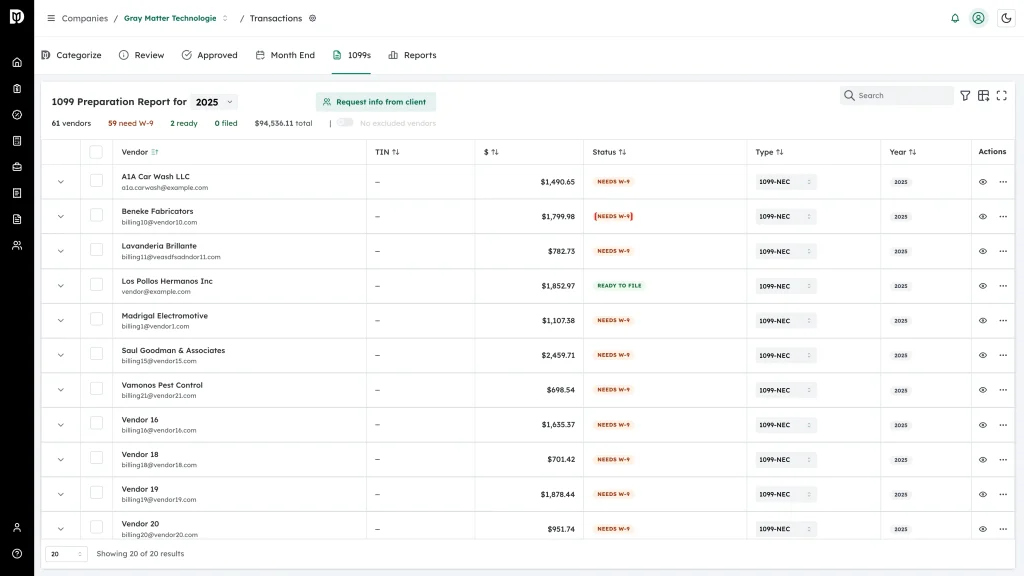
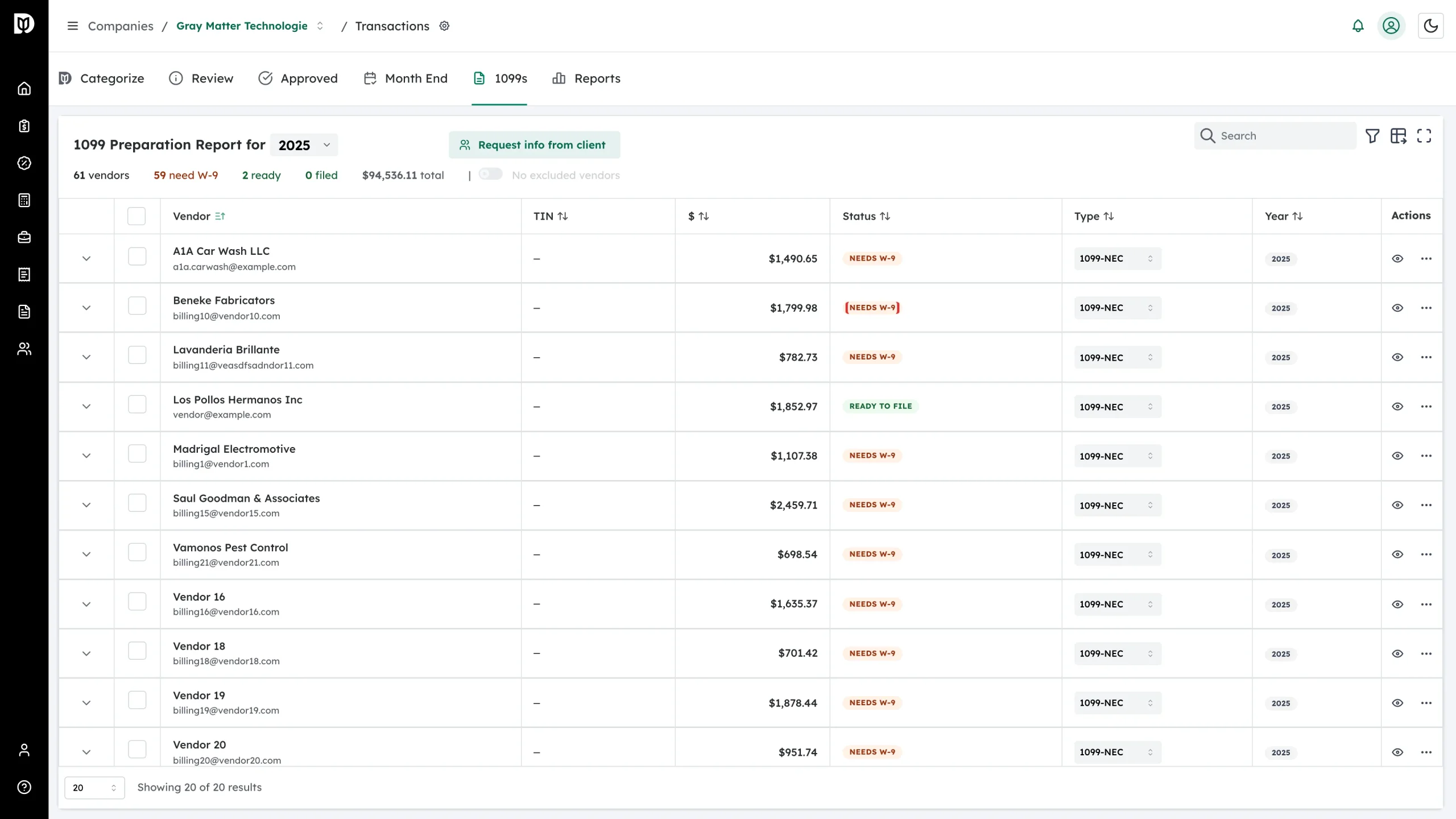
On the 1099s tab, find a vendor showing Needs W-9.
-
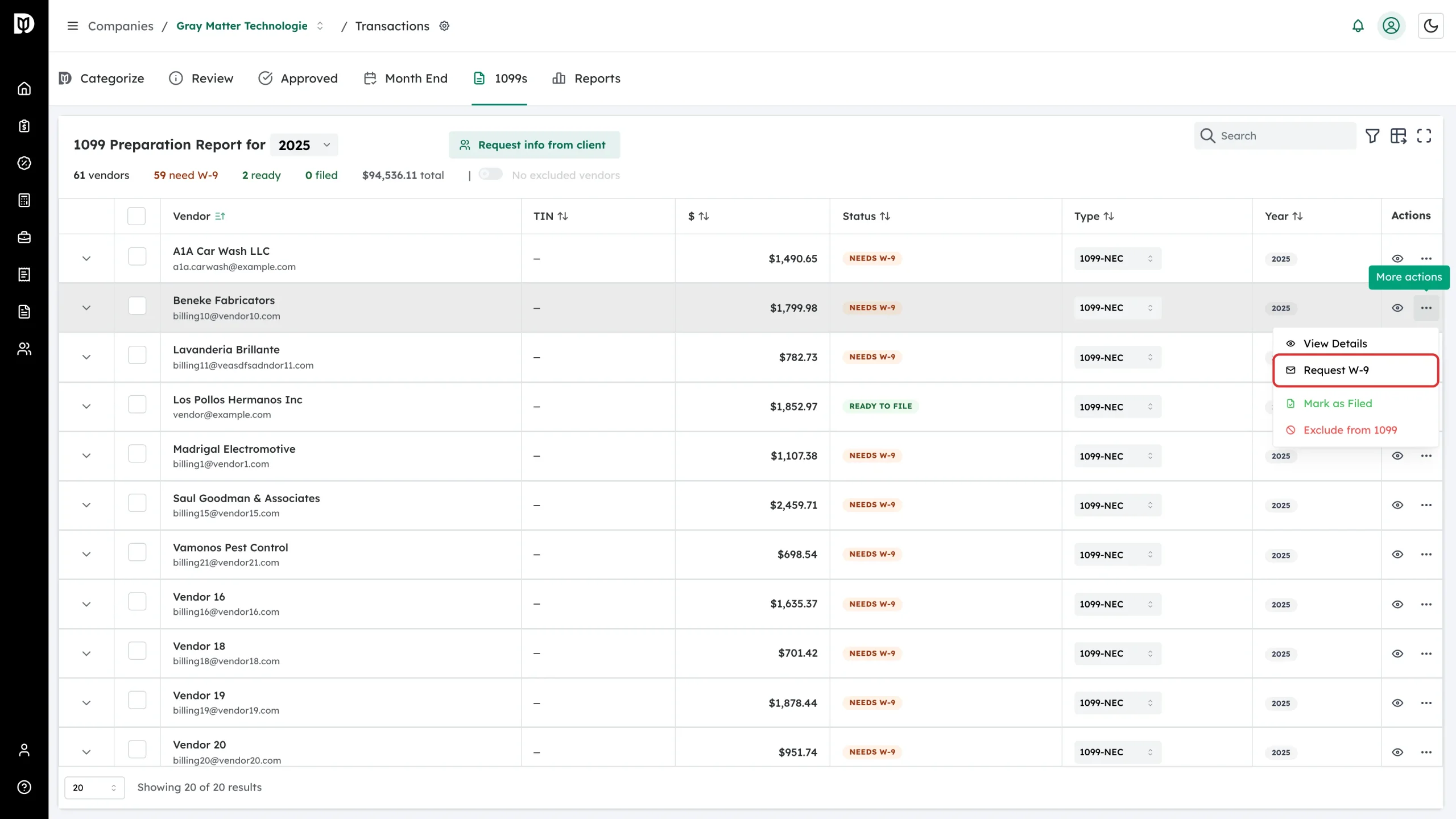
Open the More actions menu at the end of the row and choose Request W-9.
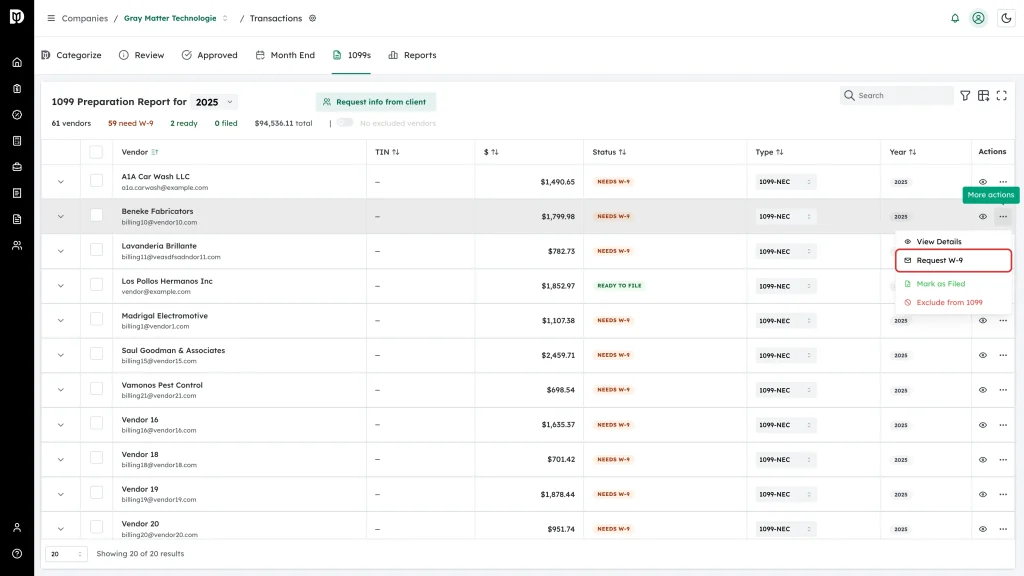
If the vendor already has a valid W-9 on file this item reads Request Updated W-9. If there is no email address it is greyed out and reads Request W-9 (no email).
-
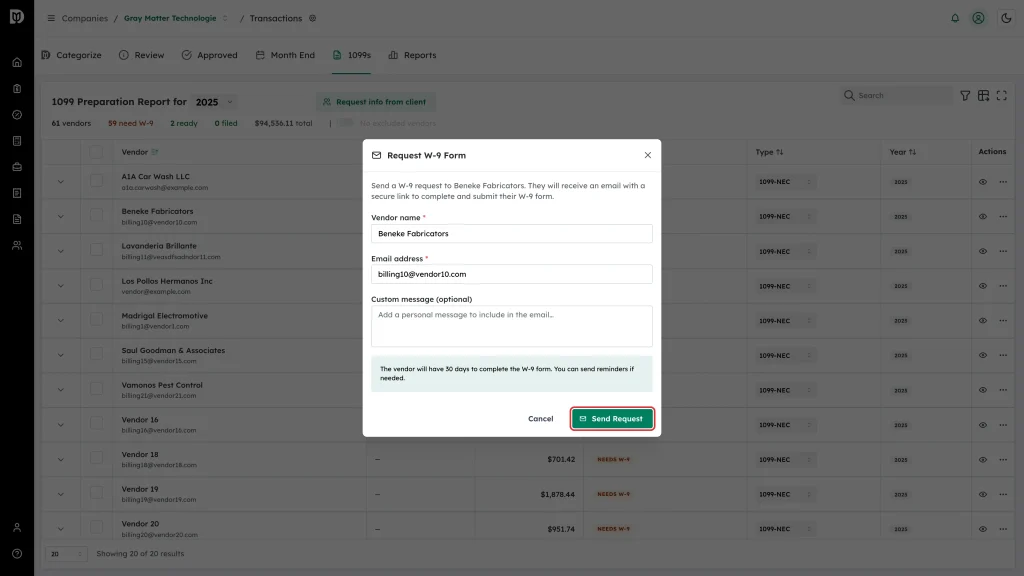
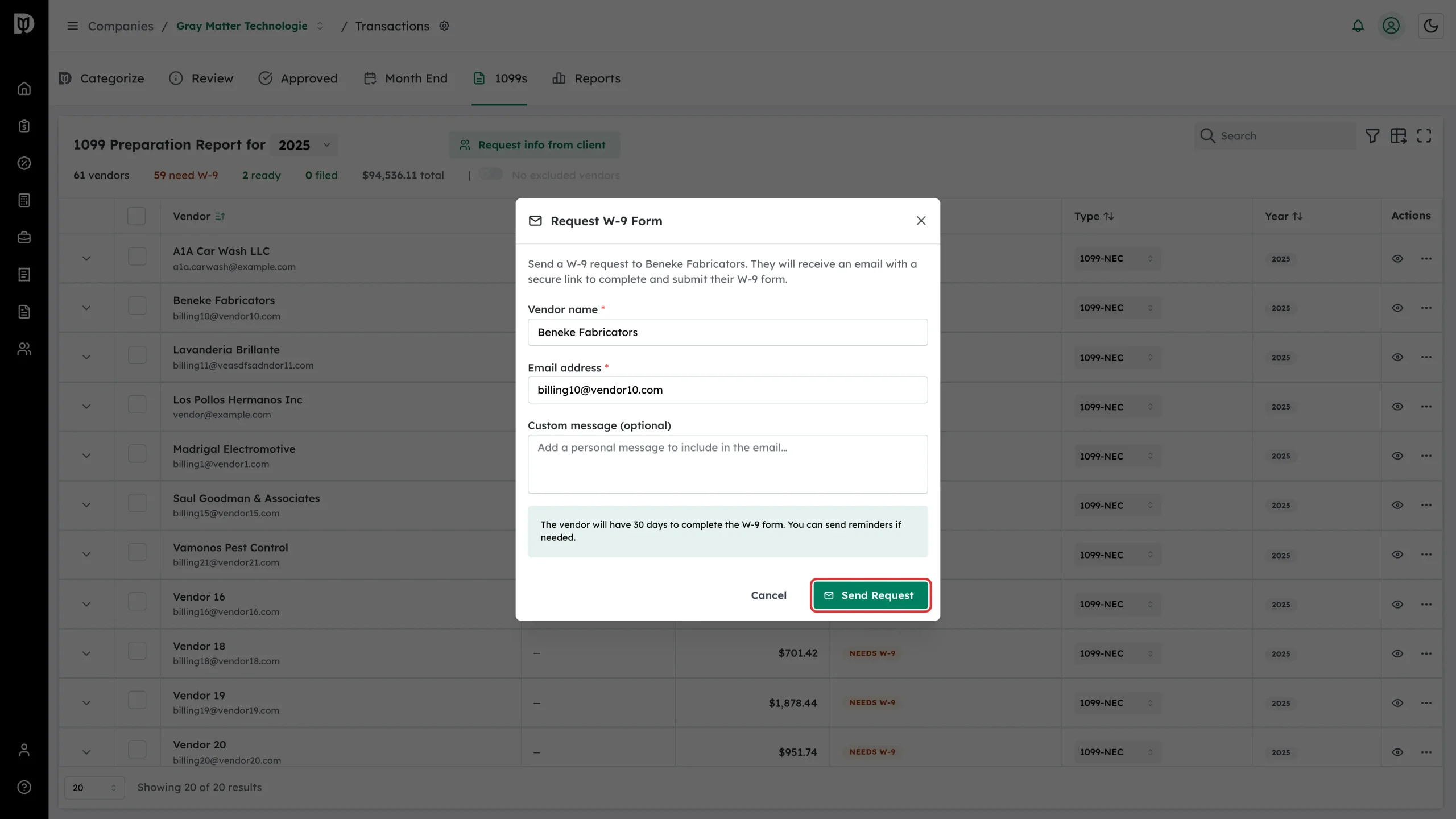
Check the vendor name and email in the Request W-9 Form window, add a custom message if you want one, and click Send Request.
-
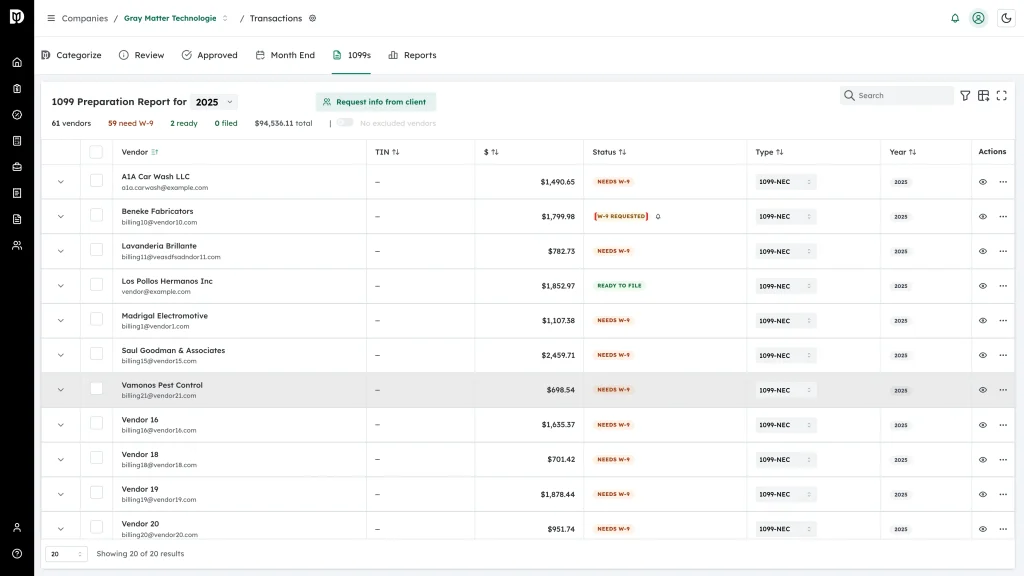
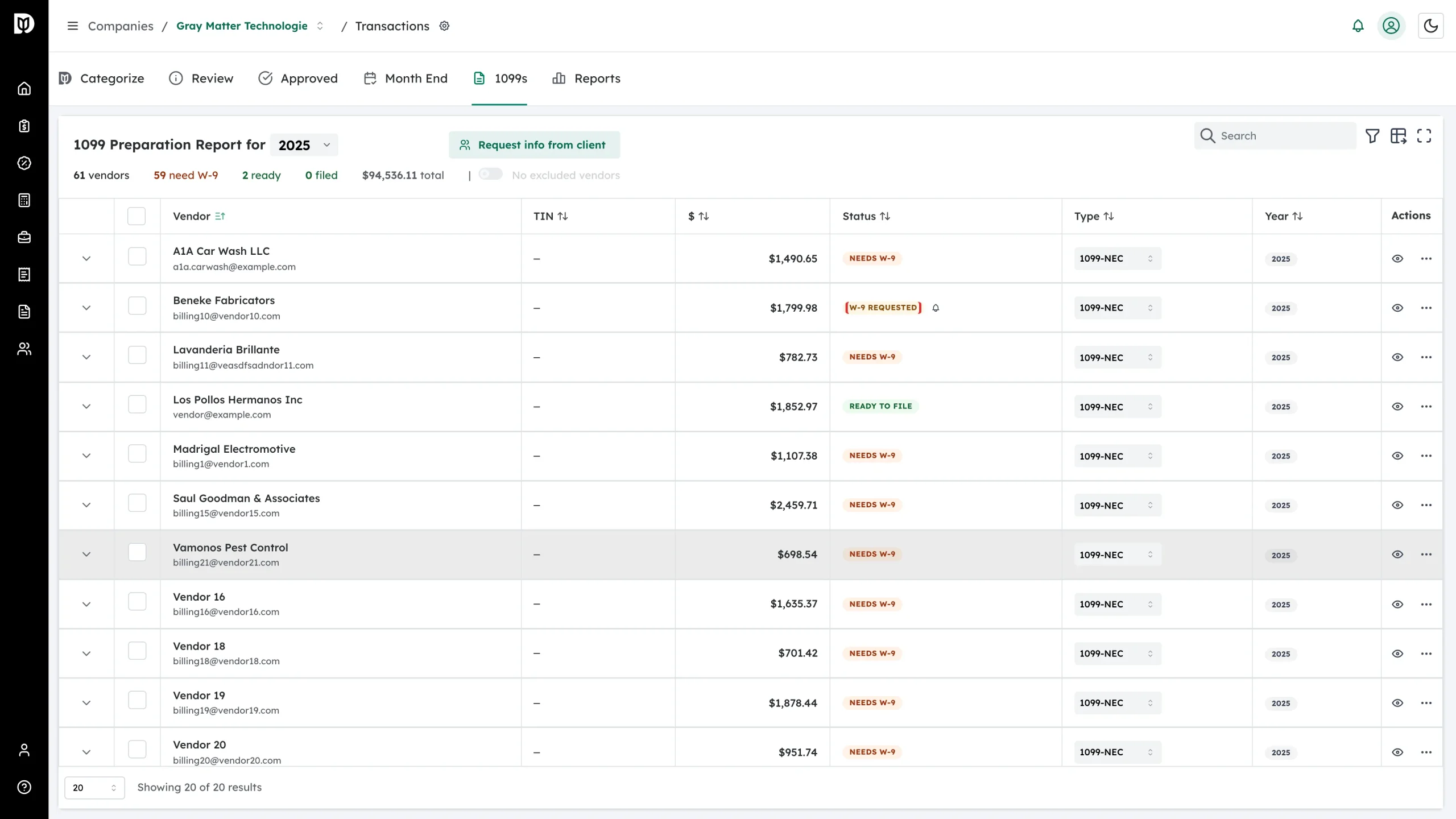
The status changes to W-9 Requested and a bell icon appears beside it for sending reminders.
Or send it from the vendor’s record
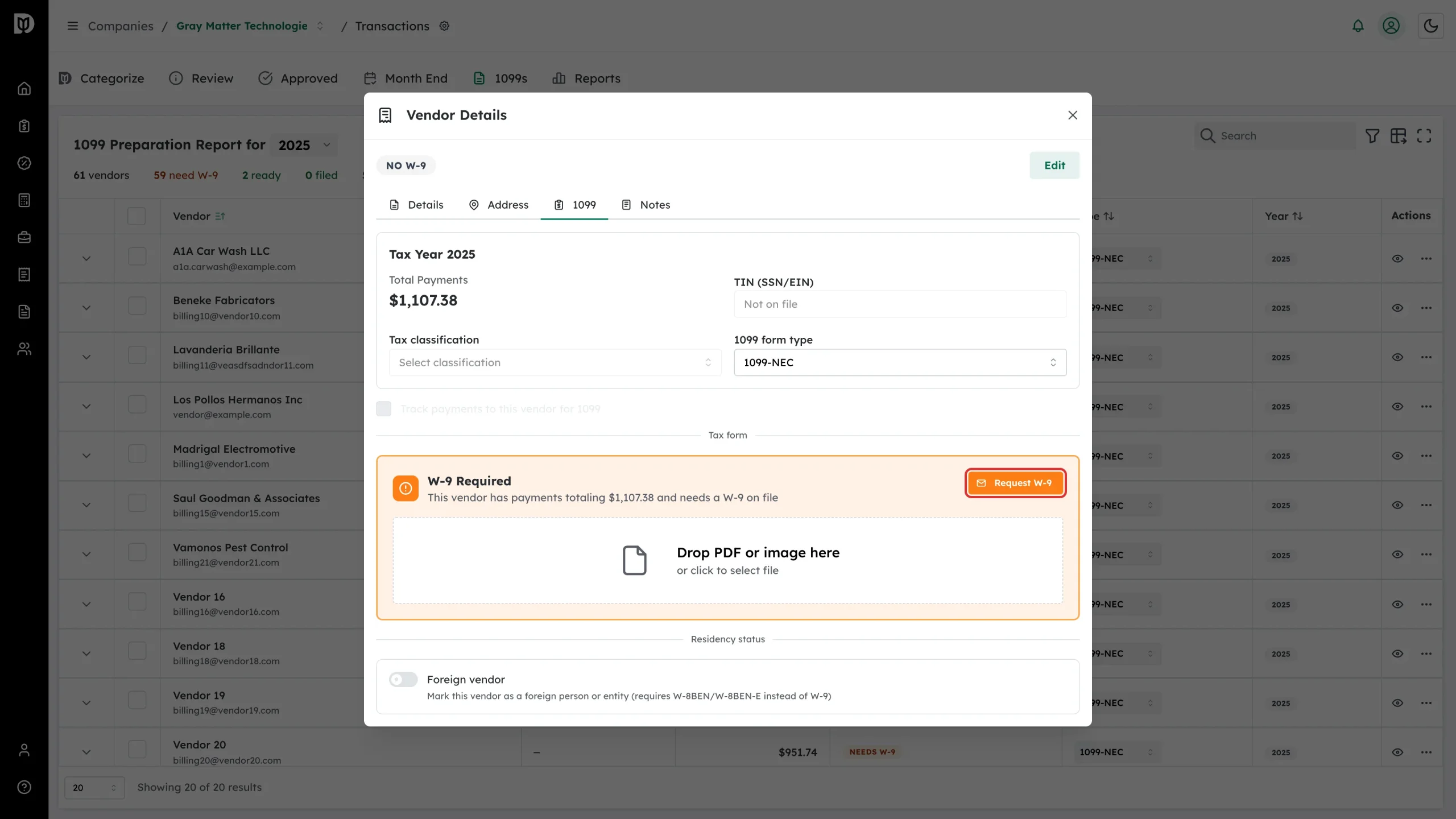
Open the vendor with the eye icon, go to the 1099 tab, and use the Request W-9 button in the tax form card. The card also lets you upload a W-9 you received on paper or by email — drop the PDF or photo on it and Debits reads the details off the form.
What the vendor sees
The email contains a link to a short form. The vendor first says whether they are an individual or an entity and whether they are a US or foreign person, and Debits then shows them the right form — a W-9 for US taxpayers, a W-8BEN or W-8BEN-E for foreign ones. When they sign and submit, the taxpayer ID and address appear on the vendor record and the status moves on.