Client Billing is where your firm invoices its own clients and collects what it is owed — from a draft invoice through to money in the bank. This article covers the dashboard you will spend most of your time in.
-
Open the Invoices dashboard
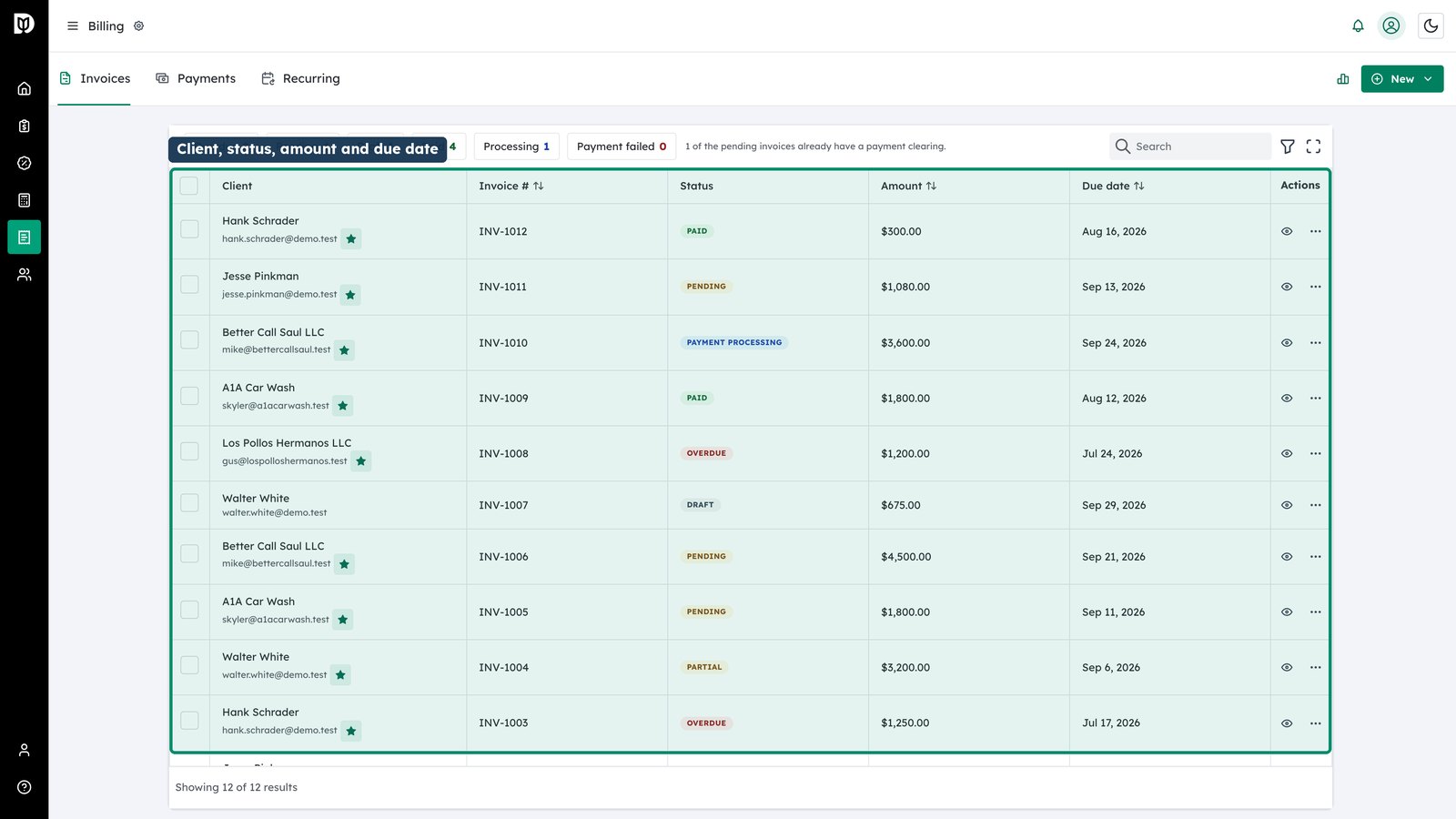
Billing has three tabs: Invoices, Payments and Recurring. Invoices opens by default and lists every invoice your firm has issued. Each row gives you the client, the invoice number, its status, the amount and the due date.
-
Read the status badges
Statuses are colour-coded so the list can be scanned rather than read: green for paid, yellow for pending, red for overdue, and blue while a payment is in flight. An invoice that is part-paid shows as Partial.
-
Narrow the list
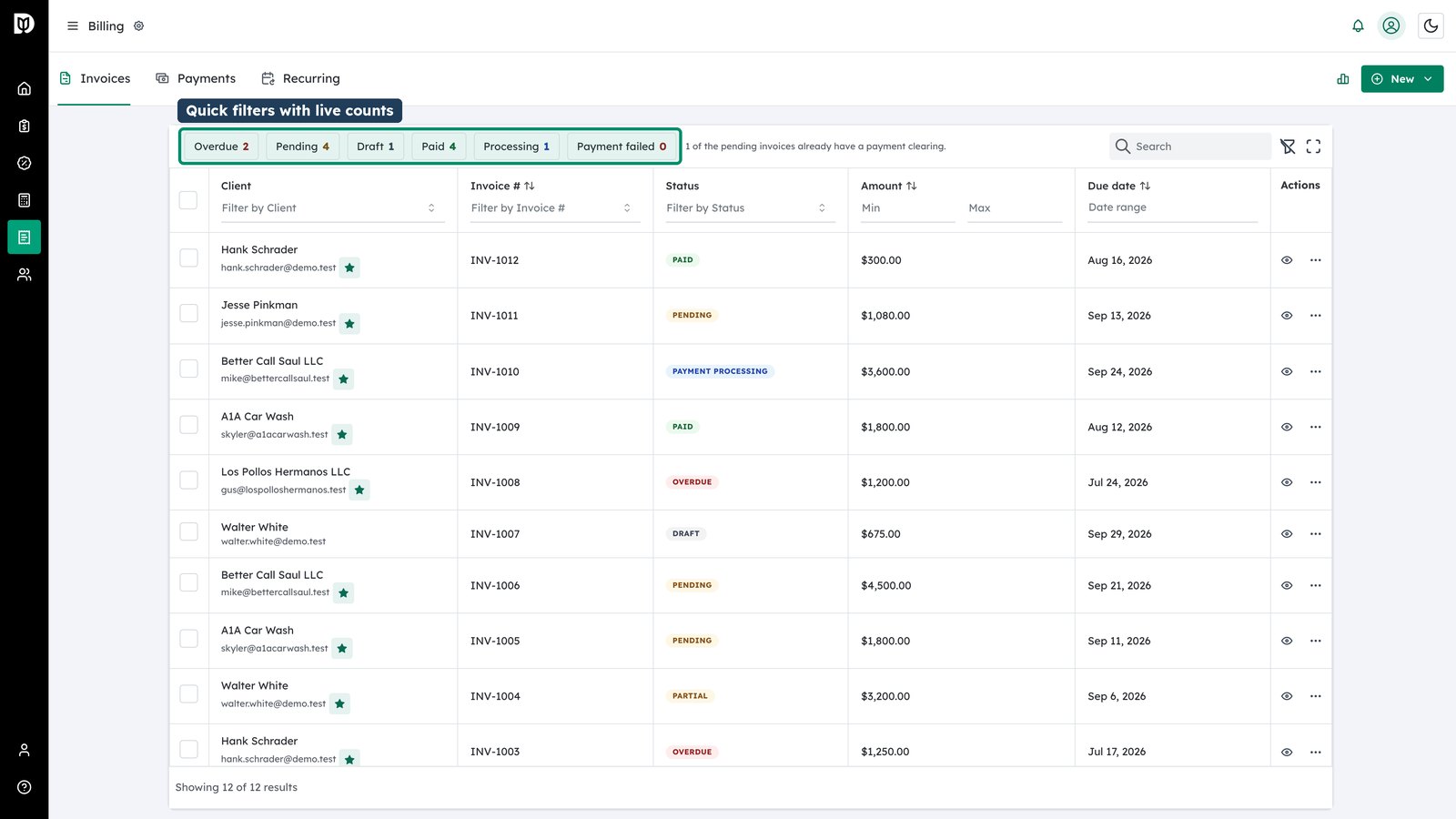
The quick filters across the top split the list by state and carry a live count. For anything more specific, the filter and search controls let you narrow by client, invoice number, amount range or due-date range, and combine those filters together.
-
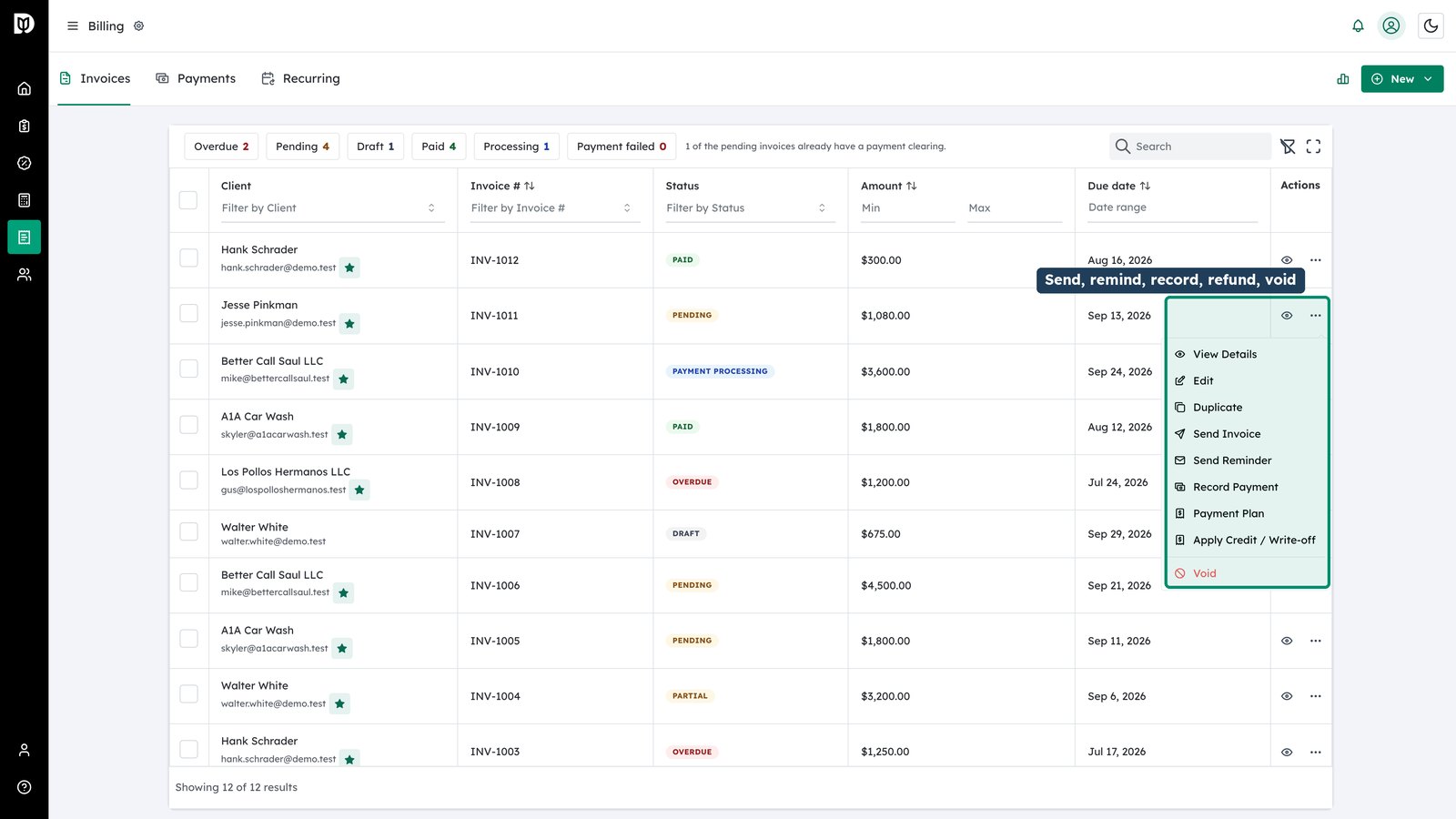
Use the row actions
Every row carries its own actions menu. From here you can view or edit the invoice, duplicate it, send it or resend a reminder, re-cord a payment, issue a refund, apply a credit, set up a payment plan, or void it.