Who this is for: Firms that produce the same style of report for many clients.
What you’ll learn: How to save a report as a template, set a default, and reuse it across your clients.
Before you begin
- Build a report the way you like it first. A template captures the sections, their order and their settings — custom KPIs, KPI targets, the forecast scenario and the disclaimer.
- Templates can be company-specific (one client) or firm-wide (every client).
Step-by-step instructions
Step 1: Save the report as a template
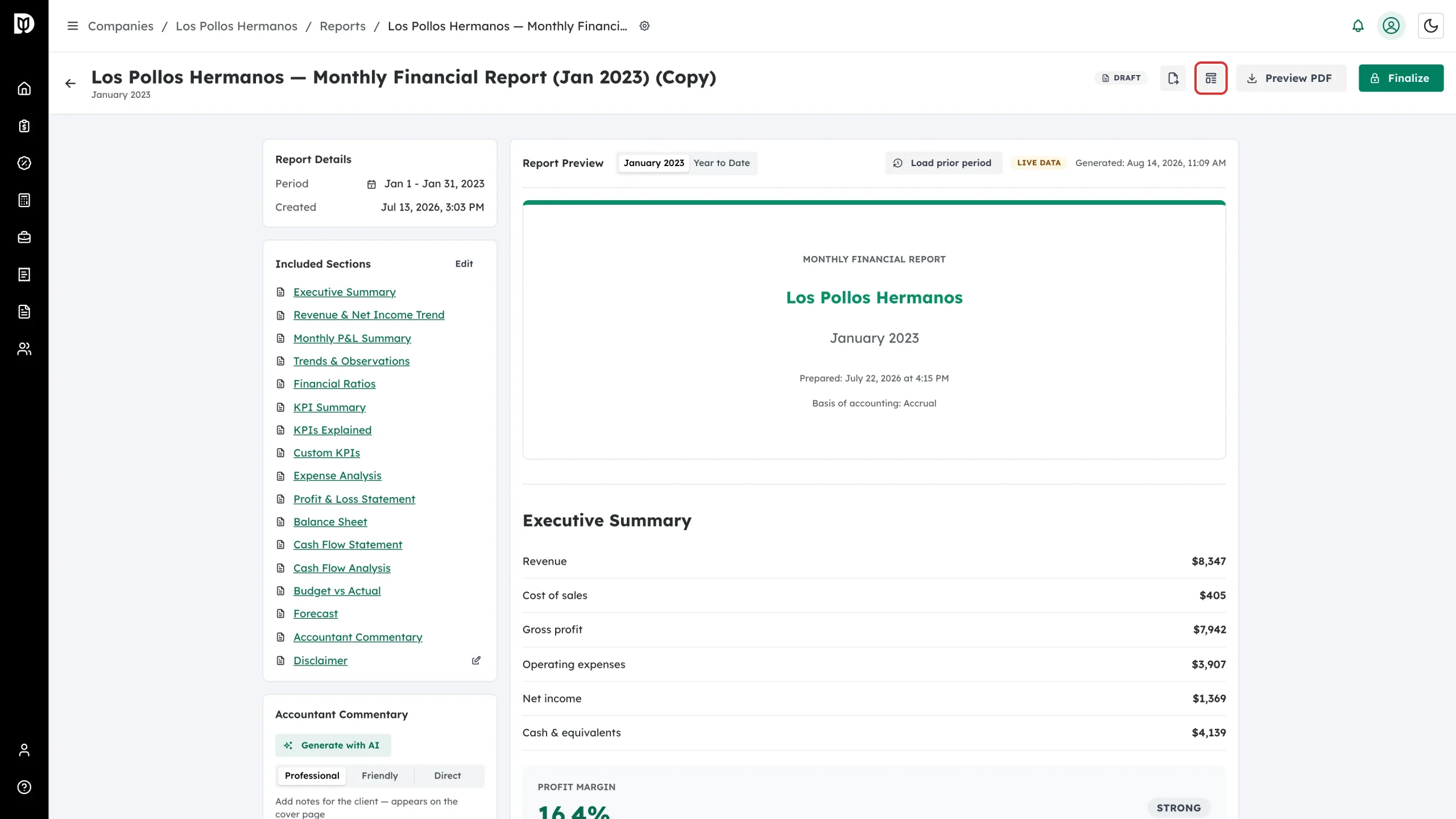
Open the report and select the Save as template icon in the header.
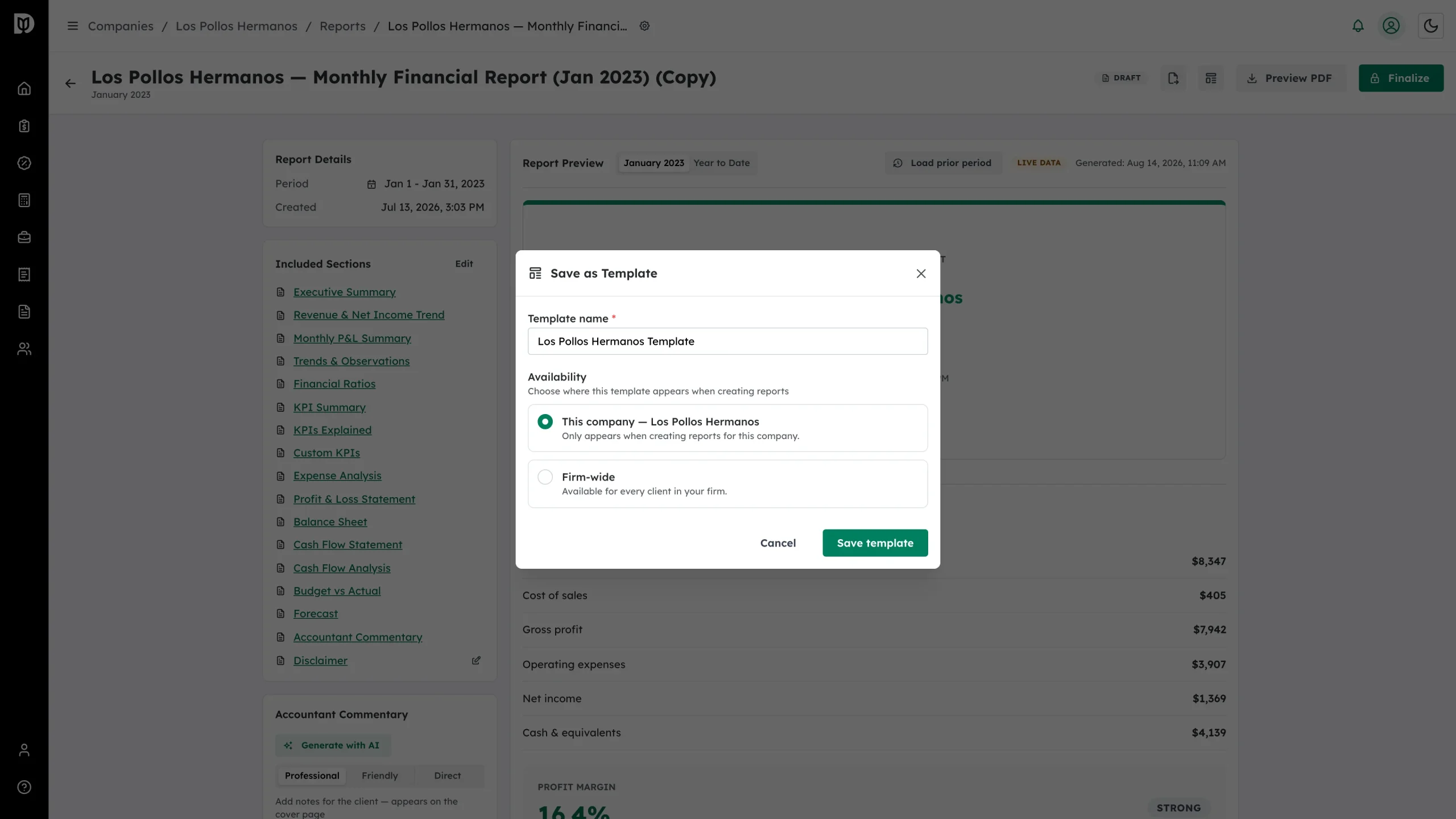
Step 2: Review the window
The Save as Template window asks for a name and where the template should be available.
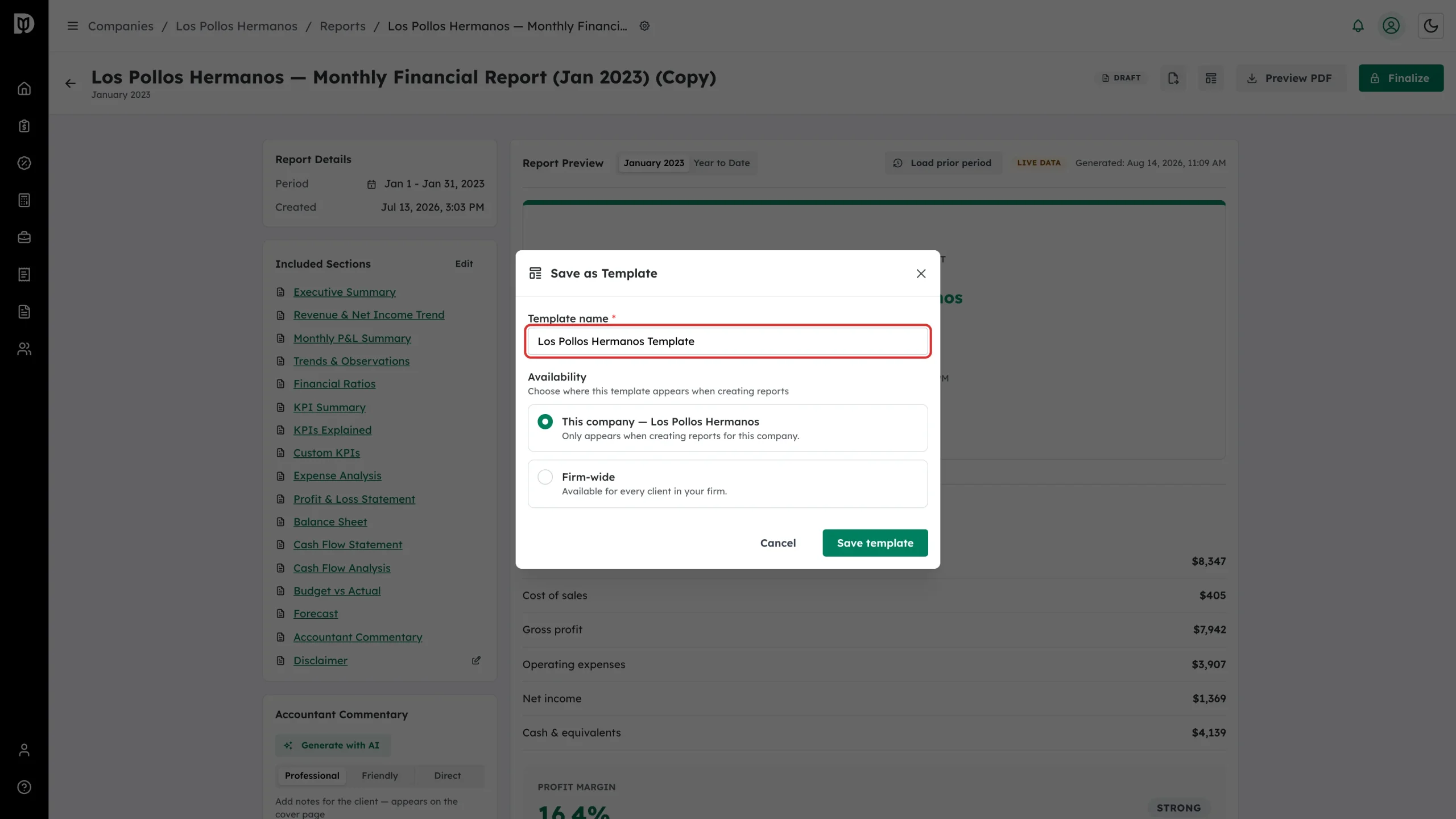
Step 3: Name it
Enter a Template name your team will recognise — for example “Fractional CFO Pack” or “Bookkeeping client”.
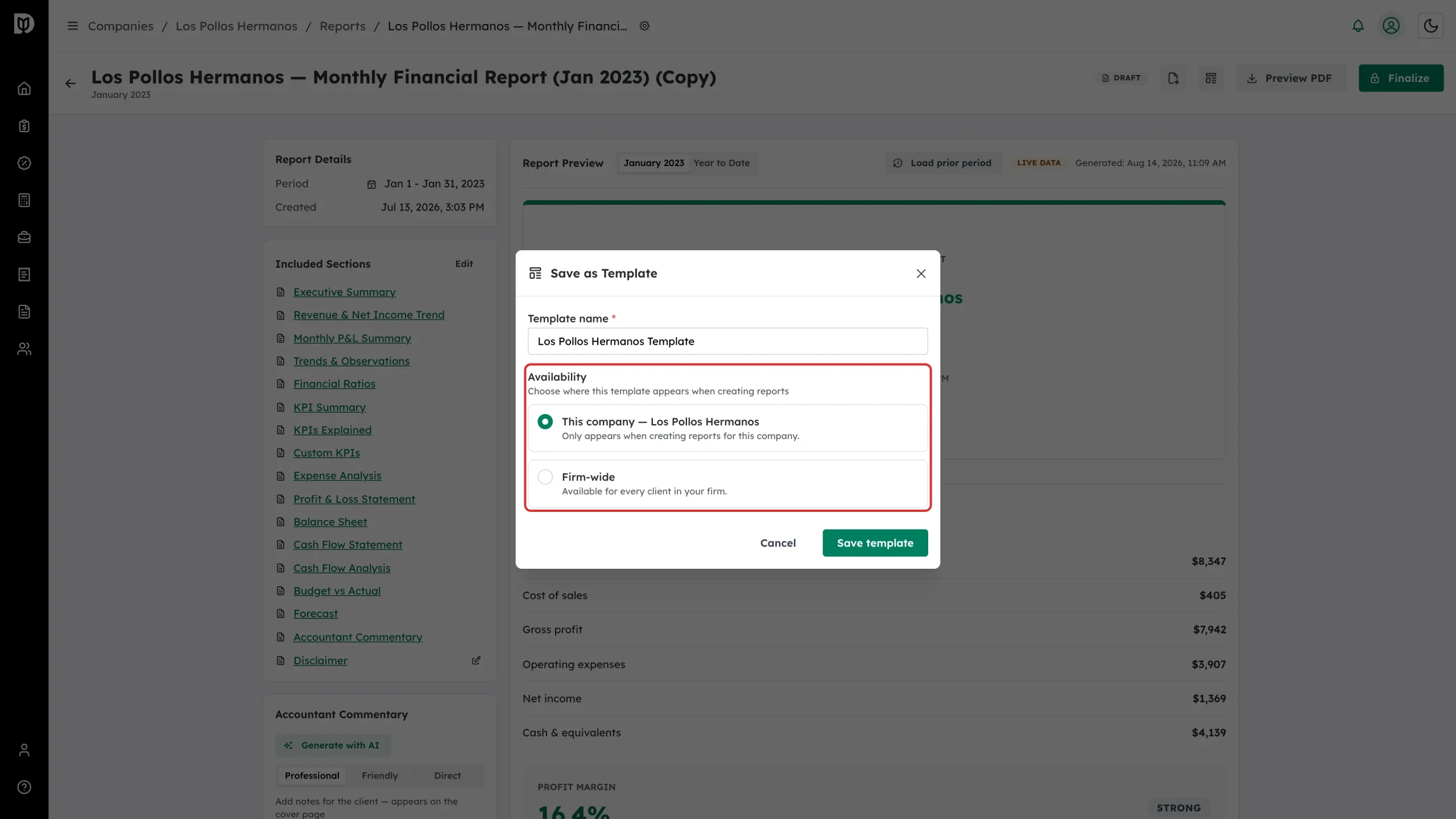
Step 4: Choose who can use it
Pick This company to keep it for that client, or Firm-wide to make it available for every client in your firm, then select Save template.
Step 5: Open the template manager
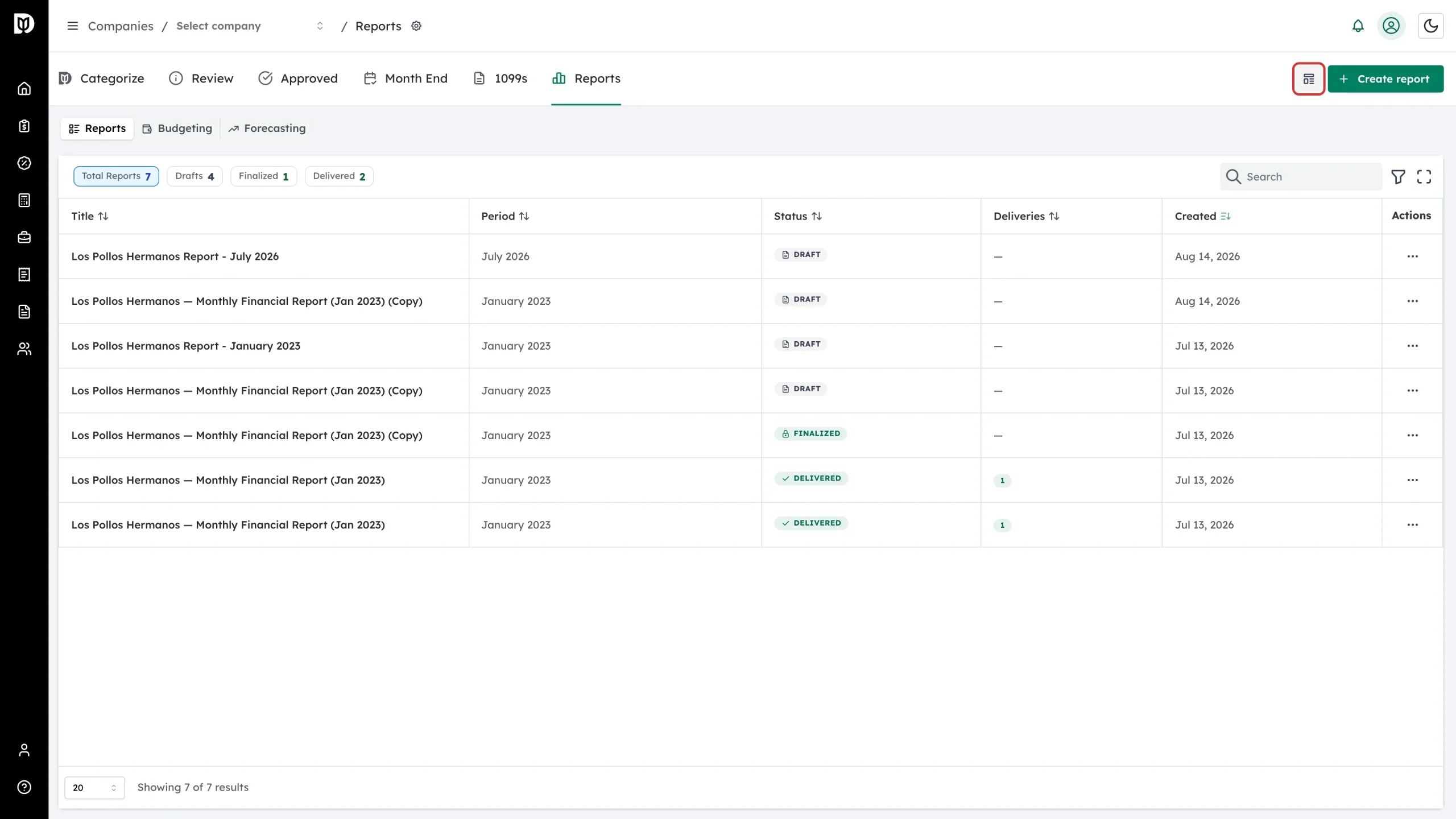
From the Reports workspace, select the Manage templates icon beside Create report.
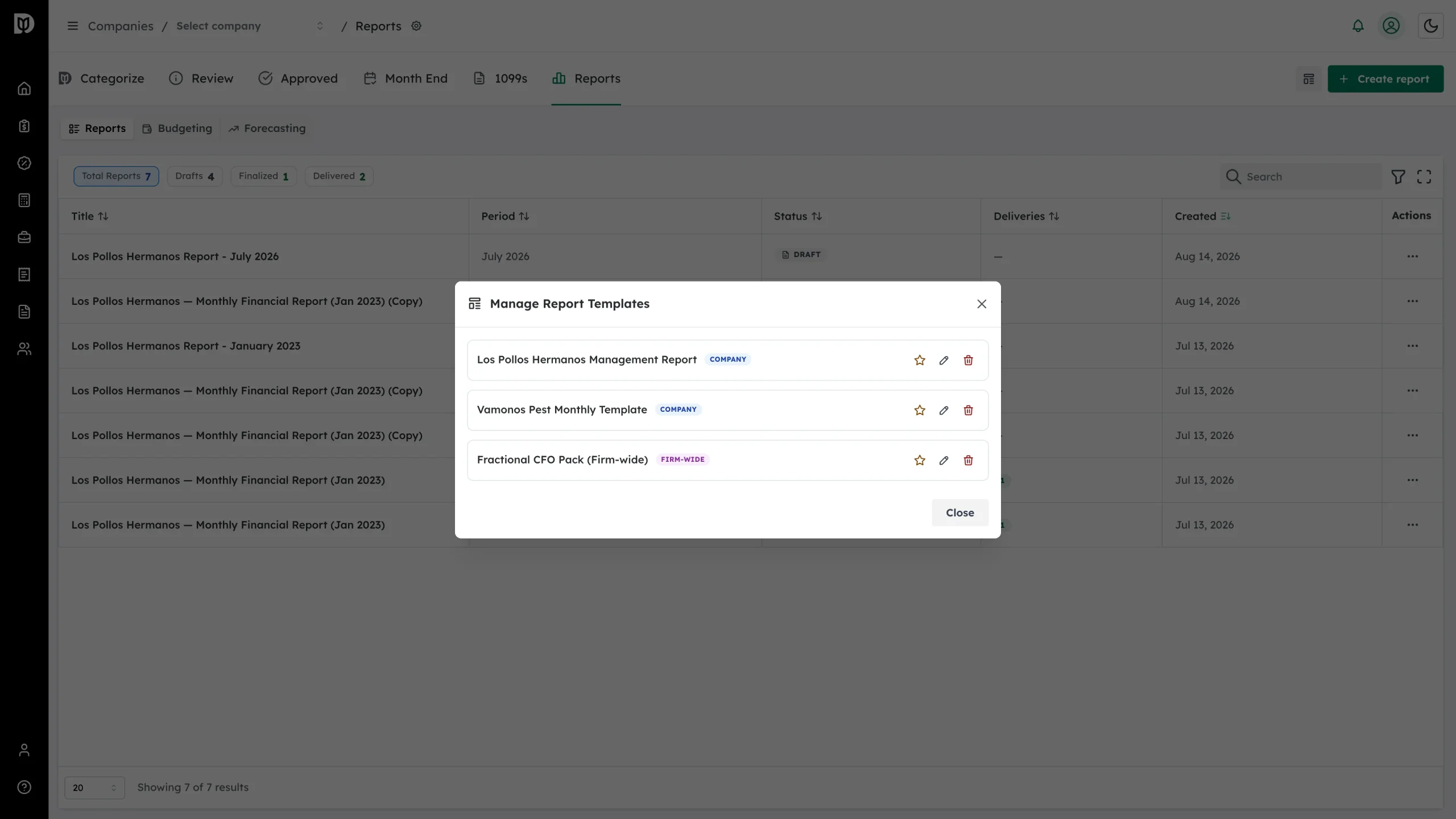
Step 6: Review your templates
Manage Report Templates lists every template with a COMPANY or FIRM-WIDE badge. You can rename or delete a template from here.
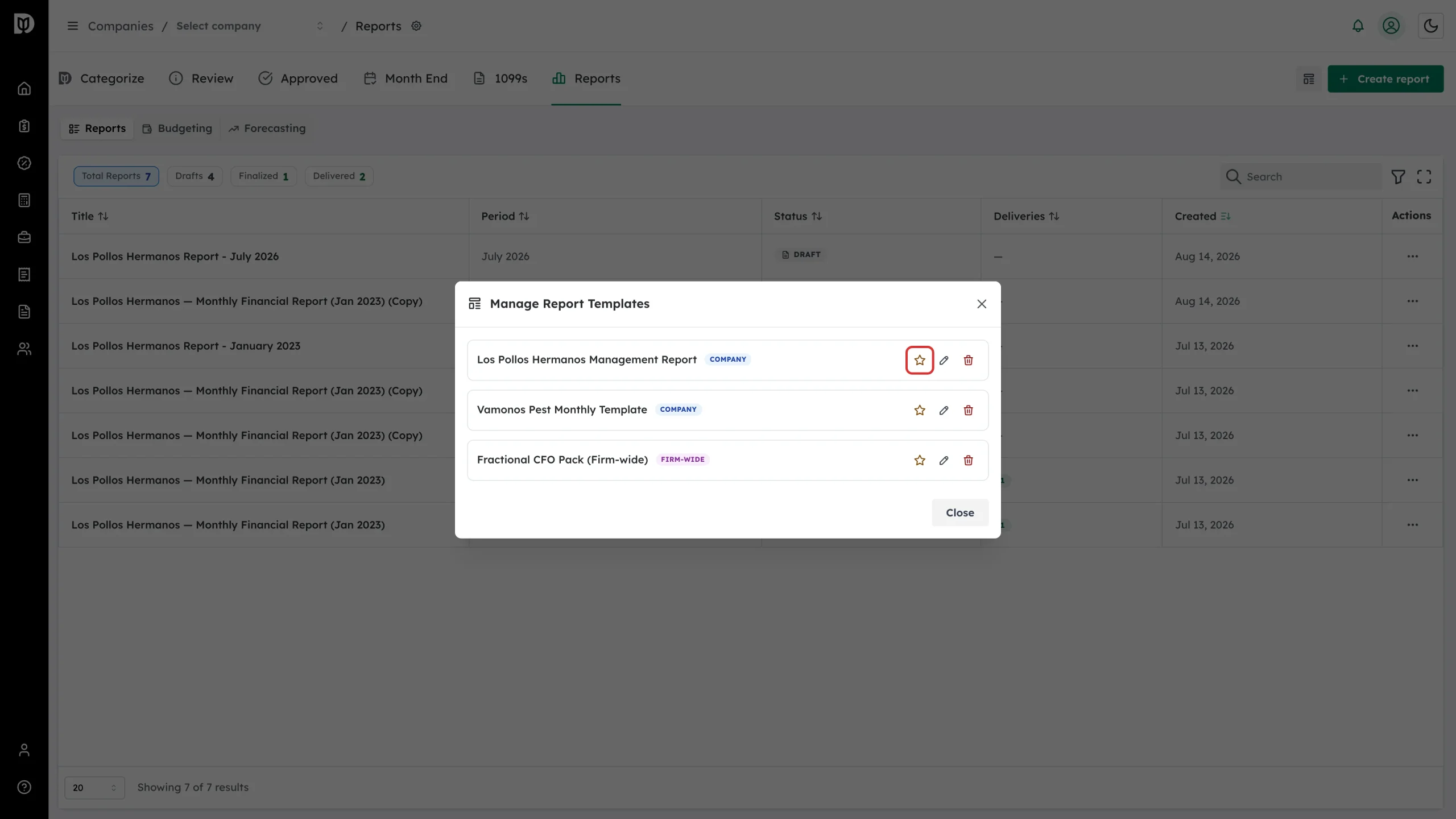
Step 7: Set a default
Select the star to make a template the default. A company-specific default wins for that client; otherwise the firm-wide default applies. The default is pre-selected when you create a new report.
What happens next
When you create a report, choose the template under Start from template and Debits lists the sections it will bring in. The new report is a copy — editing the template later never changes a report you have already created.
Troubleshooting
- A template doesn’t appear for a company. Company-specific templates only show for their own company. Save it as Firm-wide to use it everywhere.
- No default was applied. Confirm a template is starred in Manage templates.
- You changed a template but an existing report didn’t change. That is by design — a report is a copy taken at the moment it was created.