Who this is for: Firm owners, admins, and bookkeeping staff who close a client’s books each month.
What you’ll learn: How to open the Month End workspace for a client and create the close period you will work in.
Before you begin
- You need an accountant role on the firm account (owner, admin, manager or staff).
- Month-end close is part of the Bookkeeping Complete package. If your firm is on Core, the page shows an upgrade prompt instead.
- The client should be connected to QuickBooks. QuickBooks is where Debits reads transactions, account balances, and reports from — Debits does not connect to banks directly.
Step-by-step instructions
-
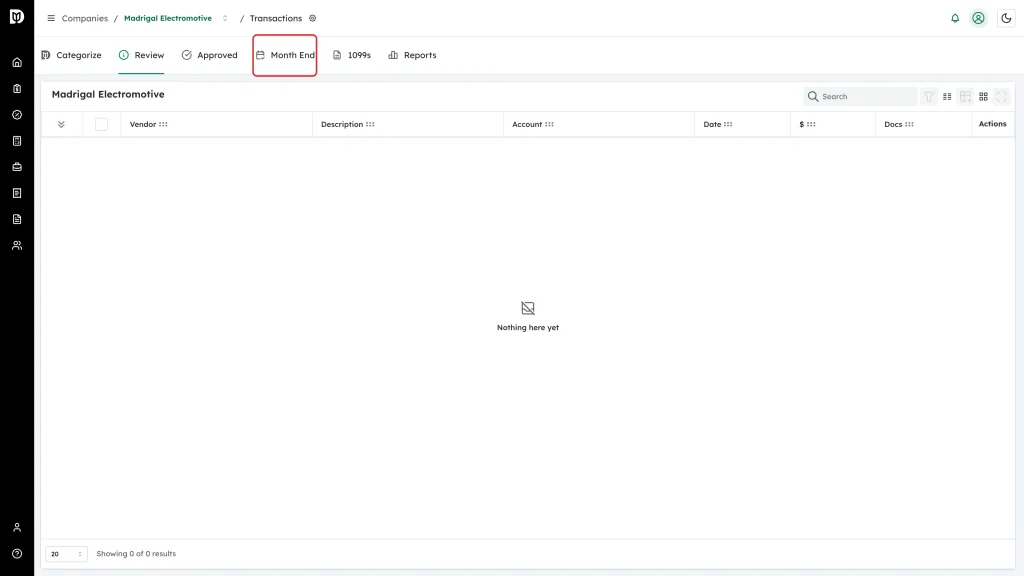
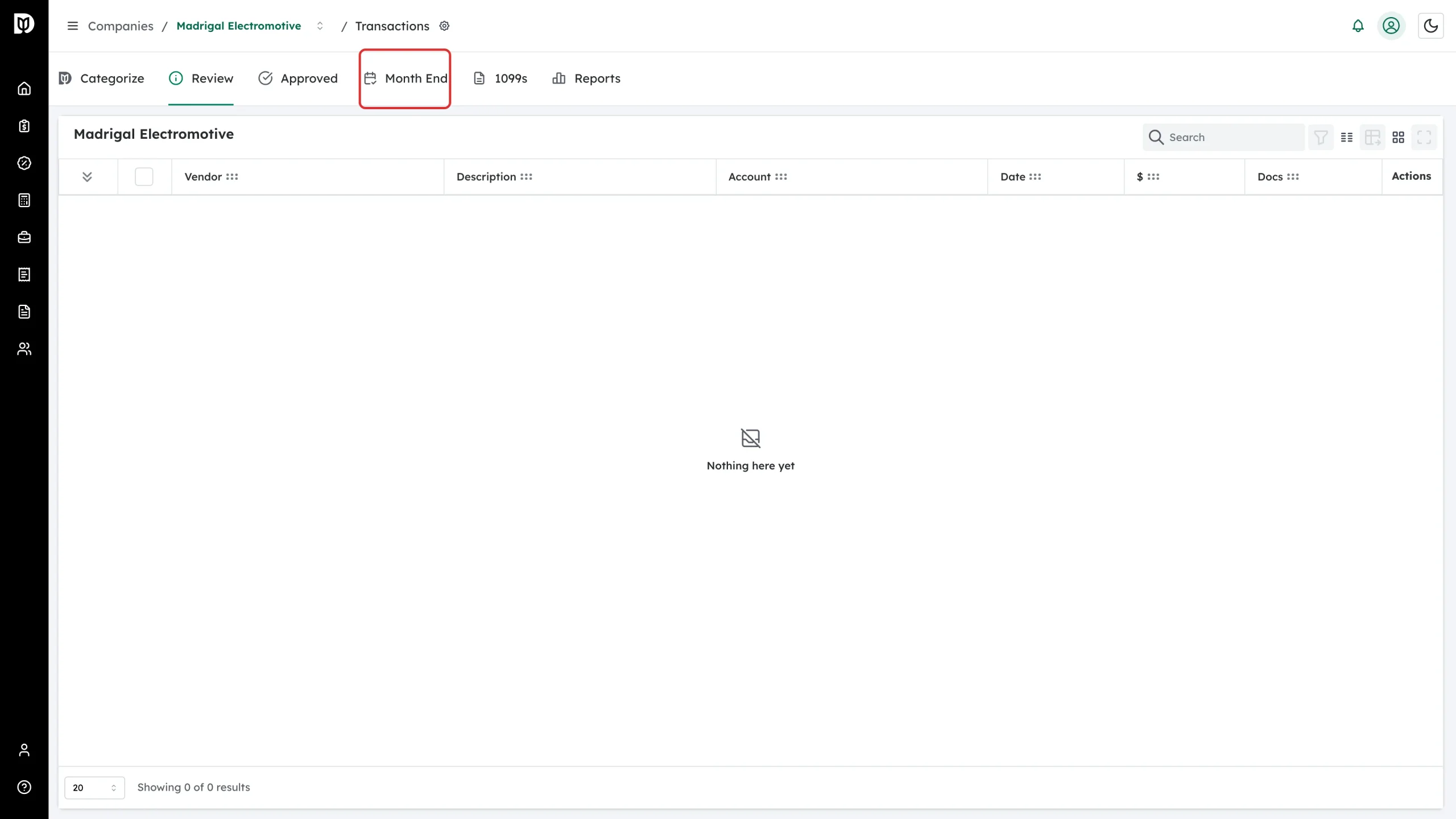
Go to Companies, open the client, then select the Month End tab.
-
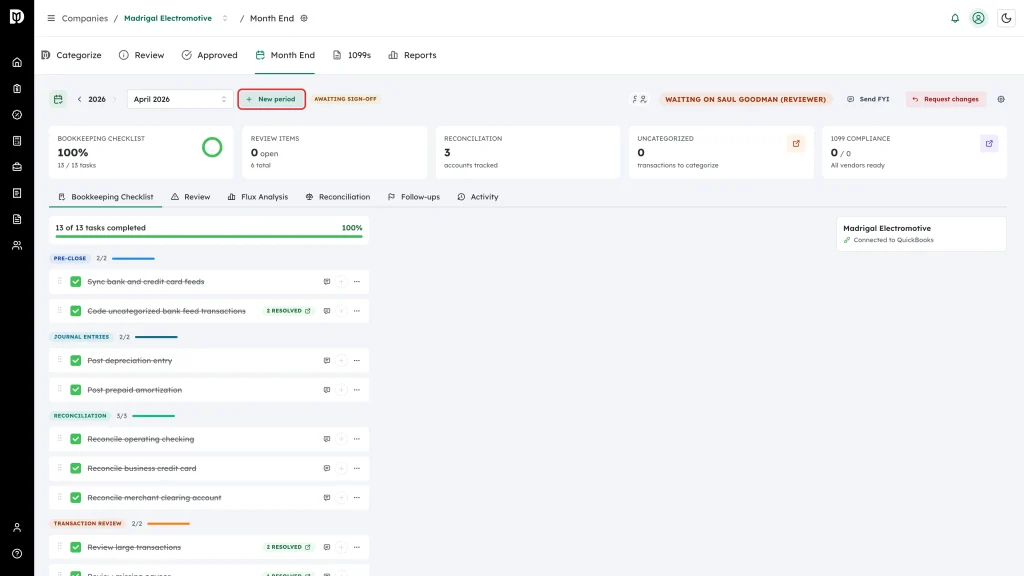
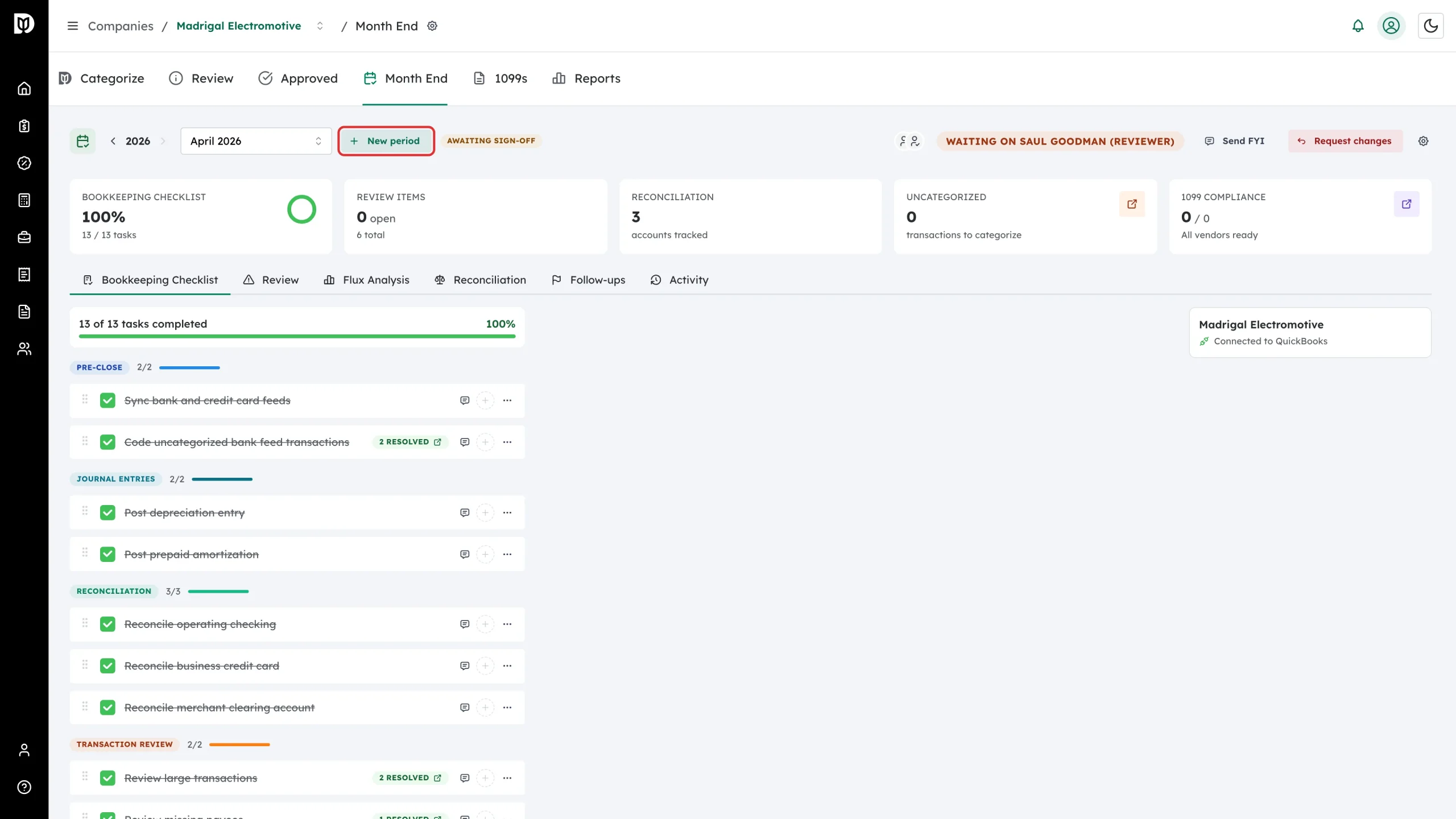
Select New period in the workspace header.
-
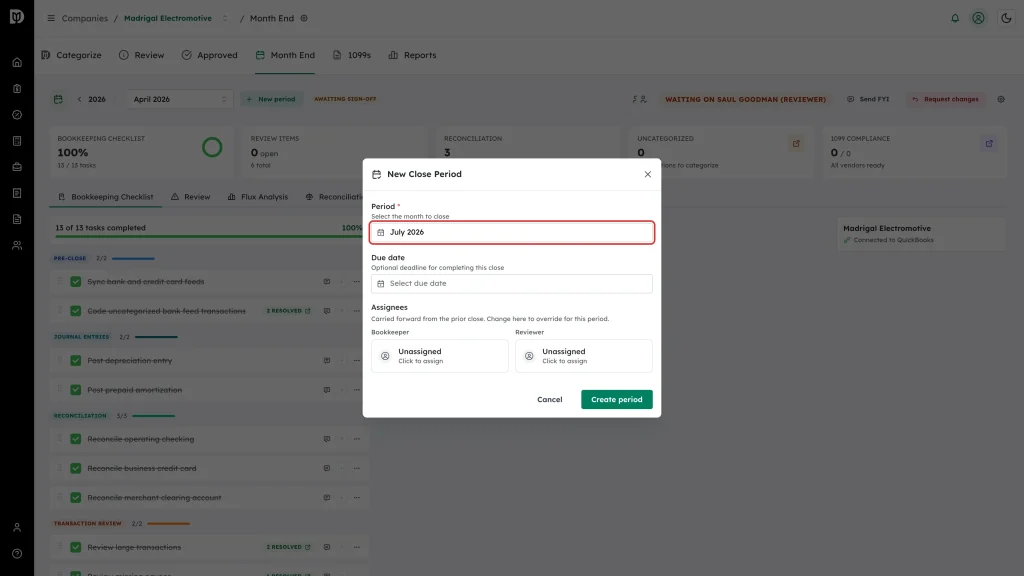
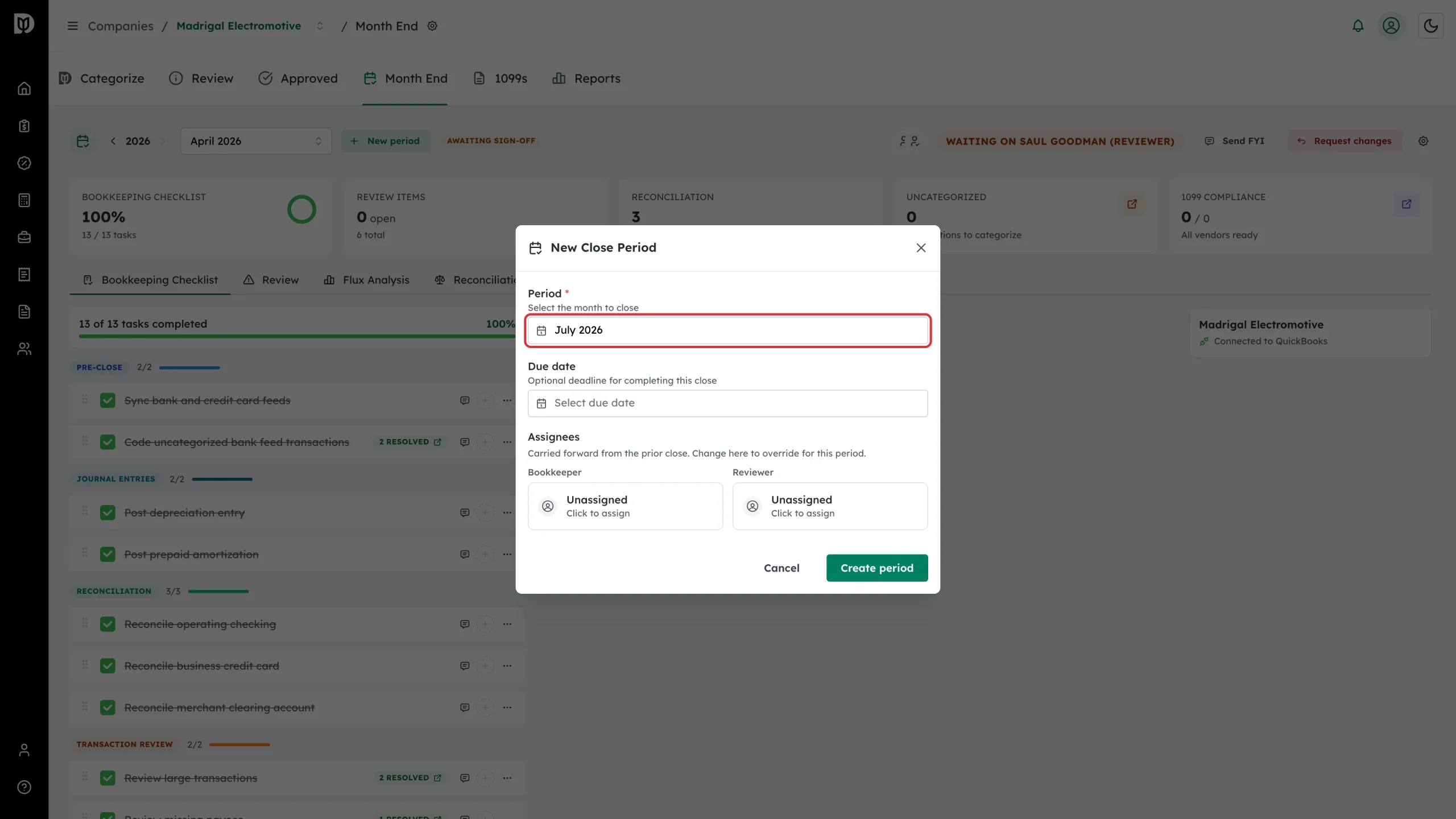
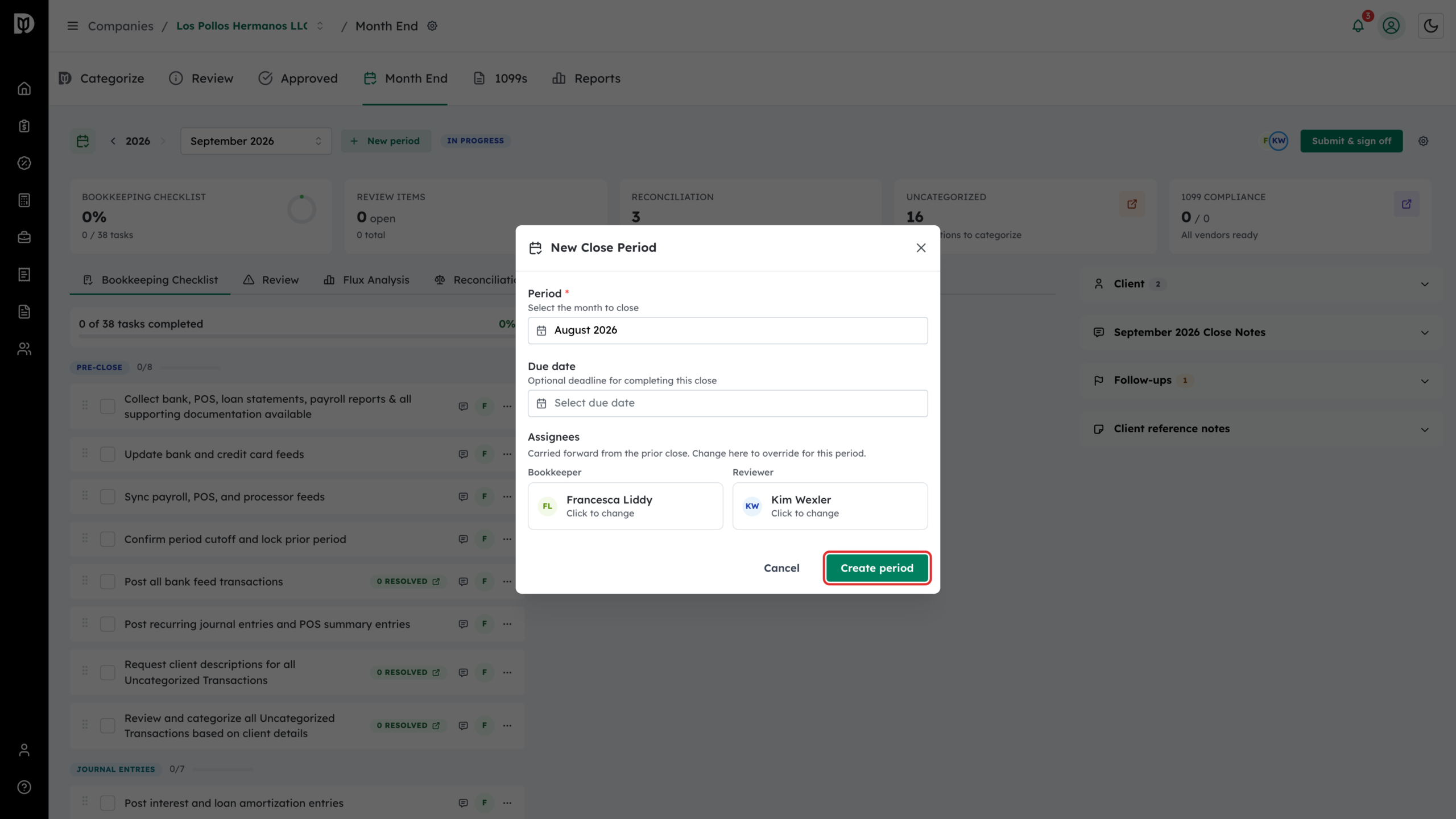
In the New Close Period window, pick the Period month you are closing. Add a Due date if you want one, and set the Bookkeeper and Reviewer under Assignees. Both carry forward from the client’s last close, so change them only when this month is different.
-
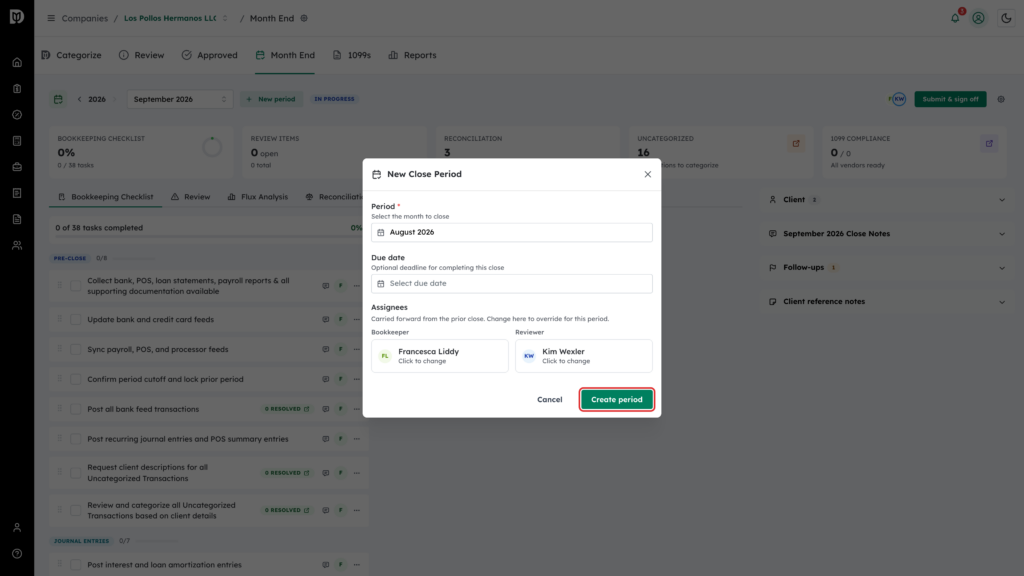
Select Create period.
-
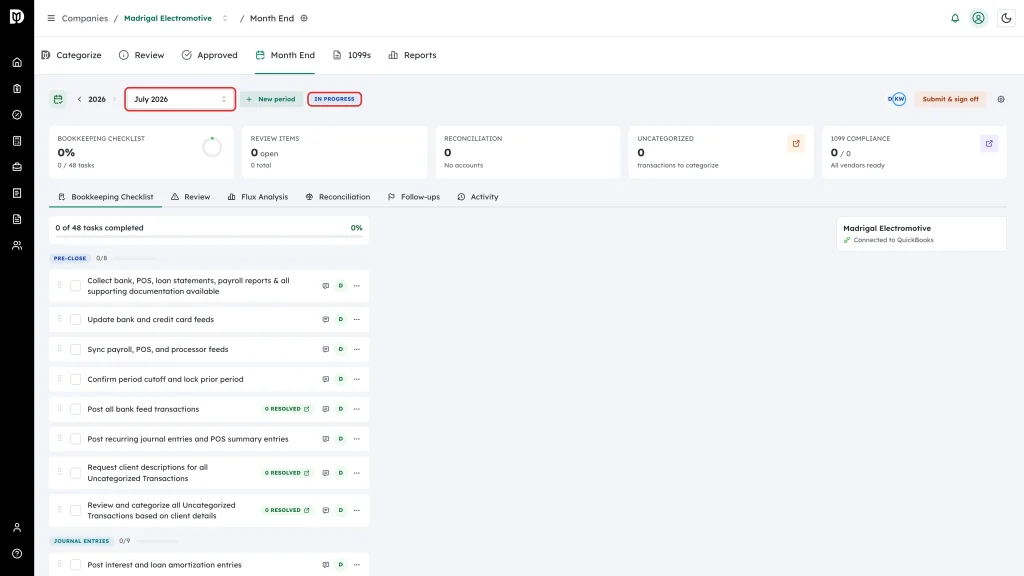
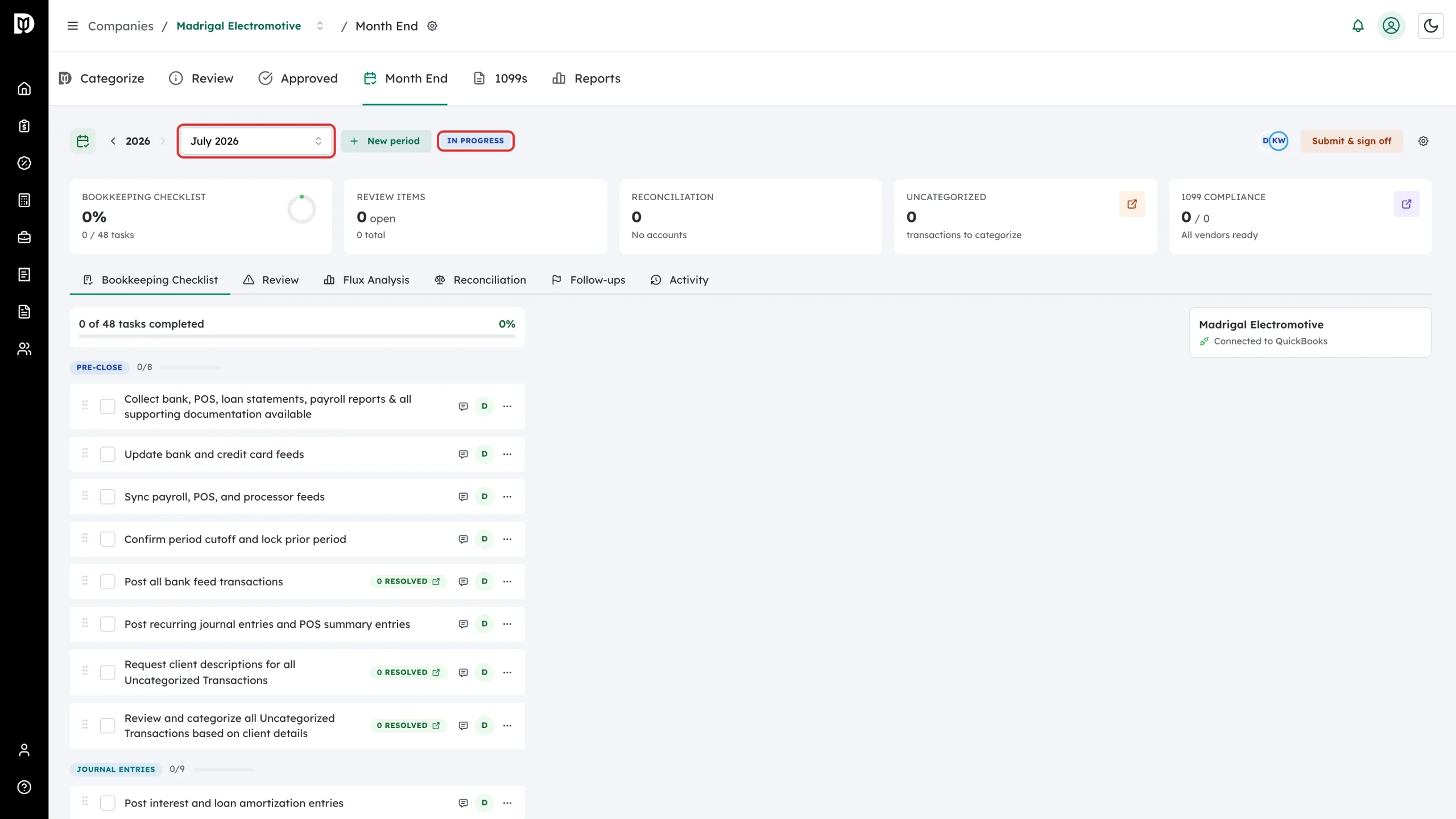
Use the period dropdown in the header to open the month you just created. New periods start with the In Progress badge.
What happens next
Creating a period does several things at once:
- The checklist is built from the client’s default template, or from a standard month-end list if the client has no default. Custom tasks you added last month carry forward.
- The bookkeeper and reviewer become step 1 and step 2 of the period’s sign-off chain.
- Debits pulls the client’s bank and credit card accounts into the Reconciliation tab.
- If you left Due date blank, Debits suggests one based on how long the client’s last three closes took.
A close moves through five states: Not Started, In Progress, In Review, Awaiting Sign-off, and Closed. Use the year arrows and the period dropdown to move between months.
Troubleshooting
- The workspace did not jump to the month you created. The workspace opens the oldest month that is still outstanding, which is usually what you want to work on next. Pick the new month from the period dropdown.
- A period already exists for that month. Each month can have only one close period. Debits opens the existing one instead of creating a second.
- The month starts before your paid sync date. Debits offers to extend the QuickBooks sync for a one-time charge per added month at the company’s bookkeeping package rate ($5 on Core, $10 on Complete). Accept to create the period with full history, or pick a later month.
- The month picker suggests a month that already has a period. The suggestion only looks at the year currently shown in the header. Set the month yourself before creating.